
YouTube For Beginners
Jeremy Mura · Brand and Web Designer
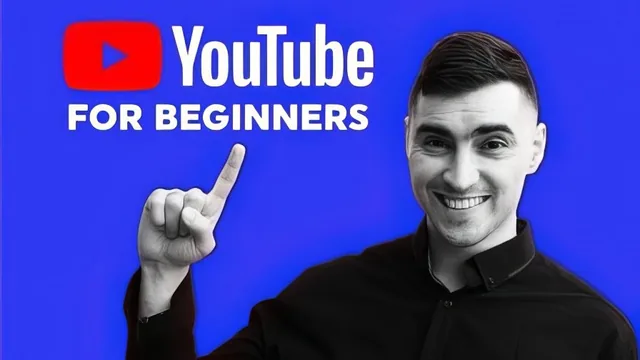
A four-year YouTuber with 10k subscribers walks total beginners through channel setup, gear, and analytics, though the growth advice stays generic.
What it actually covers
YouTube For Beginners is built around Jeremy Mura's own four-year run to 10,000 subscribers, and the course structure mirrors his own learning curve rather than a polished curriculum. It opens with mindset lessons on consistency, camera presence, and monetization expectations before moving into the mechanical side: setting up a Google account, configuring Channel Settings, and navigating YouTube Studio. The back half handles content strategy, tag research, thumbnail design, and a run through Camtasia, Illustrator, and OBS for editing, thumbnails, and live streaming. The arc makes sense on paper, from mindset to setup to growth to production, but the lessons feel more like a loose collection of things Mura wishes he knew earlier than a sequenced path toward a defined outcome.
The strongest material is the analytics walkthrough. Rather than gesturing at "check your metrics," the lesson tours the actual YouTube Studio dashboard: playback-based CPM, average view duration, traffic sources, subscriber versus non-subscriber viewing behavior, device breakdowns, and the year-over-year comparison tool. This is the one place the course earns its beginner label by actually showing where every number lives and what it implies about a video's performance. The gear rundown is similarly concrete and useful for anyone assembling a first setup on a modest budget, covering a Rode NT-USB mic, a Boya lavalier, and a cheap LED panel with actual prices attached.
Where it falls short
The growth advice is thinner than the analytics and gear sections. Camera speaking tips amount to standing up straight, looking at the lens, and writing bullet points on sticky notes stuck to the camera, which is fine but far from novel. The monetization section explains ad revenue mechanics reasonably well but treats sponsorships, merchandise, and Patreon as three bullet points rather than actionable strategies. Thumbnail advice leans on a handful of screenshots from bigger creators like MrBeast and Peter McKinnon with commentary that stays at the level of "put bold text on the left and show the result," without a repeatable framework for building one.
The software segments, particularly Camtasia and TubeBuddy, spend a lot of time clicking through menus that will look outdated as those interfaces update, and neither tool is essential for someone still deciding whether to start a channel at all. The live streaming lesson on OBS and a Stream Deck is well beyond what a true beginner needs in the first weeks of a channel, and its placement late in the course suggests scope creep rather than a deliberate sequence.
Bottom line
This is a reasonable starting point for someone who has never touched YouTube Studio and wants a single person to walk them through account setup, basic gear, and what the numbers on their dashboard mean. It is not a growth strategy course, and viewers expecting sharp tactics on algorithm behavior, scripting, or audience retention will find mostly common sense dressed up with screen recordings. The class project, uploading a first video and channel banner, matches the beginner framing honestly.
The standout
The walkthrough of YouTube's advanced analytics dashboard, showing exactly which metrics (CPM, view duration, traffic sources, subscription sources) to check and how to act on them.
What you will learn
- How to set up a YouTube channel, banner, and Google account from scratch
- How to navigate YouTube Studio, channel settings, and advanced analytics (CPM, watch time, traffic sources, audience demographics)
- How monetization and AdSense work, including revenue sources beyond ad income like sponsorships and Patreon
- How to build a basic video and audio setup on a budget (USB mic, lav mic, LED light, phone lens)
- How to research keywords and tags using TubeBuddy, and design simple thumbnails and banners in Illustrator
- How to run a live stream on YouTube using OBS/Streamlabs and a Stream Deck
Best for: Complete beginners who have never opened YouTube Studio and want a guided tour of setup, settings, and basic strategy from someone who has actually grown a mid-sized channel.
Skip it if: Anyone who already has a channel running or wants advanced editing, scripting, or algorithm-hacking tactics beyond common-sense advice.