
Web Design Essentials: Creating Marketing Homepages That Drive Results
Dennis Field · Branding, UI/UX Designer
A veteran product designer walks through one homepage redesign start to finish, but the 65-minute runtime leaves little room past the single example.
Dennis Field, a designer and product evangelist for InVision, teaches this class as one continuous case study: redesign a homepage for a fictional social media app called Simply Social, with the single goal of raising signups. That framing is the course's biggest strength and its biggest limitation. Everything taught is anchored to one real decision after another, which makes the class easy to follow, but it also means the lessons arrive as narrated commentary on a specific design rather than as standalone principles a viewer could apply to a different layout without translation work.
The story-first framework
The opening lessons set up three goals for the redesign: emphasize signups, showcase the app visually, and explain the product's story more clearly. Field then spends real time on the idea that every homepage element, copy, imagery, spacing, must serve a story arc: who you're talking to, what you want them to think, and what action follows. He ties this to two scanning patterns, the Z-pattern for image-heavy visual pages and the F-pattern for text-heavy editorial layouts, and uses that distinction to justify where the hero, features, and call-to-action sit on the page. It's a compact way to teach layout logic, and it holds up as a mental model beyond this one project.
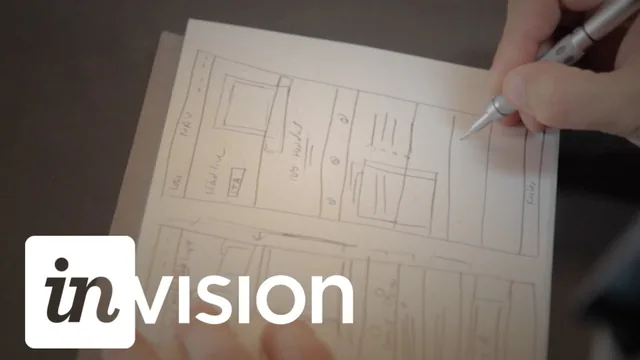
The sketching section covers standard homepage conventions, top navigation, logo-as-home-link, footer for secondary links, hamburger icons as an accepted mobile pattern, before Field moves into two rough concepts and picks the one with better hierarchy. This is a reasonable way to demonstrate iterative thinking, though the sketches themselves are described more than shown in useful detail, and a beginner without prior page-layout experience may need to pause and rewatch rather than follow along in real time.
Execution and feedback
The two "Creating the Design" lessons are where the course earns its keep. Field builds the hero, feature callouts, and testimonial section in Photoshop, narrating decisions about photo cropping, layering opacity to mute a busy background image, and aligning a person's gaze toward the call-to-action to guide the eye. The dominance-control technique, pulling back a strong photo so it supports rather than competes with the interface screenshot, is the most concrete, reusable skill in the class. Copy choices get much lighter treatment; headline text is dropped in as a given rather than developed on screen.
The final stretch covers moving the file into InVision: syncing Photoshop layers, wiring up clickable hotspots between screens, and using Tour points and Dev Notes to route feedback to the right audience. This section functions as a solid orientation to InVision's collaboration features, though a viewer using a different prototyping tool will need to map the concepts across rather than follow along directly.
Overall, the course delivers a clear, well-organized walkthrough of goal-setting, visual storytelling, and feedback workflow for one homepage project, but at just over an hour it moves quickly, treats copywriting and conversion measurement as topics to note rather than teach, and assumes comfort with Photoshop or Sketch from the start. Designers looking for a fast, opinionated framework to sanity-check their own homepage layouts will get real value. Anyone hoping for a full toolkit, covering typography, copywriting, or actual conversion analytics, will need to look elsewhere to fill the gaps.
The standout
The explanation of visual dominance, deliberately dialing back a striking photo's opacity so it supports the interface shot rather than competing with it, is a genuinely transferable editing skill.
What you will learn
- How to define concrete goals for a marketing homepage before opening a design tool
- How to structure a page around a story arc using the Z-pattern eye movement for visual homepages versus F-pattern for editorial layouts
- How to use image composition, cropping, and opacity to control visual dominance so no single element overpowers the message
- How to layer social proof (testimonials, follower counts) into the page without overusing it
- How to build a clickable prototype in InVision and set up Tour points and Dev Notes to manage feedback
- How to sync design changes from Photoshop into InVision so comments update against a live file
Best for: Beginner to intermediate designers who already know Photoshop or Sketch and want a repeatable framework for turning a homepage into a conversion-focused story.
Skip it if: Anyone who doesn't already have basic proficiency in Photoshop or Sketch, or anyone hoping for copywriting, CSS, or measurement/analytics instruction.