
Watercolor Textures for Graphic Design
Teela Cunningham · Hand Lettering + Graphic Design
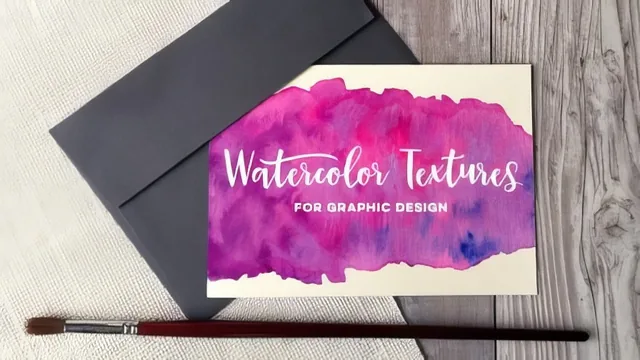
A tight 48-minute walkthrough that turns real paint on paper into clean, layered Photoshop assets ready for any design.
A short, practical pipeline from paintbrush to Photoshop
Watercolor Textures for Graphic Design is exactly what its title promises: a compact production pipeline, not a painting class. Teela Cunningham spends the opening lessons on supplies, comparing Dr. Ph. Martin's concentrated watercolors against Pentel tube watercolors, and pairing each with a specific paper choice, Canson for lighter water use and Strathmore for heavier washes. The painting demonstrations that follow are brief and intentionally loose. Cunningham favors big swashes and filled circles over fine detail, explicitly avoiding techniques like salt or bleach texturing because she wants the color to support a design's message rather than compete with it. That restraint sets the tone for the whole course: this is about generating usable raw material fast, not about watercolor craftsmanship for its own sake.
The scanning and Photoshop lessons are where the course earns its keep. Scanning at 600 PPI even though 300 is the eventual print target is a small but sensible habit, since it banks extra resolution for future reuse. The color adjustment lesson is clear and specific about using a Levels adjustment layer rather than a direct Image > Adjustments application, and it explains why: adjustment layers stay editable, so a texture can be revisited later without repainting it. The background removal lesson goes further than a basic tutorial might, walking through Color Range selection with black matte preview, a two-pixel selection contraction to eliminate stray fringing, and a rotating brush built with Shape Dynamics jitter settings to hand-finish the mask edge organically rather than leaving a hard, computer-cut outline.
Where the real value sits
The pattern-making lesson is the strongest section of the class. Cropping a texture into a square, offsetting it to expose the seams, and then clone-stamping across those seams using sampled source points from matching color transitions is a legitimate, professional technique that applies to any repeating texture work, not just watercolor. The lesson also builds in a verification step, reapplying the offset filter to confirm no hard lines remain, which is a good habit that beginners often skip. The final lesson on applying textures to typography via clipping masks is short but sufficient, showing both the pattern-fill route and the direct-texture route with attention to how texture edges interact with letterforms.
The course's honesty about its limits is a strength. Cunningham is upfront that intense water build-up needs to be blotted with a tissue, that four colors is roughly the ceiling before textures turn muddy, and that Photoshop's automatic selection tools need manual correction at the edges. Nothing here oversells the ease of the process.
The weaknesses are structural rather than instructional. At under 50 minutes across eleven lessons, several of them are only a few minutes long, and the class assumes comfort with Photoshop layers, selections, and masks going in. A true beginner to Photoshop will need to pause frequently to find menu items that are named but not lingered on. The course also requires physical supplies and a scanner, which is a real barrier compared to fully digital texture tutorials, and it does not cover CMYK conversion for print beyond a passing mention that vibrancy may need adjusting. Anyone wanting to design a full lockup or logo with these textures is pointed to a separate class rather than getting that content here.
For a designer who already owns Photoshop and wants a fast, repeatable method to produce handmade-looking texture assets, this delivers real, usable technique in under an hour.
The standout
The seamless pattern lesson, which uses the Offset filter to expose seam lines and the clone stamp with a soft brush to erase them, is a transferable Photoshop skill well beyond just watercolor work.
What you will learn
- How to mix and apply concentrated versus tube watercolors to get distinct swash, circle, gradient, and streak textures
- Scanner settings (600 PPI, JPEG) that preserve texture quality before any color work begins
- Non-destructive color and contrast boosting in Photoshop using Levels adjustment layers
- Cutting a texture cleanly off its background with Color Range selection and a rotating brush on a layer mask
- Building a genuinely seamless repeating pattern using the Offset filter and clone stamp tool
- Applying a finished texture or pattern to typography via clipping masks
Best for: A graphic designer or hand letterer comfortable in Photoshop who wants a repeatable, low-tech way to add handmade color texture to digital work.
Skip it if: Anyone without physical watercolor supplies or a scanner, or anyone hoping for illustration or painting instruction, since the painting itself is treated only as raw material.