
Watch Me Work: Real Client Design Projects
Dylan Mierzwinski · Illustrator & Lover of Flowers
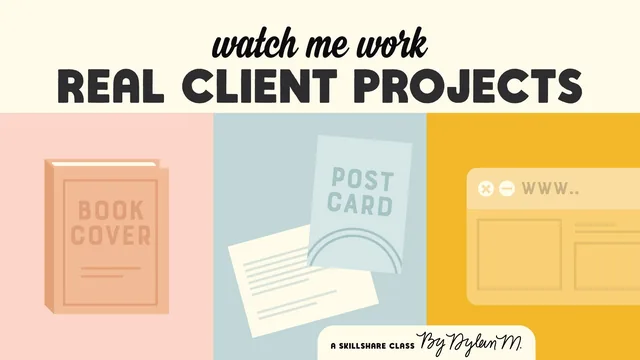
A working freelancer opens his actual client emails and quotes to show the messy, unglamorous business side of design work that most classes skip entirely.
Dylan Mierzwinski's "Watch Me Work" is built on an unusual premise for a design class: instead of teaching a tool, it opens the inbox. The course walks through three real freelance jobs, a book cover redesign, an illustrated postcard, and a web app reskin, using actual emails, quotes, and revision rounds as the curriculum. The stated goal is to show what happens before and after the design work itself, and for the most part it delivers on that promise.
The book cover project carries the course
The first project, redesigning a self-published author's book cover, gets by far the most attention, and it's where the course earns its keep. Mierzwinski breaks down a real client email using a who-what-where-when-why framework to extract scope quickly, then shows the actual pricing math: an hourly estimate multiplied against a personal rate range to produce a quote range, followed by the reasoning for landing on one number inside that range. He is candid about a mistake, missing the client's first email for a month, and how he recovered it with an apology that gets to the point instead of over-explaining. Later, he manually calculates spine width and bleed for a CreateSpace print file, which doubles as a legitimate technical demonstration and not just a business lesson. The back-and-forth over a hand-drawn dashed line motif, added purely for visual balance and then justified to the client as intentional, is a small but telling example of how design decisions get sold, not just made.
The postcard and web app projects add contrast but thin out
The second project, an illustrated postcard for a fabric company, repeats the onboarding-to-delivery arc but shifts the lesson toward creative collaboration: choosing script fonts on Creative Market, sending a rough sketch before committing to hand-lettering, and letting the client's feedback reorganize which side of the postcard says what. It's a reasonable second data point, showing that not every client interaction is as slow as the first.
The third project, reskinning a corporate web app under an hourly retainer, is the weakest link. Confidentiality requirements strip out almost all specifics about the company, the interface, or the rate, leaving a project that is mostly described as "flattening gradients and cleaning up type" without much to actually study. The lesson here, that some clients need almost no hand-holding and that hourly billing suits a long-term retainer differently than a fixed-bid job, is worth having, but the segment feels thin next to the book cover's depth.
Where it succeeds and where it doesn't
The course's real strength is showing the reasoning behind small decisions: why a quote lists a mood board even when it might get cut, why an apology email should end on a positive note rather than justify the delay, why hourly rates are calculated internally but rarely disclosed to clients. These are the kinds of judgment calls that usually only come from working alongside someone, and the course does put the viewer in that position.
Its weakness is uneven depth across the three projects and light coverage of the tools it name-drops. Illustrator, Photoshop, and Procreate all get screen time, but only as a backdrop for business decisions, so anyone hoping to learn a design program alongside the process side will be disappointed. As a look inside the actual mechanics of freelance client work, though, it holds up better than most classes that only talk about "professionalism" in the abstract.
The standout
The walkthrough of turning an hourly time estimate into a two-number price range, then rationalizing which end of that range to actually quote, gives a repeatable pricing method rare in design courses.
What you will learn
- How to structure and word a client quote, including padding for onboarding and revision time before negotiating down
- A method for pricing by estimated hours times a flexible hourly range rather than quoting a flat hourly rate to clients
- How to build a print-ready book cover file from scratch, including calculating spine width and adding bleed manually
- How to extract a who/what/where/when/why brief from a client's first email to scope a job quickly
- How to write client emails that apologize, clarify scope, and move a project forward without excess back-and-forth
- How project management differs across a slow email-based client, a collaborative Etsy-style client, and an hourly corporate retainer
Best for: Freelance illustrators or designers who already have technical chops but feel lost handling quotes, scope creep, and client communication.
Skip it if: Total beginners looking to learn Illustrator, Photoshop, or Procreate techniques from scratch, since software instruction here is secondary and assumed.