
Video for Instagram: Tell an Engaging Story in Less Than a Minute
Hallease · Digital Storyteller, Video Producer
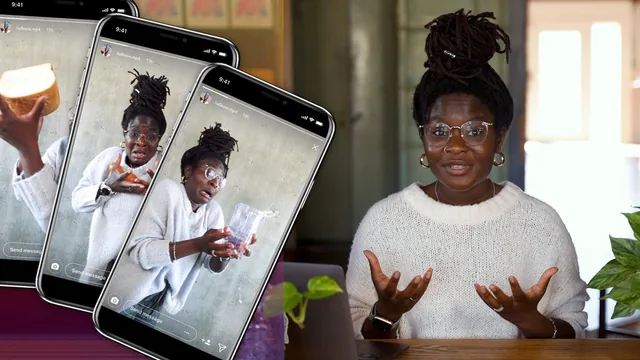
A 27-minute course that teaches three concrete camera tricks and a mindset shift for turning ordinary moments into 60-second Instagram stories.
What it actually covers
This class opens by promising storytelling techniques for one-minute Instagram videos, and it delivers on a narrow, well-defined slice of that promise. Hallease structures the 27 minutes into three movements: creative inspiration, three visual techniques, and a technical wrap-up on gear and editing. The middle section is where the real teaching happens. Jump cuts get the fullest treatment, with an on-screen editing demonstration that trims raw footage clip by clip while explaining why the camera position, framing and lighting need to stay constant so a viewer reads a change of shirt or setting as the passage of a day rather than a jarring edit. Slow motion follows, walked through as a live planning exercise: pick an action (dropping a bar of soap after over-applying lotion), keep it brief since slow motion stretches a fraction of a second into several, and exaggerate the physical performance so the emotion survives the slowdown. Text on screen rounds out the trio, framed less as decoration and more as a functional tool for accessibility, mute-viewing, and adding a layer of humor or context the footage alone can't carry.
Where the value sits
The most useful stretch is the jump cut demo, because it is the only place the course moves from talking about a technique to actually showing the editing decisions in real time: where to trim, how much dead frame to leave for the camera to find focus, and how to judge whether a cut reads as clean. Everything else stays closer to advice than instruction. The theme-picking and inspiration segment is more mindset pep talk than method, useful for someone stuck on what to film but thin on structure for actually developing an idea. The technical lesson at the end is a broad tour of cameras (phone, Sony ZV-1, Sony a7 III), aspect ratios (9:16 for Reels and Stories, 4:5 for feed), and editing apps ranging from free to Final Cut Pro, useful as an orientation but too surface-level to change how anyone actually shoots.
Honest assessment
For a total beginner who has never thought about jump cuts, slow motion pacing, or why captions matter beyond compliance, this is a genuinely efficient primer. It respects the short runtime and doesn't pad with theory. But the course's own examples are almost all pulled from Hallease's personal pandemic-era vlogging, quarantine routines, singing badly at home, a slipping-in-lotion gag, which narrows the demonstrated range considerably and dates the material. Nothing here addresses trends, sound design beyond picking a song, or platform algorithm behavior, and a viewer who already edits video casually will find the jump cut lesson the only segment worth the time. The class project (make a sub-60-second video) is appropriately scaled to the lesson content, but there's no rubric or feedback structure beyond "post it and tag me." As a quick orientation for a true novice, it earns its place; as a course to revisit or deepen skills, it runs out of material fast.
The standout
The jump cut walkthrough, where Hallease edits real footage live and explains keeping the camera position and framing identical while changing one variable to sell the passage of time.
What you will learn
- How to shoot and edit a jump cut sequence that shows the passage of time using one changed element (like a shirt)
- How to plan and film a slow-motion comedy beat, including frame rate, shutter speed and f-stop settings for DSLR/mirrorless shooters
- How to use on-screen text for accessibility, humor and added context rather than just captions
- How to pick a single theme and inspiration source (a song, a routine, an emotion) to keep a one-minute video focused
- Aspect ratio and framing choices for Instagram feed (4:5) versus Reels and Stories (9:16), including rule-of-thirds framing for cross-posting
- A rundown of gear and editing software options across budgets, from phone apps to Premiere Pro
Best for: Beginners and hobbyist content creators who already have a smartphone and want a fast, practical framework for shaping everyday footage into a short story.
Skip it if: Anyone who already understands basic short-form editing techniques or wants a deep technical tutorial on a specific editing program.