
TikTok for Everybody: Script, Shoot, and Upload Your First TikTok
Josh Otusanya · Content Creator & Stand-up Comedian
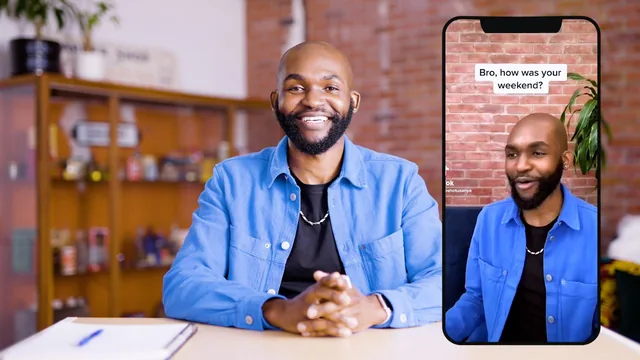
Josh Otusanya breaks down his real 5-million-follower TikTok process, but the whole thing runs barely longer than one episode of a sitcom.
Josh Otusanya's class is exactly as advertised: a beginner's walk from blank page to published TikTok, told through the lens of the sketch-and-advice format that built his following. At 37 minutes across eight short lessons, it moves fast, and it never pretends to be more than a starter kit.
What the course actually covers
The arc is linear and sensible. Otusanya opens with a timed three-minute brainstorm exercise, done live on camera, where he writes down every idea that comes to mind without judging it, then narrows the list by personal interest and competitiveness. He picks "keeping a conversation going" as his working topic, then walks through writing a two-character script built around a single teachable moment: one friend awkwardly stalls a conversation, deploys the phrase "tell me more about that," and the other character calls it out, turning a conversational trick into the punchline. That show-don't-tell structure, information delivered through a scene rather than a lecture, is the most useful single idea in the class, and it's demonstrated in enough concrete detail (specific lines, specific edits) that a viewer could copy the pattern directly.
From there the course covers trimming a script for pacing, selecting a green-screen background image, choosing trending sounds, and writing captions and hashtags that describe the video's actual topic rather than chasing generic tags like #fyp. The final two lessons follow Otusanya through an actual shoot and edit, including re-recording lines that felt off, deleting weaker takes, adding text captions in the safe zone of the screen, and applying his signature transition effect.
Strengths and limits
What works is specificity. Rather than talking about "hooks" and "watch time" in the abstract, Otusanya shows the exact edited clip, points at the exact caption, and explains the reasoning behind small choices, like deliberately cutting his closing laugh short to bait comments asking for the full laugh. That kind of granular, camera-facing demonstration is rare in short beginner classes and gives the lessons on scripting and editing real weight.
The limits are mostly a function of runtime and scope. Everything here is filtered through one specific content style: short comedic or advice-driven scenes with a punchline. Anyone whose interest is dance, lip-sync, cooking, or trend challenges will find little that transfers beyond the general TikTok mechanics. The sound and hashtag lesson is useful but thin, more a checklist of what to look for than a method for evaluating trends. And because the whole class is compressed into well under an hour, nothing gets more than a surface pass; there's no discussion of consistency, analytics, or what to do once the first video is up.
As a first-video primer, though, it does its job. It sets a beginner up with a concrete idea-to-upload checklist, demonstrated by someone who has clearly internalized it, and gets out of the way in under 40 minutes.
The standout
The walkthrough of writing a two-character sketch that teaches a real conversation tip through dialogue rather than direct explanation is the clearest, most transferable lesson in the class.
What you will learn
- How to brainstorm video ideas with a timed brainstorm and narrow them by personal expertise and competitiveness
- How to structure a scripted comedic sketch around a single teachable takeaway
- How to trim a script for pacing, including cutting a hook into the first two seconds
- How to select and reuse trending sounds and write hashtags/captions that target the algorithm instead of just decoration
- How to use the green screen effect to add background imagery to a talking-head or sketch video
- How to add readable, well-timed subtitles and a signature transition effect when editing in the TikTok app
Best for: A complete beginner with just a phone who wants Josh's specific idea-to-upload workflow for short comedic or advice-driven sketches.
Skip it if: Anyone wanting to make dance, lip-sync, or trend-remix content, or creators who already post regularly and need advanced editing, growth, or monetization strategy.