
The Foundations of Great Video
Rob Glass · BBC-trained video journalist
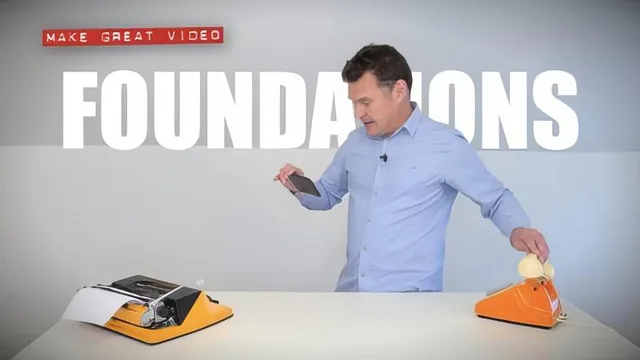
A 20-minute framework of audience-first thinking, not gear or software, for absolute smartphone-video beginners.
The Foundations of Great Video compresses two decades of broadcast experience into a single framework built around one idea: audience attention is fragile and must be actively defended. Rather than opening with camera settings or software tutorials, the course frames video-making as a psychological problem first and a technical one second. Rob Glass, a BBC-trained journalist turned presenter, spends the first few minutes establishing why a viewer might leave at any second, then spends the rest of the course offering three countermeasures.
The first strategy, described as "good manners," asks the footage to match how a person naturally perceives a scene. Glass breaks this into three layers: what the eye expects (focus, exposure, and white balance), what the logical brain expects (a level, steady, non-zoomed shot), and what the creative brain expects (balanced, wide framing). The demonstration that follows is the course's strongest moment, showing a single tap-and-hold gesture on a smartphone screen that locks focus, exposure, and color balance simultaneously, turning three technical settings into one physical habit a beginner can repeat without thinking.
The second strategy addresses pacing through variety. Glass names seven editing "ingredients," talking head, graphics, soundbites, cutaways, narration, screen capture, and music, and argues that cutting between them every few seconds resets a viewer's attention span. The accompanying demonstration is a timed two-minute challenge in which Glass shoots and edits a short clip using only a talking head, a cutaway, and narration inside a mobile editing app, giving beginners a realistic sense of how quickly a usable clip can come together on a phone.
The third strategy sorts video projects into three genres, information, performance, and story, and argues that most effective videos blend the first with the third. Here the course turns self-referential: Glass points out that the lesson viewers have just sat through was itself constructed as a story, with the viewer cast as the hero pursuing a goal against an obstacle. It is a clever structural trick and a genuinely useful illustration of the principle, though it edges close to being cute for its own sake.
The course's real strength is memorability. Three simple, nameable ideas, manners, ingredients, story, are easier to retain than a checklist of equipment or settings, and the smartphone-only demonstrations make every technique immediately repeatable. Its limitation is depth. At 21 minutes, nothing here addresses lighting setups, audio equipment, color grading, or the mechanics of any specific editing software beyond a brief glimpse of one app. Viewers who already grasp basic composition and editing will find little new information, and the closing pitch for paid boot camps makes clear this course is intended as an entry point rather than a complete education. As a first framework for a total beginner with a smartphone and no prior video experience, it delivers exactly what it promises in exactly the time it claims.
The standout
The single most useful takeaway is the tap-and-hold gesture on a smartphone camera that locks focus, exposure, and white balance in one motion, replacing three separate technical worries with one physical habit.
What you will learn
- How to lock focus, exposure, and white balance with a single tap-and-hold gesture on a smartphone camera
- Three 'good manners' checks (steady, level, no zoom) that match footage to how the eye and brain naturally process a scene
- Seven editing 'ingredients' (talking head, graphics, soundbites, cutaways, narration, screen capture, music) used to reset viewer attention every few seconds
- How to assemble a basic three-clip edit (talking head, cutaway, narration) start to finish in a mobile editing app
- How to classify a video project as information, performance, or story before filming it
- How to blend storytelling structure into an informational video to keep viewers watching to the end
Best for: Best for complete beginners filming with just a smartphone who want a simple mental checklist before they ever open a video editing app.
Skip it if: Not for anyone who already understands basic shot composition and continuity editing, or who wants concrete guidance on lighting, audio gear, or specific editing software, since the course stays entirely at the conceptual level.