
The Business of Graphic Design: Protect & Perfect Your Passion
Aaron Draplin · Designer and Founder, Draplin Design Company
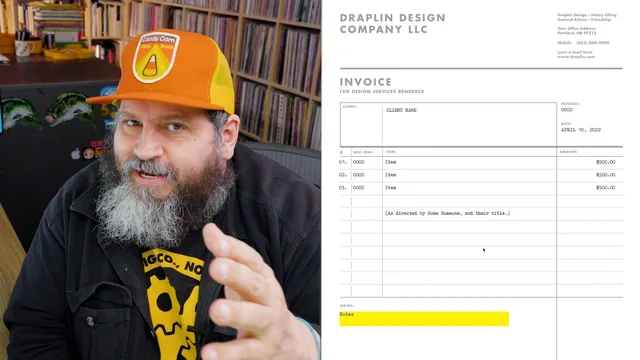
A veteran designer opens his own invoices, contracts, and file folders so you stop losing money to sloppy business habits.
Aaron Draplin's eighth Skillshare class trades the logo work he's known for and turns the camera on the paperwork behind it: templates, file names, emails, invoices, tax forms, contracts, bookkeeping, and business structure. The premise is sound. A designer's craft off the page, he argues, shapes how clients perceive the craft on the page. A messy Dropbox link or a rambling email undercuts a beautiful logo just as surely as bad kerning would.
What actually gets demonstrated
The strongest stretches are the ones where Draplin opens Illustrator and shows his hands. He builds a one-page project template with a logo mark, company name, round number, and date block, then duplicates artboards to create two-page and four-page versions, saving each as a reusable .ait file dropped into Illustrator's template folder. He follows that with a genuinely useful file-naming demonstration: he saves the same document once with spaces in the name and once with underscores, then copies the Dropbox share link for each. The space-named file generates a link cluttered with percent-encoded characters, while the underscore version stays clean. It is a small, concrete habit, and seeing the broken link rendered on screen makes the case better than any explanation would.
The invoice walkthrough is similarly hands-on, breaking his InDesign template into a locked wayfinding layer and an editable type layer, and pointing out details like referencing the client's PO number and job title for a more official feel. The W9 segment, where he flattens the IRS PDF into Photoshop, drops it into Illustrator, and overlays colored bold type and a signature stamp, is a strange little detour but it fits his one theme: control how your data looks before it leaves your hands.
Where it thins out
Once the class moves past templates and file names, the content shifts from technique to anecdote. The tax and accounting lesson is built almost entirely around a personal story about a retiring accountant and a $20,000 tax bill, which is honest and even a little vulnerable, but it offers no actual framework for staying organized, just a warning to "ask for help." The contracts lesson never shows a contract; it gestures at scope, payment terms, and IP ownership while stating that a lawyer blurred out the specifics. The business-structure lesson, covering the jump from sole proprietor to LLC to S Corp, is told through the story of a bounced paycheck rather than any explanation of what actually changes at each stage.
This unevenness is the course's central weakness. The blurb promises to lay out "the steps you need," but only the first half delivers steps. The second half delivers war stories with the explicit disclaimer that no financial or legal advice is being given, which is fair as a liability hedge but leaves the viewer without much to act on beyond "call a professional."
At 49 minutes across ten lessons, this sits closer to a set of studio habits than a business course. It rewards designers who want Draplin's specific file-management and client-communication tricks, and it will underwhelm anyone hoping for real guidance on contracts, taxes, or entity formation. The energetic, profanity-laced delivery keeps it entertaining throughout, which counts for something, but entertainment isn't the same as instruction.
The standout
The underscore-versus-space file naming demonstration, showing how a stray space corrupts a shared Dropbox link with ugly encoded characters, is a small habit with an outsized practical payoff.
What you will learn
- Building reusable Illustrator project templates with locked wayfinding elements
- Naming files and folders with underscores to avoid broken Dropbox links
- Structuring a professional client email with clear links and delineated rounds
- Laying out the core sections of a design invoice in InDesign
- Customizing a W9 form visually in Photoshop and Illustrator before signing
- Choosing between sole proprietor, LLC, and S Corp business structures
Best for: Freelance and self-employed designers who already have paying clients but have never systematized their invoices, files, or emails.
Skip it if: Anyone seeking actual tax, legal, or accounting guidance, since the course explicitly avoids giving financial advice and stays anecdotal on those topics.