
The Branding Masterclass for Graphic Designers: The Entire Process
Lindsay Marsh · Over 500,000 Design Students & Counting!
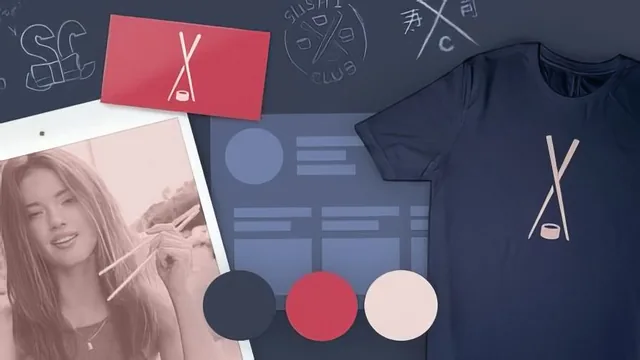
A genuinely thorough 8-hour walkthrough of a real branding project, though the pacing sags hard once the software work begins.
This is a course built around one idea: branding is a process, not a moment of inspiration, and the process can be taught step by step using a single case study all the way through. Lindsay Marsh picks a fictional sushi delivery restaurant called Sushi Club and walks it from a bare client questionnaire to a finished logo, color system, packaging mockups, and a full brand standards manual. The scope is real. Few Skillshare branding courses attempt to show every stage of a project rather than cherry-picking the fun parts.
The research-first approach
The opening third of the course is its strongest stretch. Rather than jumping to sketching, it spends real time on the client brief: what questions to ask when a client has not done their homework, why finding the unique selling point matters before any visual work starts, and how competitor research shapes direction. The Sushi Club example is used to demonstrate word association and word mapping exercises that pull recurring language (authentic, fresh) out of client answers and turn it into a defensible creative direction. This is a genuinely useful habit for anyone who has ever guessed at a client's taste instead of asking, and the course makes a real case for why guessing costs jobs, using an anecdote about an ad agency that ignored a client's explicit packaging request and lost the pitch.
The design and system-building stages
Once sketching starts, the course walks through several logo directions in real time, including a knife-and-chopsticks concept and a circular seal mark built from stacked sushi imagery. Weak concepts get abandoned mid-lesson rather than polished into something they were never going to be, which is an honest and useful thing to model for students who tend to overinvest in a first idea. The typography section is a practical highlight: instead of talking about type scale in the abstract, the course builds one using an actual restaurant menu as a live test, deciding on point sizes for headlines, subheadings, and body copy by checking how they read on a real layout. The color system section follows the same logic, tying palette choices back to color psychology and testing them against real mockups like a branded paper bag.
Where it loses momentum
The back half of the course is where the "entire process" promise turns into a liability. Long unscripted stretches of on-screen fiddling, adjusting shadow angles on a logo mark, tweaking stroke weights by feel, nudging brightness sliders on a mockup, add real production time without adding much teachable content. Viewers who already know their way around Illustrator will find themselves skipping ahead through minutes of trial and error to get to the next decision point. The three-presentation framework near the end, splitting the same brand work into a client-facing deck, a portfolio case study, and a full brand standards manual, is conceptually the most valuable idea in the back half, but it arrives only after a lot of unedited software wandering.
The course delivers on its premise. It is not a highlight reel of pretty logos, it is closer to sitting in on the entire messy middle of a real branding job, mockups, dead-end concepts, and all. That honesty is the course's biggest strength and its biggest pacing problem at the same time.
The standout
The three-tiered presentation strategy, showing how the same brand work gets reframed differently for the client, for a portfolio audience, and for the internal standards manual.
What you will learn
- How to build and use a client questionnaire to extract research, tone, and constraints before touching visuals
- How to run word association and word mapping exercises to translate client language into design direction
- How to develop multiple logo concepts in parallel (the knife mark, the seal/circle mark) and kill weak ones early
- How to build a typographic system with a defined type scale (heading, subheading, body, small print) using a real menu as the test case
- How to develop and present a flexible color system tied to color psychology rather than personal preference
- How to package a finished brand into three distinct presentation formats: client deck, portfolio case study, and a full brand standards manual
Best for: Designers who already know Photoshop and Illustrator and want a repeatable process for turning a vague client brief into a sellable branding package.
Skip it if: Total beginners to design software, or anyone wanting a fast, tightly-edited overview rather than an unhurried real-time walkthrough.