
The Art Of Screen Printing
Aude Desir
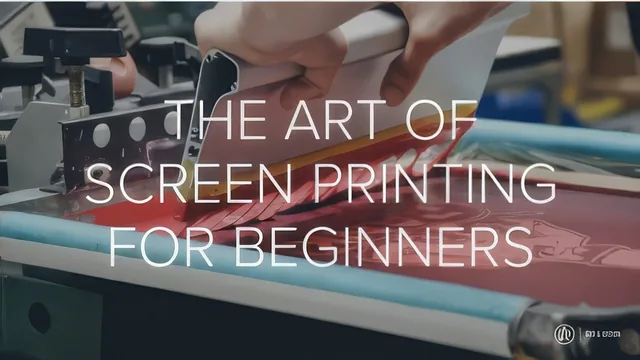
A working screen printer walks through the full one-color workflow from film output to cured shirt in barely over an hour.
The Art of Screen Printing is exactly what its title promises: one printer's process, shown start to finish, for producing a single-color transparency-and-emulsion print on a t-shirt. Aude Desir has done this for a decade, and the course is structured like a real shop workflow rather than a curated lesson plan. It opens in Illustrator, moves through film output, emulsion mixing and coating, exposure, washout, taping, press setup, and finally printing and curing a shirt. Nineteen short lessons cover ground that many beginner tutorials skip past, particularly the middle stretch most people never see explained clearly: how emulsion behaves, what happens during exposure, and how to read a screen that went wrong.
What actually gets taught
The prepress section is more specific than most beginner content bothers to be. Rather than a generic "use vector art" tip, the course shows why Adobe's default black registers as a gray in the CMYK breakdown and gives an alternate formula built for opacity on transparency film, then shows how to bake that into a reusable graphic style and swatch. The printer settings segment is similarly concrete: selecting photo paper glossy and grayscale output to avoid streaking on film, along with two named printer models and rough price points for a large-format setup. The emulsion chapter distinguishes a premixed photopolymer emulsion from a two-part dual-cure emulsion, and recommends the dual-cure version for beginners because its longer exposure window is more forgiving.
The most useful stretch is the exposure and washout troubleshooting. Under-exposure shows up as a slimy, soapy feel on the ink side during washout, with a fix of blotting the screen dry and re-exposing or setting it in the sun. Over-exposure shows up as an image that will not wash out, which can sometimes be worked loose with a finger or a soft toothbrush on fine detail. That kind of diagnostic knowledge is normally learned through wasted screens, and having it stated plainly is worth more than the polish of the surrounding lessons.
Where it falls short
The class project itself is modest: a single-color design test-printed with clear transfer tape before landing on the shirt, then flash-cured and checked with a temperature gun rather than a stretch test. That is a reasonable teaching project, but it means anyone hoping to see registration, multi-color separations, or half-tone printing in practice will not find it here despite the course's stickers-and-multicolor examples in the intro. The delivery is also unpolished and repetitive at times, closer to a shop demonstration recorded in one pass than an edited lesson, which occasionally makes the explanations harder to follow than the underlying content deserves.
Taken as a whole, this is a legitimate, detail-forward introduction to one-color screen printing that trusts beginners with real troubleshooting knowledge rather than just the happy path. It rewards patience with its delivery more than its ambition.
The standout
The exposure and washout troubleshooting segment, which explains exactly what an under-exposed screen feels like (slimy, soapy) versus an over-exposed one (image won't wash out) and how to salvage each.
What you will learn
- How to set up a document in Adobe Illustrator with a true opaque black formula for spot-color printing
- How to output a film transparency correctly, including printer settings that avoid streaking
- How to mix, coat, and store photo emulsion and dual-cure emulsion on a screen
- How to expose a screen with a light source and diagnose under- or over-exposure during washout
- How to tape off a screen, load a shirt on a platen, align it, and pull a test print
- How to print and flash-cure a finished shirt using a temperature gun to confirm cure
Best for: A total beginner with access to basic screen printing equipment who wants a linear, start-to-finish walkthrough of one-color printing before improvising on their own.
Skip it if: Anyone chasing multi-color registration, retail-ready finishing, or a polished, tightly edited teaching style rather than a practitioner talking through their process.