
Synthetic Stop-Motion in After Effects: Quick and Easy Techniques for Hand-made Animations
Rich From TapTapKaboom · Multi-hyphenate Artist
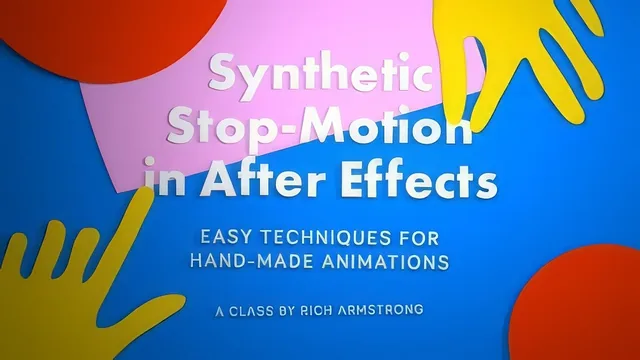
A hands-on expressions deep dive that turns smooth After Effects animation into convincing stop-motion, if you already know keyframes.
This course sets up a clear conceit in its opening minutes: real stop-motion is slow and expensive, so the entire class is about faking its texture, the jitter, the slightly-off rotation, the flicker, using only frame rate manipulation and keyframe randomization inside After Effects. No cameras, no puppets, no physical materials. That framing holds up well across the full 92 minutes, and the course rarely strays from it.
A Layered Technique Ladder
The structure is its strongest asset. It opens with the crudest method, dropping the whole composition's frame rate to 10 fps, then immediately shows the two problems with that approach: everything in the comp becomes jumpy, even elements you wanted smooth, and nesting a low-frame-rate comp into a higher one silently smooths it back out unless "Preserve Frame Rate When Nested" is checked. From there it escalates deliberately: the Wiggler tool for randomizing position and rotation keyframes, then the Posterize Time effect for isolating the jumpy look to one layer, then the posterizeTime() and wiggle() expressions for controlling individual properties without cluttering the timeline with keyframes. Each step solves a specific limitation of the step before it, which is a genuinely effective way to teach a technique family rather than a single trick. By the time the course introduces a null object with a slider control, pick-whipped across every layer so a single value governs the whole project's frame rate, the payoff of learning expressions earlier in the class actually lands.
Where the Craft Gets Specific
The paper cutout section is the most visually distinct segment, converting flat shapes into 3D layers with a point light and cast shadows to mimic layered paper catching light. It's also where the course is honest about its own technique's limits: applying Posterize Time to a layer with a shadow decouples the shadow from the jumpy movement, producing a shadow that glides smoothly while its object jumps. The fix, precomposing the 3D layer and collapsing transformations before applying a posterizeTime() expression to time remapping, is a real workaround, not a hand-wave. The short straw method for flickering lights, a random() value feeding a boolean that gates whether a light's color or intensity gets a fresh wiggle that frame, is the most inventive idea in the class and the one most transferable to other lighting work entirely outside stop-motion.
The delivery is unpolished. The instructor narrates live screen work with visible undos, restarts, and occasional confusion about which tool is selected, and the capstone "make a film" lesson offers almost no structure beyond an encouragement to add a character or short story. Viewers who need expressions explained from scratch will find the pace too fast, since the course assumes comfort with pick whips and property syntax rather than teaching them. For anyone already fluent in After Effects who wants a compact, well-sequenced toolkit for a handmade animated look, though, the substance here is real and the techniques hold up on their own.
The standout
The short straw method for flickering lights, a randomized conditional expression that makes a light color or intensity glitch only occasionally instead of every frame, is a genuinely reusable trick well beyond stop-motion work.
What you will learn
- Faking a stop-motion frame rate at three levels of control: whole composition, single layer via the Posterize Time effect, and single property via the posterizeTime() expression
- Adding handmade jitter to position and rotation with the Wiggler tool and its expression equivalent, wiggle()
- Building a paper-cutout diorama look using 3D layers, a point light, and cast shadows, including the precomposing trick needed to keep shadows working under a low frame rate
- Centralizing an entire project's frame rate through one null object with a slider control, pick-whipped to every layer
- Simulating inconsistent, flickering lighting with a randomized conditional expression (the short straw method)
- Animating text per character with the Wiggly Selector and per-character 3D extrusion
Best for: After Effects users who already animate with keyframes and are at least comfortable reading expressions, and who want a repeatable system for a jittery, handmade look on motion graphics or character work.
Skip it if: Complete After Effects beginners who haven't used expressions or 3D layers yet, and anyone hoping to learn actual physical stop-motion (puppets, cameras, practical lighting rigs).