
Surface Pattern Design Fundamentals
Mel Armstrong · Illustrator, Pattern Addict & Teacher
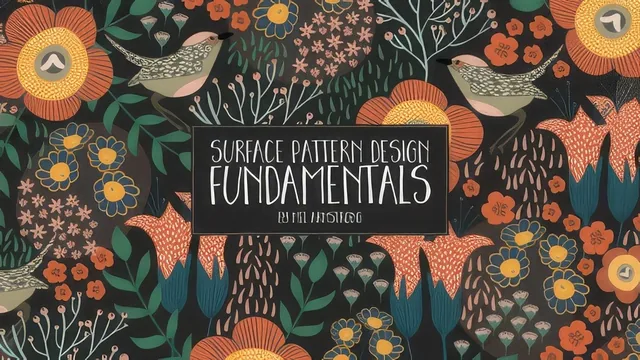
A 75-minute Illustrator-only walkthrough of one designer's exact icon-and-pattern process, useful mainly for the brush and mood board techniques.
Surface Pattern Design Fundamentals is exactly what its title promises and not much more: a compact, single-method walkthrough of how one illustrator, Mel Armstrong, moves from a folder of flower and bird photos to a finished repeating pattern in Adobe Illustrator. At 75 minutes across nine short lessons, it reads more like a studio process video than a structured curriculum, and it is honest about that scope from the opening minute.
Structure and what it actually teaches
The course follows a real production pipeline: gather inspiration on a phone, assemble a moodboard, sketch roughly on paper or a tablet, build custom Illustrator brushes, redraw the sketches as vector icons, then tile them into a repeat. Two lessons carry most of the value. The moodboard lesson is a genuinely useful screen-recorded demo of building a reference board from a template file, using clipping masks to fit photos into shapes and saving picked colors into a named swatch group for reuse later in the project. The brush lessons go deeper still, covering all five Illustrator brush types before focusing on the two Mel actually uses: art brushes built from tall triangles for branch-like strokes, and calligraphic brushes at 45 and 135 degree angles for petal shapes with pressure-sensitive width. The standout moment is turning a scanned crayon mark into a textured art brush using Image Trace, an envelope-distort mesh to straighten the line, and hue-shift colorization, a technique that gives flat vector work a hand-drawn edge without leaving Illustrator.
The icon-building lesson leans almost entirely on the Blob tool and draw-inside mode to fill in loose vector shapes over a faded, multiplied sketch layer, which is a fast and repeatable workflow but a narrow one. The final pattern lesson is the most mechanical: lay icons along the top and left edge of a 1000x1000 artboard, use Transform > Move with the copy option to mirror them to the opposite edges, fill gaps by eye, then test the tile by dragging it into a swatch and painting a larger rectangle with it.
Where it falls short
The course never explains repeat types beyond this basic edge-mirroring method. There is no half-drop, brick, or mirror repeat, and no discussion of how to check a repeat for obvious seams beyond eyeballing a swatch fill. Licensing, print-ready color modes, and file prep for actual print-on-demand or fabric submission get one passing mention and nothing practical. The pacing is also uneven: the brush lessons run long and detailed, while the actual pattern-building lesson, arguably the class's namesake, is compressed and moves quickly past decisions that a newer designer would want justified, like how much overlap to leave or how to judge density.
This is a demonstration of one designer's toolkit rather than a teaching sequence built around principles, and it assumes comfort with Illustrator's interface, panels, and keyboard shortcuts throughout. Anyone who has never used the pen tool, layers panel, or transform dialog will lose the thread quickly, since nothing is explained from first principles. For an intermediate Illustrator user who wants a fast, concrete look at how a working surface designer actually builds brushes and lays out a simple tile, it delivers real value in under 90 minutes. For anyone hoping to learn pattern design theory, repeat types, or how to prepare work for licensing, it will feel thin.
The standout
The scanned-crayon-to-textured-art-brush technique, which turns a physical drawing tool into a reusable vector brush with genuine hand-made texture.
What you will learn
- Building a curated moodboard in Illustrator from photos, using clipping masks and a saved swatch library for color reference
- Creating custom Illustrator brushes: art brushes for branch-like linework, textured art brushes from scanned crayon marks, and angled calligraphic brushes for petals
- Converting rough pencil or tablet sketches into finished vector icons using the Blob tool and draw-inside mode
- Assembling a simple edge-to-edge repeating pattern with the transform-move-copy technique on a 1000x1000 artboard
- Adding subtle background depth with soft blurred color blobs, and exporting a tileable swatch for testing
Best for: Intermediate Illustrator users who already know the interface and want one working designer's concrete brush and layout habits for turning sketches into simple repeating patterns.
Skip it if: Complete beginners to Illustrator, anyone without a drawing tablet who wants brush pressure control demonstrated clearly, or designers seeking a broad survey of professional repeat-pattern techniques like half-drop or brick repeats.