
Surface Pattern Design Fundamentals II - Design a Jungle Animal Inspired Pattern Collection
Mel Armstrong · Illustrator, Pattern Addict & Teacher
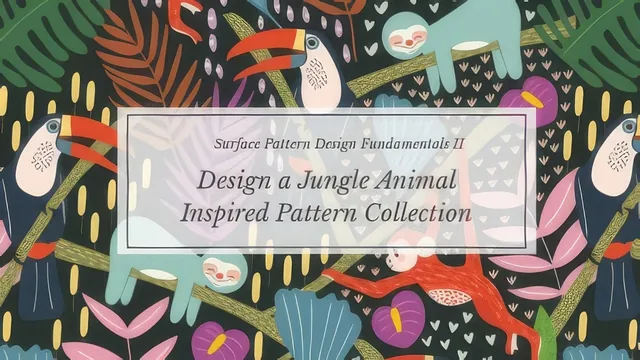
A tight, technique-dense follow-on class for illustrators who already know Illustrator basics and want one portfolio-ready jungle collection fast.
Mel Armstrong's second Fundamentals installment does not re-teach surface pattern design from scratch. It assumes a viewer who already sat through the first class, knows their way around Illustrator's panels, and wants a second project, a jungle animal collection, to push their skills and their portfolio further. At 62 minutes across nine lessons, it moves fast, and it is honest about that speed: several sketching and coloring segments are explicitly sped up rather than narrated in full.
Structure and pacing
The arc is a real production pipeline rather than a loose grab bag of tips. Research and mood-boarding come first, with the animal and plant lists doubling as a usable checklist for anyone stuck on what belongs in a jungle scene. Sketching gets brief treatment, mostly a plug for drawing on an iPad in Procreate over paper and scanner, before the class moves into Illustrator for the bulk of its runtime. From there it follows one toucan icon through coloring, into a hero pattern, into two coordinate prints, into finishing touches, and out to a presentation sheet. That single-thread structure is the class's biggest strength: nothing here is an isolated tip, it is one collection built start to finish.
The technique work
The coloring section leans on the shape builder tool, using a sketch layer set to multiply and locked in place, then building filled shapes with the blob tool and merging or subtracting overlapping regions by holding option. It is a genuinely more efficient method than the draw-inside tool the previous class covered, and the demonstration on the toucan's beak and eye is detailed enough to replicate.
The pattern-building lesson is the strongest single stretch in the course. Rather than relying purely on Illustrator's automated pattern tool, it walks through constructing a half-drop repeat by hand: a locked guide rectangle sized to half the artboard, elements grouped and moved by exact horizontal and vertical offsets, then checked for gaps and seam mismatches before filler details go in. It is slow, occasionally repetitive to watch, but it teaches the actual logic of repeat construction rather than treating it as a black box.
The coordinates lesson pivots to the automated pattern-make tool, comparing brick, hex, and offset grid options quickly. It is useful but noticeably thinner than the hand-built hero pattern, functioning more as a feature tour than a technique deep dive. Puppet Warp and Global Edit get similarly compact treatment, each just long enough to show one applied example: bending a motif to fit a gap, and recoloring every instance of a leaf shape at once.
Where it comes up short
The class's brevity is also its main limitation. Anyone shaky on Illustrator fundamentals, layers, the pen tool, basic shape operations, will find the pace unforgiving, since sketching and base rendering are treated as prerequisite skill rather than taught here. The final presentation-sheet lesson is useful for portfolio polish but light on design rationale beyond "arrange until it looks right."
For its intended audience, someone with foundational Illustrator pattern experience who wants a second, more technical project, it delivers real value in under an hour, particularly the manual repeat construction and the shape builder workflow.
The standout
The manual half-drop repeat walkthrough, which shows exactly how to test, adjust, and seam-check a complex pattern using locked guide layers and precise move dialogs before adding filler detail.
What you will learn
- Building layered icon artwork with the shape builder tool instead of draw-inside or draw-behind
- Constructing a manual half-drop repeat using guide layers, alignment panels, and precise move-and-copy offsets
- Generating coordinate prints with Illustrator's pattern-make tool using brick, hex, and offset grid options
- Using Puppet Warp to bend repeated motifs so a pattern does not look mechanically duplicated
- Using the Global Edit tool to recolor every instance of a repeated element at once
- Assembling a client-ready presentation sheet and a saved swatch library for an entire collection
Best for: Illustrator users who finished a foundational pattern design class and want a second, more advanced project to add to a portfolio.
Skip it if: Complete beginners to Illustrator or anyone wanting guidance on drawing fundamentals, since sketching and rendering technique gets compressed or sped through.