
Society6 for iPad Artists and Designers: Sizes, Orientations, and Shareable Mockups
Liz Kohler Brown · artist | designer | teacher | author
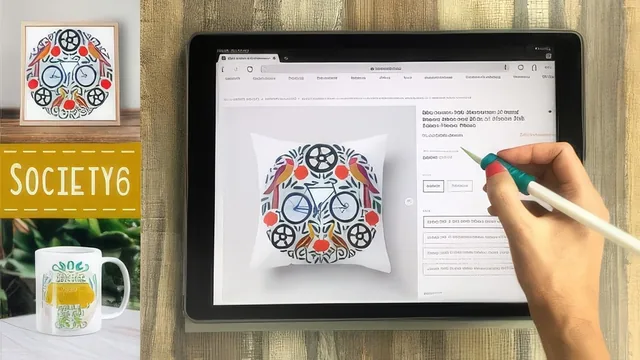
A working artist shows her exact iPad workflow for stocking a Society6 shop, but the pace assumes you already know Procreate and Affinity.
Liz Kohler Brown built her Society6 shop entirely on an iPad, and this class is essentially a walkthrough of that exact production pipeline, from a blank shop profile to a published, mockup-ready product line. It is not a design class. Nobody learns to draw or paint here. It is a logistics class for artists who already make work and need to know what size to export it at, what to call it, and how to make it look good in a browser tab.
Structure and what actually gets taught
The course opens with shop setup: building a banner image to an undocumented aspect ratio (solved with a downloadable Procreate template), filling out a bio, and choosing a shop display order. From there it moves into research, browsing Society6's own bestsellers by category and, more usefully, running search terms through the site to count how many results pages come back. A search for "bird" returns over a hundred pages of noise; "folk art bird" returns a handful where her own work is visible near the top. That page-count method is taught as a repeatable filter for picking tags and title phrases, and it is the most transferable idea in the class.
The middle section is the technical core: turning a seamless repeat pattern into a single export that fits nearly every Society6 product, sizing that export at both 11,000 and 3,600 pixels depending on the product template, and then bringing a Procreate design into Affinity Designer as a vector so it can scale to sizes Procreate alone cannot produce. This is where the class draws a real line between the free and paid tool: Procreate covers smaller products, Affinity unlocks the rest. The vectorizing steps, exporting as SVG, opening in Affinity, grouping layers, adding a transparent square to force a perfect circle crop, are shown in enough procedural detail to follow along, though someone who has never touched Affinity will need to pause frequently.
Where it delivers and where it thins out
The mockup section near the end is genuinely practical: cutting a product photo out of a background with a soft eraser brush, duplicating the layer to build a matching drop shadow, and reusing a social-media template sized for Instagram posts and stories. It is a real technique with visible before-and-after results, not just a tips list.
The weaker stretch is the middle run of "adjusting products" lessons, which walks through scaling artwork onto dozens of individual product previews one at a time. It is honest about how tedious this part of running a shop actually is, which is valuable context, but as video content it drags, and a viewer who already understands the concept from the first product or two gains little from watching the rest.
The closing advice on pacing uploads, not checking sales daily, and only publishing work worth being proud of is sound but generic, the kind of thing that could apply to any creative side business. It rounds out the class without adding much new information.
Taken as a whole, this is a tightly scoped, honestly presented operations manual for one specific platform, valuable to the artist who already has a portfolio and just needs the export settings and search logic to get it online.
The standout
The tag-research method, typing candidate search terms into Society6 and counting result pages to find phrases with real search volume but little competition, is a concrete, repeatable technique that applies well beyond this one platform.
What you will learn
- How to set up a Society6 shop profile with a correctly sized banner made in Procreate
- How to research product orientations and search tags to find low-competition niches
- How to size and export repeat patterns from a single block so they fit dozens of products at once
- How to convert a Procreate design to a vector in Affinity Designer for large-format product printing
- How to adjust and preview individual products before publishing a listing
- How to build product mockups in Procreate with shadows, cut-out backgrounds, and social media templates
Best for: iPad-based illustrators and pattern designers who already have a body of artwork and want a systematic, low-overhead way to turn it into a print-on-demand shop.
Skip it if: Complete beginners to Procreate or vector tools, since the class moves through file exports, layers, and Affinity vectorizing quickly and assumes comfort with both apps already.