
Social Media Success: Video Storytelling on YouTube & Beyond
Lilly Singh · YouTuber, Author, Host
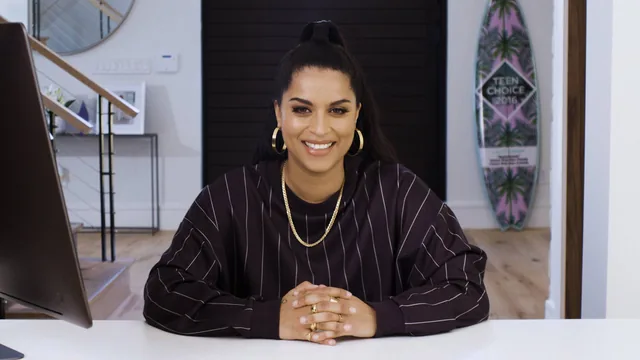
A YouTube star's unfiltered, story-first playbook for turning raw ideas into videos people actually finish watching, light on gear talk.
Lilly Singh's class is not a production tutorial. It is a process document, walking through how she goes from a blank notes app to a video optimized for four different platforms, and it works best when judged on that basis rather than as a camera-and-lighting course.
Structure and Substance
The ten lessons follow a genuine production arc: goal-setting, ideation, scripting, shooting, editing, posting, and growth. The goal-setting lesson is the most quietly useful, because it reframes an abstract idea (define success) into a concrete exercise: write down a number, not a feeling. "I want to make money" becomes "I want to make $50,000 this year." That specificity carries into the ideation lesson, where she describes keeping a running notes-app list of half-formed ideas, from a single line ("stop rapping, you sound like a cartoon") to fully fleshed scenarios, and returning to that list when it is time to shoot. The advice to schedule inspiration, treating a new movie or album like a meeting rather than waiting for a mood to strike, is a small but transferable habit for anyone making content on a deadline.
The scripting and shooting lessons trade in specifics rather than platitudes. The rule of three (repeating a joke until repetition itself becomes the punchline) and the instruction to always shoot one full improvised take after the scripted lines are both concrete enough to try immediately. The shooting lesson's best moment is the one-person-crew trick: placing a vertical object like a lamp where you plan to stand, autofocusing on it, then swapping yourself in, paired with running an extension cable to keep a lav mic close while the camera sits farther back. These are the kind of low-budget fixes that actually get used, not aspirational gear lists.
Where It Delivers and Where It Thins Out
The editing lesson's four-pass method, structure, then flavor, then music, then a cold viewer watch, gives a workable framework for anyone who has only ever edited by feel. But it stays conceptual. There is no on-screen software demonstration, no timeline walkthrough, and no explanation of specific tools, so a true beginner will finish the lesson understanding the philosophy of editing without knowing which button to press next.
The strongest material in the back half is the platform-optimization breakdown. Rather than treating "post everywhere" as one action, the course details how the same video gets a cold-open recut for Facebook's three-second autoplay window, burned-in subtitles for muted viewing, a reformatted vertical crop and 15-second hook for IGTV's ad-gate structure, and a single joke isolated for TikTok. This section alone justifies sitting through the class for anyone already producing content and posting it to one platform only.
Where the course is thinner is anything resembling technical instruction: no walkthrough of a specific editing program, no explanation of lighting setups beyond "don't cut corners," and no discussion of thumbnails, titles, or algorithms in real depth. The class also leans heavily on Singh's own YouTube-era case studies, which are engaging but occasionally date the advice to platform mechanics from several years ago. It teaches a mindset and a workflow more than a toolkit, and that trade-off should be clear before starting.
The standout
The platform-by-platform re-editing breakdown, showing exactly how one YouTube video gets re-timed, subtitled, and reframed for Facebook autoplay, IGTV's 15-second ad preview, and TikTok's single-joke format.
What you will learn
- How to set a specific, personal definition of success before chasing followers or views
- A repeatable ideation system: capturing daily 'kernels' in a notes app and scheduling inspiration like an appointment
- How to structure and punch up a comedy script, including the rule-of-three joke technique and ending on a definitive beat
- Practical one-person-crew shooting fixes, like using a stand-in object to lock focus before stepping into frame
- A four-pass editing method that moves from structure to flavor to music to a final cold viewer watch
- How to re-cut and re-time a single video for YouTube, Facebook, IGTV, and TikTok instead of posting one version everywhere
Best for: Aspiring creators who already post occasionally and want a working process for ideas, scripts, and cross-platform distribution, not just camera settings.
Skip it if: Total beginners looking for step-by-step software tutorials or camera-and-lighting buying guides, since technical instruction is minimal and mostly anecdotal.