
Social Media Storytelling: Make Incredible Videos for Instagram, YouTube & More
Rob · Artist, Designer, Content Creator
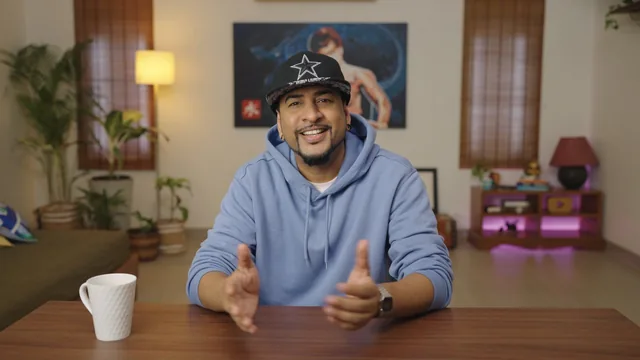
Rob walks through his real Instagram Reels workflow from idea to upload, but skips almost every technical skill you'd need to actually execute it.
What the course actually covers
This class is built around a single case study: a 30-second Instagram Reel called "Who Am I in 30 Seconds," built from stop-motion animation, stop-blog transitions, and live action. Rob uses this one project as the spine for all eleven lessons, walking through how he ideated it from a sketchbook doodle, wrote a loose voiceover script, storyboarded it with stick figures and arrows, shot it over two and a half days, and edited it in Premiere Pro. That throughline gives the class a coherent arc, and watching one idea evolve from a scribbled note to a finished loop is genuinely instructive as a demonstration of process.
Where it delivers well is in the planning stages. The lesson on setting goals includes an actual physical whiteboard calendar, week by week, with reasoning behind each placement: Monday gets the most upbeat reel because "everybody hates Mondays," brand content gets a buffer day for client feedback, DIY projects post Thursday or Friday so viewers have weekend time to try them. That kind of specific, defensible scheduling logic is more useful than generic advice to "be consistent."
Where it thins out
The editing lesson is the weakest link, ironic for a course whose blurb promises to teach you to "make incredible videos." Rob narrates his finished edit, pointing out that a sound effect makes a small visual detail land, or that he built his own foley from crumpled paper, but there is no walkthrough of Premiere Pro's interface, no explanation of cuts, transitions, or color grading mechanics. Someone who has never opened editing software will finish this lesson without knowing how to open one.
The same pattern holds in shooting: a gear list (Sony A6500, softbox, LED panels, lav mic, monitor) is given, but there is no instruction on framing, exposure, or camera settings. The reach and monetization lessons lean heavily on Rob's own analytics screenshots and anecdotes about crossing follower milestones rather than transferable strategy. Advice like "focus on one platform" or "tag brands you like" is sound but thin, more mindset than method.
Who should take it
The course's honesty is worth noting. Rob repeatedly undercuts the outcome-obsessed framing of the marketing copy, warning against "obsessing over follower count" and insisting that money "will come, maybe slowly." That's a refreshingly grounded message for a platform-growth course, even if it sits oddly next to a title promising social media success.
At 62 minutes across eleven short lessons, this plays more like a behind-the-scenes look at one creator's habits than a skills class. Complete beginners who need a mental model for going from idea to finished video will get real value from the calendar, ideation, and storyboard sections. Anyone hoping to learn actual editing techniques, camera operation, or a systematic growth strategy will need to look elsewhere afterward, since this class points at what to do without showing how to do it.
The standout
The pose-matching trick for jump-cut transitions, marking your exact stance with a whiteboard marker before moving locations, is a concrete, immediately usable technique.
What you will learn
- How to build a monthly content calendar on a physical whiteboard, batching shoot days around brand deadlines and feedback windows
- A lightweight ideation habit: carrying a sketchbook or journal, doodling concepts next to written notes, and pulling from a running idea bank
- How to write a loose bullet-point script and a rough hand-drawn storyboard instead of a formal shooting script
- Basic on-set problem solving: matching poses across cuts for smooth transitions, marking positions with a whiteboard marker, prepping props and colors in advance
- How to read Instagram Insights (age, gender, city, posting time) to steer content decisions
- How to approach brand collaborations and monetization without a large following
Best for: Total beginners who already film on a phone and need a repeatable process for planning, scripting loosely, and staying consistent.
Skip it if: Anyone wanting hands-on instruction in Premiere Pro, camera settings, sound design software, or growth tactics beyond checking Instagram Insights.