
Smartphone Photography for Instagram Success: Capturing Stunning Lifestyle Photos With Your Phone
Sean Dalton · Travel Photographer
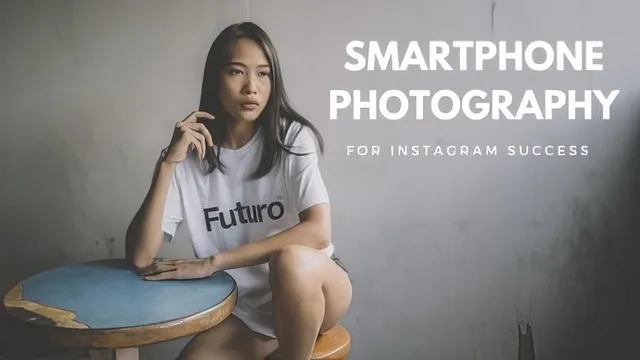
A working travel photographer walks through real shoots for fashion, food and mood, but the actual tips stay surface-level in just 53 minutes.
What it actually covers
Sean Dalton, an Instagram lifestyle photographer working out of Asia, builds this course around three subjects: fashion, food and what he calls "ambiance," his catch-all term for mood shots that are not people or food but still carry emotional weight in a feed. The structure is straightforward. A short framing section defines lifestyle photography as storytelling rather than technical exercise, a basic-tips lesson introduces lighting, styling and composition as three factors that work together rather than separately, and then three location-based shoots demonstrate the ideas in practice with a model and a table of food. An editing lesson and an Instagram strategy lesson close things out.
The shoot segments are the strongest part. In the food lesson, Dalton actually names and demonstrates two specific angles: shooting at 45 degrees for a classic composition, and the flat lay, where the camera points straight down at a full table setting. He shows why softer, indirect light works better than harsh midday sun for food, and adds a third stock shot, a hand holding a drink or plate against a textured wall, that gives beginners something concrete to copy. The fashion segment is more improvisational. He talks through moving around a subject, zooming with his feet, and mixing full-body shots with detail shots of accessories, but the guidance stays general compared to the food section's clearer rules.
Where it thins out
The basic-tips lesson promises a framework of lighting, styling and composition, but each concept gets only a couple of minutes. Composition in particular is waved off with an acknowledgment that whole courses exist on the topic, followed by advice to just watch how Dalton frames his own shots. That leaves a beginner with a vocabulary but no real method for applying it independently once the course ends.
The editing lesson runs through four apps, VSCO, MuseCam, Photoshop Fix and Lightroom CC, and shows a genuine before-and-after workflow of applying a filter, retouching skin, then finishing color in Lightroom. It is useful as an overview of what each app is for, though a chunk of the segment doubles as a plug for Dalton's own paid preset pack inside MuseCam, which sits awkwardly next to educational content.
The closing Instagram lesson is a reasonable primer on the platform's engagement-based ranking: it explains why the first few minutes after posting matter, why broad hashtags like a heavily saturated food tag bury a post while a narrower, less-used tag performs better, and why caption length can extend viewing time. It also recommends Instagram pods, coordinated groups that comment on each other's posts to game early engagement, a tactic that has fallen out of favor and works against a platform's own intent.
The verdict
This is an accessible warm-up, not a technical education. The class project asks for three lifestyle photos, an easy bar to clear, and the course succeeds at showing what a working photographer's process looks like in real locations with real subjects. But at under an hour, most of the individual topics get a single pass with no room for depth, and viewers hoping for a genuine composition or lighting education will need to look elsewhere afterward.
The standout
The food photography segment's two-angle system, the 45-degree shot for depth and the flat lay for context, gives a repeatable structure a beginner can use immediately.
What you will learn
- How to sequence a shoot around lighting, styling and composition as three linked decisions rather than separate steps
- Two core food-photography angles: the 45-degree classic shot and the flat lay, plus the hand-holding-a-drink shot
- How to use an iPhone's portrait mode and wide-angle lens differently for fashion versus food subjects
- A basic edit pipeline across four apps: VSCO or MuseCam for a filter, Photoshop Fix for skin retouching, Lightroom CC for final color and tone adjustments
- How Instagram's engagement-based ranking works and why post timing, targeted hashtags and caption dwell time affect reach
- How to build a cohesive Instagram grid by shooting fashion, food and ambiance shots that share one visual mood
Best for: A beginner with only a smartphone who wants a fast, casual orientation to lifestyle photography before developing their own style through practice.
Skip it if: Anyone wanting rigorous technical instruction on exposure, composition theory or a structured path to a recognizable editing style.