
Short Form Video: Create Viral Videos for Instagram Reels and Tik Tok
Sean Dalton · Travel Photographer
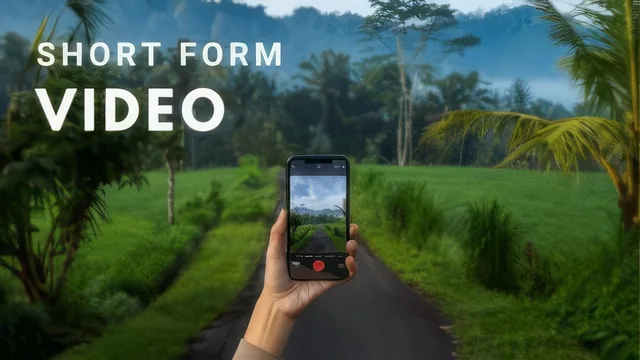
A confident, well-paced beginner walkthrough that hands you a real posting system but leaves the two hardest skills, filming and editing, thin.
Sean Dalton's short form video class is built on a simple premise: don't overthink production, overthink consistency. Across twelve short lessons and a 77 minute runtime, the course walks a total beginner from picking a content theme to publishing a finished Reel on both Instagram and TikTok. It never pretends to be a filmmaking course, and that restraint is both its strength and its ceiling.
What the course actually teaches
The opening lessons spend real time on strategy before touching a camera. Dalton insists on choosing a theme first, arguing that a page without a defined lane confuses viewers and stalls growth. He then reframes originality itself: rather than inventing every idea from scratch, he teaches viewers to scroll their own niche, save clips that land well, and rebuild the same structure with their own footage and matching trending audio. This is presented not as a shortcut but as the actual norm in short form video, and it is a genuinely useful reframe for beginners paralyzed by the idea of "creativity."
The editing lesson is where the course gets concrete. Dalton demonstrates, inside the mobile app Splice, how to screen-record a reference Reel to capture its exact audio and cut points, then trim, color grade, and add a Ken Burns pan to his own clips so they land on the same beats as the original. He shows how to type out lyrics as on-screen text synced line by line to the song, and how to slow footage shot at 60 frames per second for a slow-motion effect inside a 30fps timeline. These are specific, repeatable moves, not vague advice, and they are the closest the course comes to teaching a hard skill.
Where it thins out
The filming lesson, by contrast, is largely a pep talk about phone cameras being good enough, with little on composition, lighting, or shot variety beyond a brief mention of pulling old travel footage by searching a phone's photo library for a location name. Viewers hoping for hands-on camera technique will find the course leans almost entirely on smartphone convenience rather than craft. The posting lesson covers hashtag counts, cover images, and the "also share to feed" toggle on Instagram, useful housekeeping but not insight.
The content-planning lesson is the other genuinely practical stretch: batching a week's worth of ideas into Apple Notes or Google Calendar on a single morning, rather than trying to be creative fresh every day. Combined with the advice to reuse old clips under new trending songs, it gives beginners a realistic, low-burnout workflow rather than an unsustainable daily-shoot expectation.
Dalton's tone throughout is warm and encouraging, and the five-day video challenge class project gives the course a concrete, low-stakes deliverable. But the course skews heavily toward mindset and process, with only one lesson, editing, delivering step-by-step technical execution. Anyone who already understands the basic idea-to-post pipeline will find little new here. For someone who has never posted a Reel and needs permission to start with mediocre footage and a repurposed idea, it does exactly what it promises in well under two hours.
The standout
The technique of screen-recording a trending Reel to capture its exact audio, then cutting your own footage to the same beat markers inside the editing timeline.
What you will learn
- How to pick and lock in a content theme before chasing individual video ideas
- How to source video ideas by studying trending Reels and TikToks in your niche and adapting their structure to your own content
- How to sync a screen-recorded reference video's audio to your own footage inside a mobile editing app like Splice, splitting clips at the beat
- How to build a week of content in a single planning session using notes and a calendar rather than filming daily
- How to color grade, add the Ken Burns pan/zoom effect, and layer word-by-word lyric text onto short clips
- How to post the same edited video to both Instagram Reels and TikTok with matched hashtags and re-synced audio
Best for: Complete beginners with a smartphone who want a fast, low-pressure on-ramp to posting their first Reels or TikToks without buying gear or software.
Skip it if: Anyone who already posts regularly and needs advanced cinematography, color science, or growth-analytics strategy rather than a first-steps primer.