
Sell Digital Downloads with E-Commerce and Etsy
Delores Naskrent · Creative Explorer
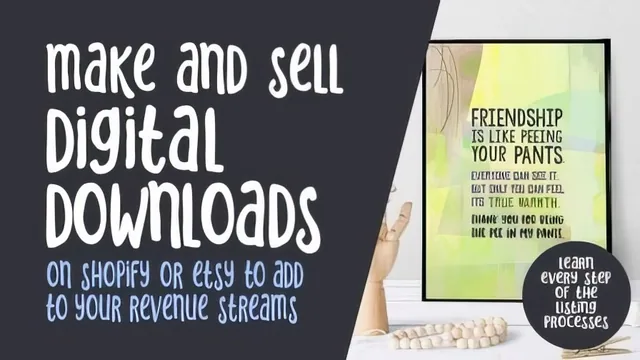
A candid 53-minute walkthrough of listing digital downloads on Shopify and Etsy, useful mainly for the mockup and CSV workflow tricks.
"Sell Digital Downloads with E-Commerce and Etsy" is less a strategy course than a screen-recorded walkthrough of one artist's personal workflow, filmed during a specific and openly acknowledged moment of disruption in her business. That context shapes the class: it is practical, occasionally meandering, and closes with a genuinely personal explanation of why she is winding down her own store. Viewers looking for a business plan should adjust expectations before starting. Viewers looking for the actual mechanics of getting artwork listed will find most of what they need.
What the course actually teaches
The backbone is a step by step tour of two listing processes. On the Shopify side, the class covers installing the free Digital Downloads app, filling out a product page, attaching a file, and setting inventory high enough to avoid running out (since a download has no real stock limit). On the Etsy side, it covers the parallel listing flow, including the shift to marking an item as a digital file, uploading up to five preview images, and filling in the tag fields. Neither platform gets deep technical treatment, but the sequence is clear enough that a first-time seller could follow along and produce a working listing by the end.
The stronger material sits in the middle lessons. The mockup lesson demonstrates using a Photoshop smart object to swap different pieces of art into a single templated scene, then exporting each as a correctly sized, correctly named JPEG, a workflow that scales well once someone has dozens or hundreds of pieces to list. The spreadsheet lesson is narrower but useful in a different way: it walks through a specific, real glitch where Shopify's own exported CSV file fails to open properly in Excel, and shows the workaround of routing it through Google Sheets first. That is the kind of detail a seller would otherwise lose an afternoon troubleshooting.
The description and tagging lessons are more conceptual. They cover what information a digital-download listing needs to state explicitly, that no physical item ships, what file formats and resolutions are included, and how print quality can vary by paper stock, and they walk through building a reusable tag spreadsheet for repeated listing types like greeting cards. None of this is groundbreaking, but it is accurate and drawn from lived experience rather than guesswork.
Where it falls short
The comparison lesson between running an owned Shopify store versus selling on a marketplace like Etsy is honest but thin. It amounts to a few personal data points, an estimated $30 monthly Shopify fee, an observation that marketplaces bring built-in traffic, and a recommendation to start with Etsy, rather than a structured breakdown of the tradeoffs.
The course also carries a fair amount of dead weight for its 53-minute runtime. Both the intro and outro spend significant time on the pandemic's impact on the instructor's business and family circumstances, which is honest and human but not instructional. Combined with a beginner level pitched squarely at first-timers, the result is a course that delivers real, usable steps but requires patience with its loose editing and personal detours to get to them.
The standout
The mockup lesson's smart-object technique, swapping artwork into a saved PSD template and batch-exporting sized JPEGs with matching filenames, is the one process here worth the price of admission.
What you will learn
- How to install and configure Shopify's free Digital Downloads app and attach files to a product listing
- How to build product mockups in Photoshop using smart objects and batch-save them at consistent file sizes and names
- How to fix a known glitch where Shopify's exported CSV file fails to open correctly by routing it through Google Sheets first
- How to write a description that preempts buyer confusion about receiving a digital file instead of a physical print
- How to research and structure tags and keywords for Etsy search visibility
- How to compare Shopify's own-store model against Etsy's marketplace model in terms of cost, traffic, and control
Best for: An artist or illustrator who already has a backlog of finished artwork and just needs a walkthrough of the mechanical steps to list it as a digital download on Shopify or Etsy.
Skip it if: Anyone wanting marketing strategy, pricing research, sales-growth tactics, or a polished, tightly edited production.