
Say hello to AfterEffects - 2D animation for beginners
Neil Lawson · Action never stops
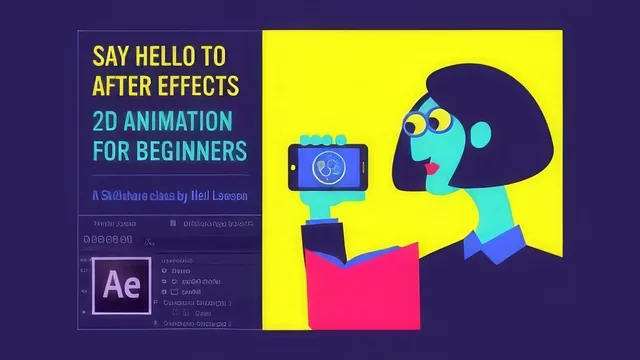
A working animator hands you his exact process, mind mapping to Instagram export, in just over an hour, but the pace is relentless and the audio is rough.
A full pipeline, compressed hard
Neil Lawson's course covers more ground than its 67 minutes suggest. It opens not in After Effects but in the planning stage: responding to a brief, mind mapping with an app called MindNode, sketching loosely, storyboarding with dedicated software, and building a restricted five-color palette in Coolors. This framing sets the course apart from tutorials that jump straight to keyframes. Lawson treats animation as a production pipeline with a client-facing discipline behind it, and he walks through his own folder structure, file naming conventions, and single-project-file habit in enough detail that a beginner could copy it directly.
Once inside After Effects, the pace accelerates sharply. A single lesson tours the interface, workspaces, the project panel, and composition settings, then immediately moves into creating shape and text layers. From there the course covers importing layered Illustrator files (including a plug-in called Overlord that converts artwork straight into shape layers), building assets natively with the pencil tool, and the deeper mechanics of shape layer contents, merge modes, the repeater, and the trim paths modifier. The animation fundamentals lessons that follow, on keyframing, easing, the graph editor, parenting, null layers, masking, and track mattes, form the technical core of the class and are the parts most beginners will replay.
Where it delivers, where it thins out
The strongest material is procedural and specific. The trim paths demonstration for drawing on lines, the chained-null trick for pulling off compound rotations, and the track matte explanation for constraining eyelids inside a circular iris are concrete, well-chosen examples rather than abstract feature lists. The closing sequence on rendering losslessly and compressing through HandBrake, then posting to Instagram with the right file-length constraints, is a genuinely useful and often-skipped piece of practical knowledge.
The tradeoff for this breadth is depth. Several lessons, including the graph editor, 3D layers, and expressions, are explicitly framed as quick previews rather than real instruction, with Lawson saying outright that he's not going into detail and just showing that a feature exists. That's an honest disclosure, but it means a beginner finishes those lessons knowing a tool exists without knowing how to use it. The course also leans heavily on a single running example, an animation built around a character called Linda, which works well as a throughline but means viewers see one visual style demonstrated rather than a range of approaches.
The delivery itself is a real weakness. The narration is loose and unpolished, with tangents (a passing reference to a motivational lecture about mortality in the middle of a project brief lesson feels especially out of place) and grammatically rough phrasing throughout. After Effects also visibly crashes during one lesson, which Lawson uses as a teaching moment about saving often, but it underscores that this is an unrehearsed, single-take style of teaching rather than a tightly edited production.
Verdict
This is a genuinely useful orientation course for someone who has never opened After Effects and wants to understand how the pieces fit together, from concept to a shareable loop, in under an hour and a half. It is not a course to master any single technique, and viewers should expect to pause frequently and expect to need supplementary tutorials for the graph editor, expressions, and 3D layers once this course has given them the vocabulary to search for them.
The standout
The demonstration of building a seamless Instagram loop by offsetting the joint into the middle of the action, rather than just matching start and end frames, is the single technique most worth the price of admission.
What you will learn
- How to plan an animation project with a brief, mind map, storyboard, and a restricted five-color palette
- How to navigate the After Effects interface, workspaces, and project organization conventions
- How to import layered Illustrator artwork or build shapes natively with the pencil and shape tools
- How to set, ease, and fine-tune keyframes, including basic use of the graph editor
- How to use parenting, null layers, masks, and track mattes to build compound movement and reveals
- How to render a lossless file, compress it in HandBrake, and post a seamless loop to Instagram
Best for: A complete After Effects newcomer who wants a fast, opinionated map of the whole pipeline from idea to published loop rather than deep mastery of any one tool.
Skip it if: Anyone who already knows the After Effects interface, or who wants slow, careful explanations and clean production values instead of a rapid-fire personal walkthrough.