
Romanticizing Your Life: A Beginner’s Guide to Creating Vlogs for YouTube
Cari Cakes · Content Creator
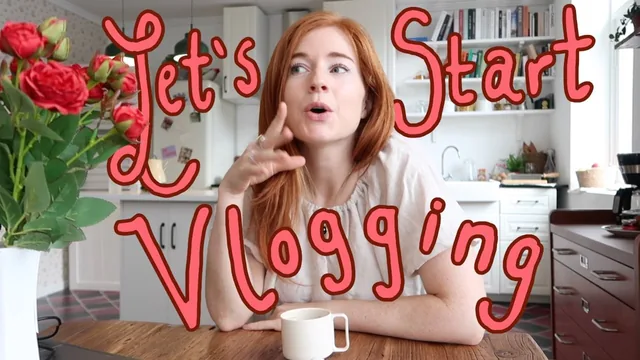
A fast, encouraging primer on vlog structure and mood from a working YouTuber, but it explains editing rather than demonstrating it on screen.
What the course actually covers
This is a concept course, not a technical one. Across nine short lessons and 39 minutes, Cari Cakes (creator of a channel with 270,000 subscribers) walks through the thinking that goes into a vlog before, during, and after filming, rather than the button-pressing of any particular editing app. The class opens by defining a vlog as a video journal built on a beginning, middle, and end, then names three specific ways to start one: a fast highlight-reel montage, a single cliffhanger line used as a hook, or simply walking into a pre-set shot to open the video like a scene. That structural framing carries through the rest of the course and gives beginners something concrete to hang their first attempt on, which is more useful than it sounds for anyone who has filmed hours of footage and had no idea how to start assembling it.
The middle section is the strongest stretch. The distinction between A-roll (talking directly to camera) and B-roll (supporting detail shots, like steam off a teacup or light through a window) is demonstrated with a real kitchen example, and the point that stacking the two prevents a vlog from feeling like a static monologue lands clearly. The planning lesson pairs a mood board, an intuitive collection of colors, music, and reference images for tone, with a storyboard, a written shot list for the actual scenes needed. That two-tool combination is the single most transferable habit in the course: it turns "I have vague vibes" into a checklist a beginner can act on before they even pick up a phone.
Where it falls short
The course is candid about its own limits. The post-production lesson lists five levers worth knowing, text and fonts, transitions, music sourcing (YouTube Audio Library, Artlist, Epidemic Sound), and color correction, but explicitly says it will not go deep on any editing software, pointing viewers elsewhere on Skillshare instead. For a "beginner's guide," that gap matters: someone who finishes this class still does not know how to cut a clip, add a transition, or color grade a frame. What they get instead is a vocabulary and a sense of priority, which is a real but smaller outcome than the title implies.
The authenticity lesson on staged versus candid footage is thoughtful, encouraging small imperfections like a dropped tripod or an unplanned reaction shot, but it stays philosophical rather than showing a before-and-after edit. The inspiration lesson is genuinely practical, particularly the advice to build Instagram folders by city or season and to let a piece of music suggest a vlog before any filming happens, but it also repeats familiar advice (watch other creators, check the news) that most viewers have already absorbed simply by using social media.
The class project asks for a morning-routine vlog, a low-barrier prompt that suits the phone-only equipment bar the course sets. Overall this earns its place as an orientation for someone who has never structured a vlog before, and the mood board/storyboard pairing alone is worth the 39 minutes. It is not a course to take expecting editing skill, only the map for where those skills need to go next.
The standout
The two-part planning method of pairing a mood board for tone with a written storyboard for specific shots is a concrete habit viewers can adopt on their very next outing.
What you will learn
- The three-part vlog structure (intro hook, body, sign-off) and three specific ways to open a vlog: montage, audio hook, and walking into frame
- How to balance A-roll (talking to camera) against B-roll (supplementary detail shots) to keep footage visually varied
- Where to source ideas systematically, using Instagram saved folders sorted by city and season, music-first inspiration, and re-seeing ordinary routines as content
- How to plan before filming with a mood board (feeling/tone references) and a storyboard (a written shot list)
- Why leaving in small candid moments, like a dropped tripod or an unplanned reaction, builds authenticity against overly staged footage
- The five post-production levers to adjust mood: titles/fonts, transitions, background music, and color correction
Best for: A total beginner with just a phone camera who wants a mental framework for turning random daily footage into a watchable vlog.
Skip it if: Anyone who already understands basic vlog pacing and wants hands-on editing software instruction, since the course explicitly defers technical cutting, color grading, and audio mixing to other classes.