
Redesign Your Resume: Designing Professional Documents
Anne Ditmeyer · designer + creative coach
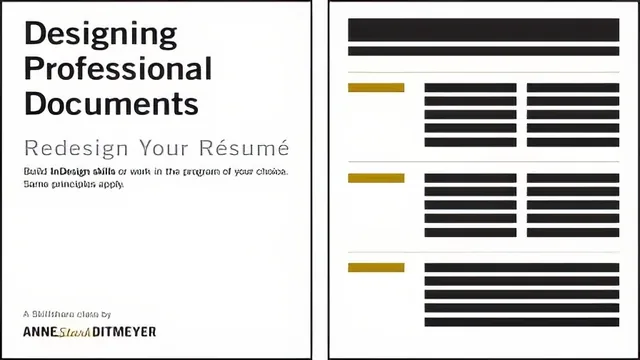
A working professional's insider walkthrough of resume redesign, real design vocabulary plus InDesign, but Mac-and-Adobe biased.
Anne Ditmeyer's class sets out to solve a specific, familiar problem: the resume that is technically complete but visually flat, dense with information and starved of white space. It uses the résumé as a teaching vehicle for design fundamentals that, as the course repeatedly points out, apply just as well to a proposal, invoice, or letterhead.
Structure and teaching method
The course opens with a genuinely useful diagnostic exercise: a real, unstyled resume belonging to a friend of the instructor, built in Word, is walked through problem by problem. Cramped margins, an inconsistent font, orphaned lines of text, missing white space. Watching that document evolve across several revisions, with commentary on why each change works, is more instructive than most abstract design lectures because it shows cause and effect on a single real object rather than a curated finished example.
From there, the class shifts into an inspiration segment pulling actual resumes and CVs from working designers, examined for concrete choices: text size, column structure, how many typefaces are actually in play (usually fewer than expected), and where dotted lines or subtle color are used to divide sections. This is followed by a more conceptual unit on editing content critically before ever touching layout, a step many resume tutorials skip entirely.
Design concepts and software execution
The middle stretch of the course pairs each design principle, alignment, hierarchy, contrast, proportion, with a hands-on InDesign demonstration. Tracking and kerning get particular attention, including the mechanics of adjusting letter spacing on a stretched or awkwardly set headline, and a clear rule against using spacebar characters to fake spacing. Master pages, linked text boxes, and paragraph and character styles are covered at a level suited to someone who has never opened the program, with the instructor also converting type into outlines so a display font travels safely across computers.
The final stretch covers finishing details, bullet and glyph customization, consistent spacing before and after paragraphs, and then file export: keeping resume PDFs small, testing hyperlinks before sending, and hosting a resume somewhere so an outdated file never gets in the way of a job application. These are small, practical habits that a lot of design instruction skips over.
What works and what doesn't
The course's strongest asset is honesty about scale. It never pretends the viewer needs a total creative overhaul, focusing instead on how the same information can be organized more intentionally. The concepts are also explicitly framed as software agnostic, though in practice nearly every demonstration lives inside InDesign, and a viewer working in Pages, Publisher, or Word will need to do real translation work on their own for anything beyond the conceptual units.
The pacing is also uneven. Early lessons move briskly through inspiration examples, while later InDesign units slow down considerably for granular software mechanics that will feel repetitive to anyone with even light layout experience. The screen-recorded, unscripted delivery style keeps things casual but occasionally meandering, and some sections would benefit from tighter editing.
Overall this is a competent, practically minded course that delivers real technique rather than templates, provided the viewer has InDesign or is willing to translate the ideas into another tool.
The standout
The teardown of a real, unstyled Word resume converted step by step into a clean, considered layout gives the clearest before-and-after proof that these principles actually work.
What you will learn
- How to identify and cut visual clutter and redundant content on a resume before touching layout
- Core design principles like alignment, hierarchy, white space, contrast, tracking, and kerning applied specifically to resumes
- How to build a document in InDesign using master pages, linked text boxes, and paragraph and character styles
- How to choose and pair typefaces, set consistent leading, and use bullet and glyph treatments with intention
- How to export a print-ready, properly sized, hyperlinked PDF instead of sending an editable Word file
- How to critique existing resumes and documents by studying real professional examples for layout and typography choices
Best for: A beginner-to-intermediate designer or design-curious job seeker who owns or can trial InDesign and wants to rebuild a résumé into a genuinely polished document.
Skip it if: Anyone who wants a quick template swap, has no access to InDesign or a similar layout tool, or is looking for career-content advice like wording and keyword optimization.