
Quick Wins: Turn Your Art into Fun Reels for Instagram
Charly Clements · Greeting Card Designer and Illustrator
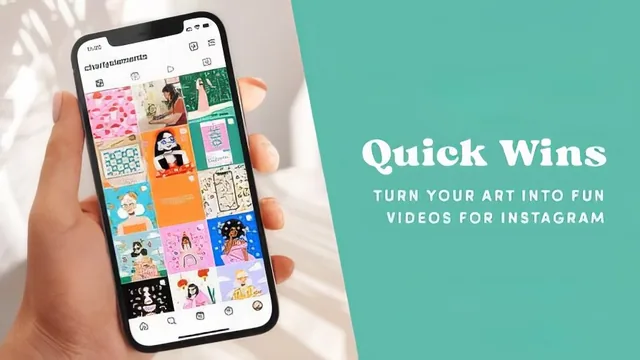
Five quick editing tricks turn static art into Instagram-ready videos in under 39 minutes, no camera skills required.
Five techniques, one iPad, no face required
This class does exactly what its title promises and nothing more. Charly Clements, working entirely on an iPad with Procreate, InShot, and Bubblehouse, walks through five distinct ways to convert finished or in-progress artwork into short Instagram videos. Each technique gets its own lesson, and each one is genuinely different from the others rather than a rehash: a before-and-after slider built from two saved JPEGs, a swipe-through portfolio reel with timed transitions, a cleaned-up speed-painting time-lapse, an overhead eraser-reveal filmed with a tripod, and a subtle animation of a static illustration using Procreate's Animation Assist. The structure is tight and logical, moving from the simplest technique (the slider) to progressively more involved ones, and closing with a short but sincere note about protecting mental health around social media metrics.
The strongest sections are the ones with the most concrete, replicable steps. The eraser-reveal lesson stands out because it isn't just "record yourself erasing something." Clements gives specific, testable advice: film near a window for natural light, add small props like pens or plants to the frame for color, and switch to a large eraser brush at 80 to 90 percent size so the motion reads as a clean sweep rather than a slow scrub. That level of specificity, paired with the addition of asking students to reuse the exact audio track from her own reveal videos, gives this lesson a completeness the others don't quite match.
The InShot lesson on editing time-lapses for Reels is similarly practical, covering how to trim awkward beginnings, speed up long export clips to around 1.8x, and apply a zoom filter effect to a static final image so viewers know the piece is complete. It also includes a small but useful caution about avoiding InShot's built-in copyrighted music library in favor of Instagram's own audio, which is the kind of detail that saves a student from a real headache later.
Where the course thins out is in the areas it name-drops rather than teaches. Vsco and Adobe Lightroom are listed as optional tools in the resources but never demonstrated. The "tips for uploading to Instagram" promised in the course description amount to brief asides about captions, hashtags, and calls to action rather than a dedicated strategy discussion. And because every technique assumes an iPad with an Apple Pencil and specific paid or freemium apps, students without that exact setup will find several lessons hard to follow step by step, even though the underlying ideas could transfer to other software.
At 39 minutes across eight short lessons, this earns its "Quick Wins" label. It is not a course about video editing fundamentals, camera work, or Instagram algorithm strategy, and it doesn't pretend to be. What it delivers is a stack of narrow, well-demonstrated shortcuts for artists who already have a body of work and want to breathe movement into it without learning to edit video from scratch. For that narrow goal, it succeeds cleanly, even if a couple of lessons feel more like app tutorials than teaching moments.
The standout
The eraser-reveal lesson, which turns a simple overhead-tripod recording of erasing a sketch into one of the teacher's best-performing video formats, using specific setup details like natural window light, added props, and an oversized eraser brush for a clean sweep.
What you will learn
- How to build a before-and-after slider video in Bubblehouse from two saved JPEGs
- How to assemble a multi-image swipe-through portfolio reel in InShot with timed transitions
- How to trim, reorder, and speed up Procreate time-lapse exports into a clean process reel
- How to shoot an overhead eraser-reveal video with a tripod, natural light, and a large eraser brush
- How to animate a static illustration with subtle looping movement using Procreate's Animation Assist
- How to add music, captions, and hashtags to a finished reel inside the Instagram app
Best for: Illustrators and artists who already have a body of finished artwork and an iPad, and want fast, low-effort ways to turn it into Instagram video content without appearing on camera.
Skip it if: Anyone without an iPad and Procreate, anyone hoping to learn general video editing or Instagram growth strategy, or anyone who wants in-depth instruction rather than a rapid technique rundown.