
Quick & Easy Stop-Motion (iPhone + Android)
Colette Peri · Stop Motion Animator
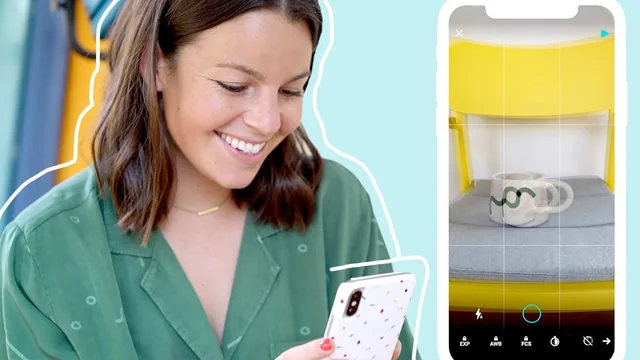
An 18-minute crash course that gets you shooting real stop-motion with just a phone and a mug, fast.
Colette Peri's "Quick & Easy Stop-Motion" is exactly what its title promises: a compressed, workshop-style walkthrough that takes a total beginner from zero to a finished, shareable stop-motion clip in under twenty minutes. There is no padding here. Each of the nine lessons hands off directly into the next, building a single continuous project (a coffee mug that travels across the frame, spins, fills with coffee, and gets topped with whipped cream) that doubles as the viewer's own hands-on assignment.
The structure is its biggest strength. Rather than lecturing about stop-motion theory, the course opens with a stripped-down practice shoot: move the mug, snap a photo, repeat, and press play to see the illusion of movement emerge. Only after that basic mechanic clicks does it layer on refinements, a paper backdrop for a clean background, a household lamp instead of unpredictable window light, and a tripod substitute (setting the phone inside a mug) for anyone without proper gear. That sequencing, crude version first, polished version second, mirrors how the skill is actually learned and makes the ideas stick.
What it actually teaches
The technical core is narrow but well chosen. Locking exposure, white balance, and focus before shooting is presented as the single most important habit, since letting any of those drift between frames is the main cause of the flicker that makes amateur stop-motion look amateur. The course also leans on the "ghost" or onion-skin overlay feature in the Life Lapse app, which shows a translucent trace of the previous frame so the animator can judge how far to nudge an object each time. It is a small detail, but it is the kind of practical, tool-specific tip that separates a course made by someone who actually shoots stop-motion for clients from one assembled out of generic advice.
The editing lesson is thinner. It covers adjusting playback speed, duplicating the final frame to create a hold, applying the boomerang effect, and choosing a crop ratio for feed versus stories, but it moves through all of this in a couple of minutes with no discussion of sound design, transitions between scenes, or exporting settings beyond aspect ratio. The bonus tutorial, which breaks down an outdoor shot involving a person rotating on one leg with a five-second interval timer, is a nice extension into human-subject animation, but it arrives late and is not developed much further.
Where it falls short
At eighteen minutes, the course cannot be judged as a deep or comprehensive resource, and it does not try to be. It is built entirely around one app (Life Lapse) and one phone workflow, so anyone using a different animation tool will need to translate the instructions rather than follow along directly. Android users are waved toward "the notes" for the auto-lock setting rather than shown the equivalent steps on screen, which is a minor but real gap for a meaningful share of the audience. There is also almost nothing here on storytelling, pacing a narrative across multiple scenes, or troubleshooting harder animation challenges like semi-transparent objects or complex props.
What the course delivers well is confidence and momentum. A viewer who follows along literally will finish with a working, presentable clip and a clear mental checklist (lock your settings, control your light, stabilize your shot, watch the onion skin) that transfers to almost any future stop-motion attempt. For someone who wants a quick, low-cost way to add a distinctive visual format to their content without buying equipment or software, this is a genuinely efficient way to spend twenty minutes. For anyone hoping to walk away with editing depth or storytelling craft, it will feel like an introduction that stops right where things get interesting.
The standout
The frame-by-frame walkthrough of animating a coffee mug (moving, spinning, filling, and topping with whipped cream) turns an abstract concept into a concrete, repeatable exercise anyone can copy on day one.
What you will learn
- How to lock exposure, white balance, and focus in a phone camera app to prevent flicker
- How to use the ghost/onion-skin overlay to keep frame-to-frame movement consistent
- How to build a simple DIY studio backdrop and lighting setup with paper and a household lamp
- How to stabilize shots without a tripod using household objects like a mug
- How to edit footage with speed adjustments, frame duplication for holds, and the boomerang effect
- How to crop and export for different social formats like Instagram feed versus stories
Best for: Social media managers, content creators, or small business owners who want a fast, no-budget way to add eye-catching stop-motion clips to their feeds.
Skip it if: Anyone hoping to learn narrative stop-motion filmmaking, character animation, or professional-grade production techniques beyond a phone app.