
Programming Graphics I: Introduction to Generative Art
Joshua Davis · Artist, Designer, and Technologist
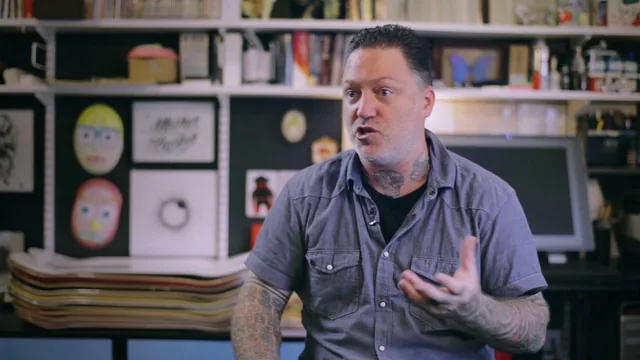
A working generative-art pipeline taught by its own inventor, but half the runtime is Sublime Text and Processing plumbing before any art appears.
Joshua Davis teaches this course the way he apparently works: environment first, art second. The opening third covers downloading Processing, installing Sublime Text 2, wiring up a processing syntax package through Package Control, remapping the build shortcut from Command+B to Command+R to match Processing's own Command+R, and installing helper apps like SizeUp and Caffeine. None of this is generative art. It is useful if a learner has never set up a code editor before, but for anyone who has written a line of Processing already, it is a long detour before the actual subject starts.
From Shapes to Systems
Once the setup is out of the way, the course settles into a clear arc. It starts with the smallest possible primitives, drawing a line and a rectangle with hard-coded coordinates, then walks through rotate() and radians to show how Processing actually transforms the canvas rather than the shape. Davis runs a genuinely useful experiment here, stacking five rotated rectangles to visually prove that rotate() spins the whole coordinate system around the origin, not the object being drawn. That kind of mental-model building, testing an assumption on screen rather than just asserting how something works, is the strongest teaching moment in the class.
From there the course moves into HYPE, Davis's own Processing library, and this is where the real content lives. Assets get drawn as vector shapes in Illustrator, exported as SVG, and loaded into an HDrawablePool. HGridLayout and HShapeLayout then take over positioning, controlled by arguments like startX, startY, spacing, and column count, with H.CENTER anchoring solving the off-by-half-asset-width problem that trips up the demonstration on screen. Random rotation and random scale get layered onto the pool next, turning a static grid of one repeated icon into a shifting field of orientation and size. HOscillator is introduced late as a wave-driven alternative to simple incremental rotation, animating rotation or scale on a sine curve instead of a straight loop.
Where It Delivers and Where It Thins Out
The color-extraction segment stands out as the most transferable skill in the course. Rather than picking colors by eye, Davis runs a source photograph through Photoshop's Save for Web palette reduction, then a custom-built color-picking tool that sorts the extracted swatches by lab color space, lets a user prune or expand the set, and exports the result as ready-to-use hex values for Processing. It is a small workflow, but it solves a real problem generative artists face: where good color actually comes from.
The course's honesty about its own limits is worth crediting. Davis flags that browser output via Processing.js is effectively dead and that HYPE has since moved to a proper Processing library format rather than a single .pde file, meaning code written earlier in the class needs a different import structure to run on current Processing 3 installs. That is useful transparency, but it also means a chunk of the material needs translation before it works out of the box. Combined with the long setup section, the course rewards patience more than it rewards curiosity, and someone looking purely for generative art ideas may find the ratio of tooling to art heavier than expected.
The standout
The custom color-extraction tool that pulls a working palette straight out of a photograph and exports it as ready-to-paste hex code is a genuinely reusable trick beyond this one course.
What you will learn
- Setting up Processing and Sublime Text 2 with build shortcuts and code snippets for faster iteration
- Drawing and preparing SVG asset banks in Illustrator for use inside generative sketches
- Using the HYPE Framework's HDrawablePool, HGridLayout, and HShapeLayout to arrange assets into grids and compositions
- Randomizing rotation, scale, and color across a pool of assets to generate variation
- Extracting color palettes from source photographs with a custom color-picking tool
- Rendering finished compositions out to vector PDF for editing in Illustrator or Photoshop
Best for: Intermediate Processing users who already write basic sketches and want a repeatable studio workflow for building asset-based generative compositions.
Skip it if: Total beginners to code, or anyone who wants a from-scratch coding course rather than a workflow tour built around a personal framework and toolchain.