
Procreate for Beginners: Learn the Basics & Sell Your Artwork
Cat Coquillette · Artist + Entrepreneur + Educator
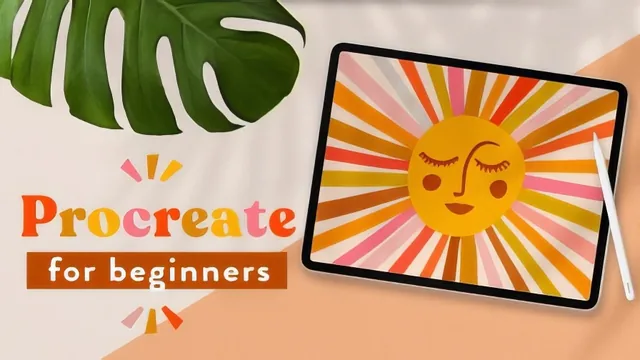
Five quick illustration projects teach real Procreate mechanics fast, but the promised sales advice is mostly name-dropped brands and a nudge toward the teacher's other classes.
What the course actually covers
This is a tool-literacy course wearing a business-education label. The blurb promises artwork you can sell and marketing tips woven throughout, but the actual teaching time is almost entirely spent on Procreate mechanics: the gallery and stack system, the transform and selection tools, brush libraries, and the color palette panel with its four color-picking modes (palettes, values, harmony, classic, disc). The Getting Started lesson alone runs through most of this before any drawing happens, which is the right call for a true beginner but will feel slow to anyone who has opened the app before.
The five projects escalate sensibly. Doodling on a photo is the warm-up, teaching how to add a non-destructive layer over an imported image and vary brush pressure with the Apple Pencil. The tropical leaf and citrus projects build on that with layer-based texture work: using a brush called Roasted at high opacity, switching its blending mode to multiply, and clipping a texture layer to the shape beneath it so ink does not spill outside the leaf or fruit. This clipping-mask technique, demonstrated concretely on the leaf, is one of the more transferable skills in the class because it applies to almost any illustration with defined shapes.
The mandala lesson is the strongest single unit. It introduces drawing guides and assisted drawing, a Procreate feature that repeats a stroke drawn in one quadrant across the rest of the canvas automatically, turning what used to require tracing around physical bowls into a few taps. The hand-lettering lesson that follows is more about workflow discipline than a specific trick: sketching loose thumbnails first, isolating the best composition with the freehand selection tool, then building a three-dimensional drop shadow by duplicating a text layer, offsetting it, and manually connecting the corners so it reads as one solid block rather than a flat outline.
Where it falls short
The sales and monetization angle promised in the marketing barely materializes as instruction. The teacher mentions that her illustrations end up in stores like Target and Nordstrom and references Society6 and print-on-demand file readiness, but this is scene-setting, not a taught skill. There is no lesson on pricing, licensing terms, mockup creation, or what "sellable" actually requires beyond a finished PSD or JPEG export. Viewers hoping for the entrepreneurship half of the title will need to buy the teacher's other classes on art licensing and Instagram growth, which are pitched directly in the final lesson.
The pacing also assumes a fair amount of patience with narrated screen-tapping. Because the course is built around live demonstration rather than concise instruction, techniques that could be summarized in a sentence, such as toggling a layer's visibility or renaming a canvas, get walked through in real time. Beginners who want to see exactly where every button lives will appreciate this. Anyone who has spent even a few hours in Procreate already will find long stretches they can skip.
As a beginner's tour of Procreate's interface and a handful of practical illustration techniques, layering, clipping masks, assisted drawing, and shadow construction, the course delivers cleanly and the five finished projects are a reasonable portfolio starter. As a course about selling artwork, it functions mainly as a funnel toward the teacher's other paid classes.
The standout
The mandala lesson's use of drawing guides plus assisted drawing, which mirrors a hand-sketched stroke across quadrants automatically, is the one technique that turns a fussy manual process into something genuinely fast.
What you will learn
- Navigating Procreate's gallery, stacks, layers, and core toolbar (transform, selection, brushes, color palettes)
- Drawing directly over a reference photo using a non-destructive layer to build a hand-drawn illustration
- Using drawing guides and assisted drawing to build a symmetrical mandala automatically
- Planning hand-lettering composition through thumbnail sketches, then building dimensional drop shadows with duplicated layers
- Building layered surface texture with brushes like Roasted and blending modes like multiply and clipping masks
- Exporting finished artwork as PSD versus JPEG depending on whether further editing is needed
Best for: A first-time Procreate user with an iPad who wants a guided run through the app's core tools by making finished art rather than reading a manual.
Skip it if: Anyone who already knows Procreate's basics, or anyone hoping the course will actually teach pricing, licensing, or how to run a print-on-demand shop.