
Procreate for Beginners: Learn Illustration on the iPad in 4 Projects
Brooke Glaser · Illustrator
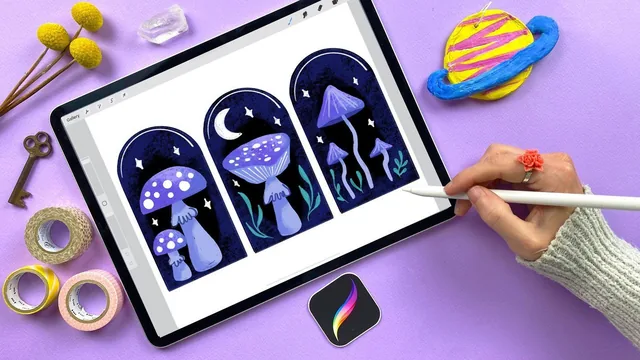
A fast, project-based Procreate primer that teaches the app's real mechanics through four drawings rather than a menu tour, best for absolute beginners.
A tools course disguised as a drawing course
This class is upfront about its structure and sticks to it: four small illustrations, each one introducing a fresh set of Procreate tools while quietly reinforcing what came before. An abstract wall-art piece opens with canvas creation and brush basics, a set of mushrooms brings in layers and masking, a strawberry plant covers selection and transform, and a tiger closes with brush customization, reference images, and color grading. The projects themselves are intentionally forgiving. Mushrooms and abstract blobs do not need to look "right," which removes the drawing-skill barrier that trips up so many software tutorials.
The pacing is genuinely well thought out. Each project ends with a short recap lesson that restates exactly what was covered in plain language, which matters more than it sounds like it would when a course is stacking new vocabulary (opacity, threshold, clipping mask, drawing assist) at this rate. New tools are also introduced only when the previous project's tools are already comfortable, so the strawberry lesson's symmetry tool and selection tool land after color and layers are second nature rather than competing with them for attention.
Where the teaching earns its keep
The strongest material in the course is the masking trio: Alpha Lock, clipping masks, and layer masks are conceptually similar enough to blur together, and the class handles that by giving each one a distinct physical metaphor (a stencil, a parent-child relationship, a curtain that conceals or reveals) and then demonstrating the visual difference by toggling layers on and off in real time. The brush customization sections on the tiger project are nearly as useful, walking through the Brush Studio's pressure and size settings to build a stripe brush that tapers naturally rather than settling for a flat line. The resizing lesson on nearest neighbor versus bilinear versus bicubic interpolation is a small but genuinely practical inclusion most beginner classes skip entirely.
Where the course is thinner is on drawing itself. Shapes are described as "rough triangles" or "wiggly lines," which is fine for the stated goal of tool literacy but means a student walks away knowing how Procreate works without necessarily knowing how to observe or construct form. Anyone hoping this class doubles as an illustration fundamentals course will be disappointed. It is also very button-and-gesture-heavy in places, particularly the layer and gesture-control setup for the recolor tool, which takes several steps of menu navigation before the actual technique appears.
Verdict
As an onboarding tool for a brand-new Procreate user, this does what it promises: by the tiger project, gestures like two-finger undo, three-finger layer clearing, and drawing-assist symmetry all feel routine rather than remembered from a list. The four-project format also means every tool gets used immediately rather than demonstrated once and forgotten. It will not teach anyone to draw better, and viewers who already know their way around layers and masks will find much of it redundant, but as a first 117 minutes with the app it is efficient, clearly sequenced, and low-pressure enough that nobody needs to worry about ruining the art.
The standout
The Alpha Lock vs clipping mask vs layer mask lesson, which uses a concrete curtain analogy and live before/after toggling to make an otherwise confusing distinction stick.
What you will learn
- How to build a custom canvas, choose brushes, and control brush size/opacity/color through pencil pressure and tilt
- Layer fundamentals: adding, renaming, reordering, and using them like transparent tracing sheets to protect underlying work
- The three masking approaches (Alpha Lock, clipping masks, layer masks) and when each is appropriate
- Selection and transform tools, including freeform vs uniform scaling and the bounding-box node for non-distorted resizing
- Coloring techniques: color drop, the recolor tool, color drop threshold, and the hue/saturation/brightness adjustment tool
- How to customize a brush's pressure and size behavior in the Brush Studio to build a custom tapering stripe brush
Best for: Someone who has just bought an iPad and Apple Pencil and wants a guided, low-pressure way to learn Procreate's actual tools by finishing real small artworks.
Skip it if: Anyone who already knows Procreate's interface, or who wants to develop drawing/illustration fundamentals rather than app mechanics.