
Print On Demand for Artists: Painting to Pattern to Product, The Complete Process
Nic Squirrell · Artist and illustrator
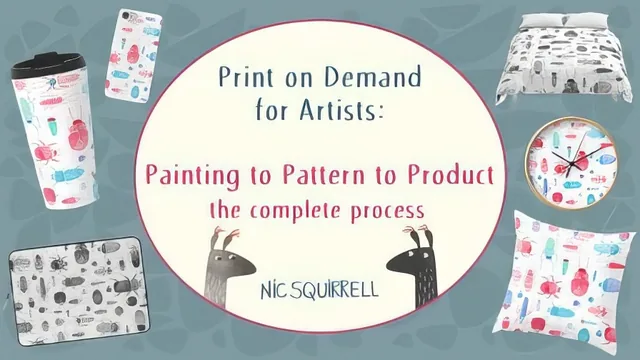
A sub-hour crash course that hands over Nic Squirrell's actual Photoshop workflow for turning a painting into a seamless, sellable pattern.
What it actually covers
This class is built around a single worked example: a watercolor and gouache painting of beetles, taken from blank paper to a set of live listings on Redbubble and Society6. Rather than talking in generalities, Nic Squirrell scans her own oversized painting in two passes and stitches the halves together using Photoshop's Photomerge tool, then walks through every subsequent step on that same file. The specificity is the class's biggest asset: viewers see exact menu paths (Select > Modify > Expand, Filter > Other > Offset), exact settings (600 dpi scans, a 9000-pixel square canvas at 300 ppi), and the reasoning behind each choice, such as why the background sample point matters when a textured paper adds pale flecks to the scan.
The background removal section is the most technically dense part of the course. It combines a levels adjustment used purely to generate contrast, the magic wand tool, a layer mask, and a green stroke effect used as a visual aid to spot leftover speckles before painting them out by hand. This is standard non-destructive masking practice, but seeing it applied to a genuinely messy watercolor scan, rather than a clean vector shape, makes the technique far more useful than a generic tutorial would.
The repeat pattern and file prep sections
The pattern-making lesson is where the course earns its keep. The offset filter technique, halving the canvas dimensions, applying the offset, then nudging individual motifs across the newly exposed seams with the lasso and transform tools, is explained clearly enough to replicate on a first attempt. A short follow-up lesson on Photoshop's newer Pattern Preview feature offers a faster alternative for anyone on a current Creative Cloud version, which is a thoughtful inclusion given how much the plugin landscape shifts.
The file preparation and uploading lessons trade technique for logistics: pixel dimensions, DPI, PNG versus JPEG, and how to build reusable Photoshop presets sized for each storefront's requirements. The Redbubble and Society6 walkthroughs that follow are largely screen-recorded product-by-product tweaking, useful as a reference the first time someone sets up a shop, but repetitive to sit through and not something that ages well as either platform's interface changes.
Where it falls short
Nothing here addresses pricing strategy, SEO beyond a passing mention of tags, or how to actually generate sales once the listings are live, which is reasonable given the class's narrow scope but worth knowing going in. The course also assumes comfort with Photoshop layers, masks, and selection tools already; anyone unfamiliar with those basics will need to pause frequently or seek outside help. Because it leans on one demonstration piece throughout, some techniques, particularly the pattern-repeat method, would benefit from a second, simpler example to reinforce the concept.
As a condensed, single-example walkthrough of a real production pipeline, it delivers on its promise. It suits an artist who already paints and wants to see exactly how a professional turns that painting into merchandise, not someone starting from zero with either painting or Photoshop.
The standout
The offset-filter method for converting a single painting into a seamless tiling pattern, including the trick of nudging individual motifs across the wrapped seam so the repeat is invisible.
What you will learn
- How to plan and paint an original piece specifically for print-on-demand, including palette limits and non-directional composition
- How to scan oversized artwork in sections and merge the pieces in Photoshop's Photomerge tool
- How to remove a painted background using levels, the magic wand, and a layer mask instead of destructive erasing
- How to turn a standalone painting into a seamless repeating pattern using the offset filter and the newer Pattern Preview mode
- How to size and format files to the specific pixel and DPI requirements of Redbubble and Society6
- How to configure product listings, titles, tags, and repeat-tile placement on both storefronts
Best for: Painters or illustrators who already know basic Photoshop navigation and want a concrete, repeatable pipeline from finished artwork to a live POD listing.
Skip it if: Complete Photoshop beginners, anyone without a scanner or paint supplies to follow along, or artists looking for marketing and sales strategy rather than production mechanics.