
Photography Basics: Becoming a Professional Instagrammer
Paulo Del Valle · Travel & Commercial Photographer
Sixty-one minutes mixes real camera fundamentals with generic influencer advice, so it only pays off if you need both at once.
Paulo del Valle's class packs two different courses into one hour: a beginner photography primer and an Instagram-influencer pitch. The arc moves from equipment choice, to manual exposure fundamentals, to a live shoot on a Rio beach, into a Lightroom editing session, and finally into profile strategy and brand outreach. That range is the course's main selling point and its main limitation, since 61 minutes is not enough time to do justice to either half.
The photography fundamentals hold up
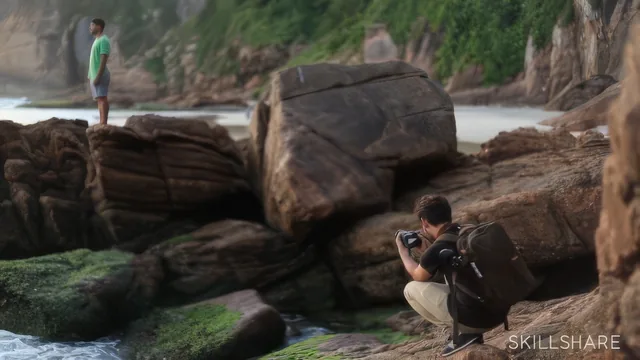
The exposure teaching is the strongest material here. Del Valle walks through ISO, aperture, and shutter speed together, then shows how to read the in-camera light meter and nudge it toward zero, which is a genuinely useful mental model for anyone who has never shot in manual mode. He demonstrates it twice: once freezing a friend mid-jump with a fast shutter and burst mode, and once shooting a long exposure of waves against rocks using a low ISO, a narrow aperture, and a timed shutter delay to avoid camera shake. Watching those settings change in real time, with the light meter reacting on screen, does more to explain exposure than most beginner written guides manage.
The editing section is similarly concrete. Del Valle takes a genuinely underwhelming, dark blue long-exposure shot and rebuilds it into a warm, high-contrast sunset image by pushing temperature and clarity, pulling down highlights, and lifting shadows just enough to reveal texture in the rocks without introducing noise. He also shows how to copy develop settings from one photo to a batch of similar shots, a small but practical time-saver for anyone editing more than a handful of images from the same session.
The Instagram strategy is thinner
Where the course loses value is in the back third. The Instagram and brand-work lessons amount to sound but generic advice: keep a consistent profile picture, separate personal photos from professional ones, list an email in the bio, answer comments, and write captions that tell a story rather than just tagging hashtags. None of it is wrong, but none of it is specific either. There is no discussion of actual rates, no walkthrough of a media kit or a real outreach email, and no mention of engagement metrics beyond "know your following." Anyone hoping for a genuine business framework for working with brands will find only encouragement to "reach out" and "be truthful."
The equipment lesson also dates itself quickly, since it name-checks specific camera and phone models rather than teaching a durable framework for choosing gear, and the backup-and-selects lesson, while sensible, is common sense stretched across several minutes.
Verdict
The student project, three photos covering motion, golden hour, and a free creative shot, is a fair capstone that ties the technical lessons together without requiring any of the Instagram material. That mismatch sums up the course: the photography fundamentals are worth the runtime, but the promise in the title, becoming a professional Instagrammer, is mostly aspiration. Treat this as a brisk manual-mode and Lightroom primer with a bonus talk on Instagram etiquette, not as a business course.
The standout
The golden hour long-exposure demonstration, which pairs a two-second shutter delay with wave timing to turn a dark, flat beach shot into a milky-water sunset image.
What you will learn
- How to read a camera's light meter and balance ISO, aperture, and shutter speed to hit a zero exposure reading
- How to freeze motion using burst mode and a shutter speed of at least 1/500
- How to shoot a long exposure at the beach using a low ISO, narrow aperture, and a two-second shutter delay
- A repeatable Lightroom workflow for cropping, aligning the horizon, and adjusting temperature, highlights, shadows, and clarity
- How to structure an Instagram bio and profile picture so brands view the account as professional
- How to select, tag, and back up photos across a hard drive and cloud storage before editing
Best for: A beginner who already owns a camera or capable smartphone and wants a fast primer connecting manual exposure basics to a Lightroom edit and an Instagram-ready posting strategy.
Skip it if: Anyone who already understands ISO, aperture, and shutter speed, or anyone expecting a serious plan for pricing work and negotiating with brands.