
Paint with Me: Digital Portrait Painting in Procreate
Gabrielle Brickey · Portrait Artist - ArtworkbyGabrielle.com
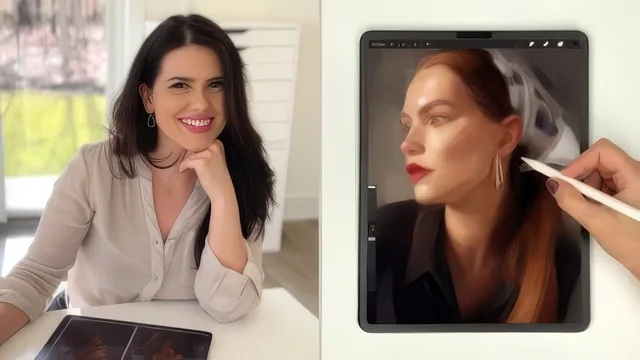
Watch a 20-year portrait artist paint one face for 277 minutes, narrating every color and value choice in real time.
What the course actually is
This is not a structured lecture series. It is a single long-form demonstration of one artist painting one portrait from a blank canvas to a finished, textured piece, with narration explaining the reasoning behind each move. The twenty lessons are really checkpoints inside one continuous session: setup and brush installation, then a block-in phase, then feature-by-feature refinement of the nose, lips, eyes, neck, and hair, and finally a finishing pass involving liquify adjustments, a paper texture overlay, and export. Anyone who follows along needs the supplied reference photo and Procreate brush set, though the instructor repeatedly says traditional media painters are welcome to translate the same decisions to their own tools.
Where the teaching genuinely lands
The strongest material is procedural rather than theoretical. The negative-space exercise, where the artist deliberately paints the abstract shape behind the head rather than the head itself, is a concrete fix for the common problem of drawing a symbolic face instead of the one actually in front of you. The habit of flipping the canvas horizontally to catch proportion drift is used repeatedly and shown to actually catch real errors mid-painting, not just mentioned in passing. The perspective section, where a drawing guide is overlaid to prove that the eyebrow line, nose line, and forehead plane all need to tilt together because the head is turned, is a genuinely useful way to see perspective as a system of converging angles rather than an abstract rule.
The brush explanations are specific rather than generic: the modified 6B is shown being held in two different grips to produce two different stroke qualities, and the willow charcoal streamline brush is demonstrated at varying pressure to show its range from thin line to thick dark stroke. Viewers get the actual brush files rather than just their names, which turns those demonstrations into something usable immediately.
Where it falls short
The course is long, and much of that length comes from watching color-matching and small adjustments happen in real time rather than from added instructional content. Viewers who want a condensed technique breakdown will need to skip around, since insights are often delivered mid-stroke rather than summarized. The class also assumes comfort with basic value and color concepts already; someone who has never thought in terms of shadow shapes or planes will find the pace fast, and the course explicitly redirects true beginners elsewhere.
The finishing stretch, covering the paper texture overlay, the Photoshop dodge tool pass, and the painted vignette, is valuable but compressed relative to how much time was spent on the block-in. Anyone hoping for equal depth on finishing techniques as on early proportion work will find that balance uneven.
Verdict
This works best as an apprenticeship-style watch: sit beside an experienced painter for four and a half hours and absorb how they actually think through a face, mistakes included. It rewards patience and rewatching more than it rewards skimming, and it will do the most for someone who already has a painting in progress of their own to compare against.
The standout
The negative-space method for placing the subject on the canvas, drawing the abstract background shape instead of the face itself to sidestep the brain's tendency to draw a symbolic face.
What you will learn
- How to block in a portrait using simplified shapes of value before any detail work
- How to use negative space and horizontal flips to catch proportion errors early
- How to apply perspective and plane-change thinking to a tilted head and face
- Which specific Procreate brushes (6B large flat edge, willow charcoal streamline, soft pastel smudge) serve which stage of the painting
- How to build a custom close-up reference layer in Procreate to check features like the nose and lips against the source
- How to finish a digital painting with texture overlays, dodge tool glow, and a painted vignette in Procreate or Photoshop
Best for: Artists who already have some drawing or painting experience and want to see an experienced painter's actual decision-making, brush choices, and corrections in real time.
Skip it if: Complete beginners with no prior portrait practice, who the course itself points toward a foundational class instead, and anyone wanting concise, tightly edited lessons rather than a long unscripted demo.