
Packaging Design for Creatives & Entrepreneurs
Simone Payne · Customer Experience at Packlane
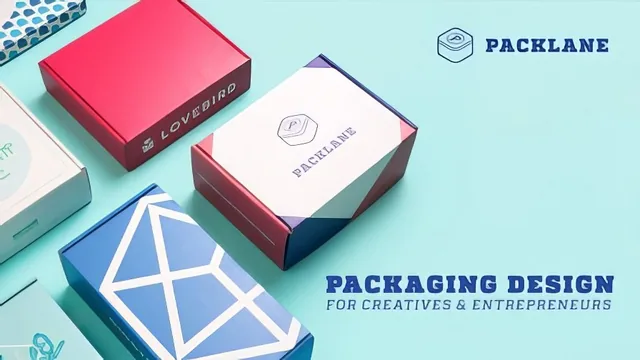
A 36-minute crash course in packaging fundamentals from a Packlane employee, useful as an orientation but too short to make you print-ready alone.
A vendor's tour of packaging basics
Simone Payne teaches this class from her seat at Packlane, and that vantage point shapes everything about it. The course moves briskly through box anatomy: mailer boxes for subscription shipping, rigid boxes for perfume and watches, sleeves for candy, RSC cartons for standard e-commerce shipping. Each style gets tied to a practical driver, mostly fragility, weight, and shelf presentation, rather than treated as an aesthetic choice. The flute-weight explanations (why 18-point stock suits cosmetics while 24-point suits candles) are the kind of detail a first-time packaging buyer would otherwise have to learn by making an expensive mistake.
The production and finishing lessons cover flexographic, offset, and digital printing, then move into UV gloss versus aqueous matte coatings and foil stamping. None of this is explained at a technician's depth, but it is explained at a decision-maker's depth: enough to know which term to use when briefing a print vendor, and roughly what tradeoff each choice implies for cost and finish. The RGB-versus-CMYK segment is the most technically useful stretch of the whole class, walking through why a screen preview can never fully predict a printed result and showing, inside Illustrator's swatch panel, how to pull an exact Pantone match instead of guessing at a CMYK approximation.
The Illustrator project
The back half shifts into a single hands-on project: laying out artwork on a dieline template. This is where the class earns its "intermediate" label, since it assumes fluency with layers, the pen tool, and basic vector concepts already. The most concrete technique taught is the beveled bleed: selecting artwork that overruns a panel, using a clipping mask to punch it to the panel edge, then tapering the cut so the pattern doesn't bleed into an adjacent blank panel after trimming. It's a small, specific fix for a real production problem, and it's demonstrated step by step rather than described abstractly. The lesson on vector-outlining text before sending a file to a printer, so a missing font doesn't silently drop text from the finished box, is similarly small but genuinely useful.
Where it thins out
The closing lessons on Esko Studio, LiveSurface, and Packlane's own box designer are less instructional and more like product demos, understandably, since two of the three tools are built by companies Packlane presumably partners with or resembles commercially. They do serve a real purpose (previewing a flat design folded into 3D before committing to a print run), but a viewer without access to Esko's plugin or a LiveSurface trial license gets little beyond watching someone else click through the software.
At 36 minutes across thirteen lessons, the course is closer to a well-organized primer than a full skill-building class. It never has time to slow down on any single technique, and a viewer with zero packaging or Illustrator background will likely need outside resources to actually execute the project. What it does deliver is a solid vocabulary and decision framework: someone who finishes this class will know what to ask a printer, what a dieline is for, and why their screen colors won't match the box on the shelf. That's a real and specific outcome, just a modest one for the time invested.
The standout
The Illustrator walkthrough on building a beveled bleed with a clipping mask, so patterned artwork tapers cleanly into a blank panel instead of printing a hard edge that shifts during die-cutting.
What you will learn
- How to choose between mailer boxes, rigid boxes, sleeves, and RSC shipping cartons based on product fragility and presentation needs
- The difference between flexographic, offset, and digital printing and when each makes sense by print run size
- How UV and aqueous coatings and foil stamping affect a package's final look and durability
- Why CMYK must replace RGB before sending artwork to print, and how to manage the conversion inside Illustrator
- How to set up print-ready artwork on a dieline, including bleed, clipping masks, and vector-outlining live text
- How to preview a folded 3D mockup of a flat design using Esko Studio, LiveSurface, and Packlane's own box designer
Best for: A graphic designer or brand owner who already knows Illustrator and needs a fast orientation to packaging-specific terms before briefing or working with a printer.
Skip it if: Anyone with no prior Illustrator experience, or anyone expecting a deep, hands-on production of a finished box design from scratch.