
Package Design II: Step-by-Step Execution
Trina Bentley · Owner, Make & Matter
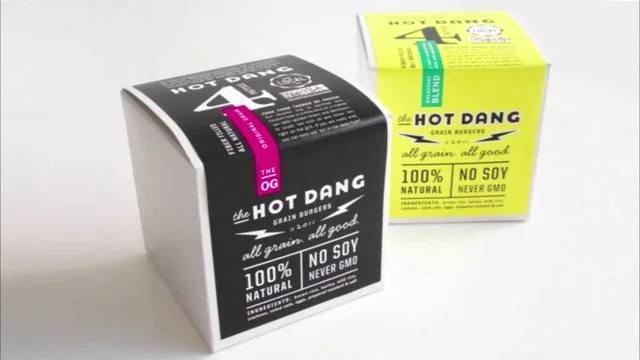
A tight, practical walkthrough of one designer's real process, valuable mainly for the questions and habits it hands you, not software instruction.
Package Design II: Step-by-Step Execution picks up where Trina Bentley's first class left off, moving from concept to a working process for turning a client brief into a shelf-ready box design. At 46 minutes across five lessons, it covers pre-work discovery, shelf research and sketching, screen execution in Adobe Illustrator, and a closing set of design tips. The structure is linear and sensible: gather information, plan on paper, then build in software, then refine.
What the course actually teaches
The strongest material comes early. Bentley walks through the exact questions she asks clients before ever opening Illustrator, things like what emotional response the package should trigger in three words, where the product sits in the store, and how far a product line is likely to expand. This checklist approach is concrete and reusable outside packaging entirely; anyone doing client-facing design work would get value from it.
The sketching section is looser. Bentley describes brainstorming word lists, rough thumbnail sketches, and assigning numbered directions to different concepts, but the instruction here is more narrative than instructional. She explains what she does rather than giving a repeatable method a viewer could apply step by step. Viewers hoping for a structured sketching framework will find description of her habits rather than a teachable system.
The Illustrator portion is the closest thing to hands-on execution, but it is also narrated rather than demonstrated with granular software steps. Bentley describes working directly on a rendered package mockup rather than a flat die-line, placing content in priority order, grouping certifications into a clean band, and using a condensed font for net weight text. These are useful, specific habits, but the course does not function as an Illustrator tutorial in the conventional sense; it assumes the viewer already knows the software and wants to see how a professional organizes a layout.
Strengths and limitations
The closing design-tips lesson is a genuinely useful synthesis. Bentley organizes her advice around four goals: communicating clearly, grabbing attention, achieving cohesion, and planning for product expansion. The advice under each is specific rather than generic: use scale and visual weight to create a reading order, consider monochromatic color as a way to stand out when everyone else uses color, and account for the longest possible flavor name across an entire line before finalizing a layout. This lesson alone justifies a chunk of the runtime.
Where the course falls short is depth of execution. Because it is built around narration over a single case study, viewers do not get to practice the techniques themselves within the class, and the pacing sometimes runs long on process description without corresponding visual payoff. It also leans heavily on the assumption that viewers already completed the first class and have solid Illustrator fluency; this is explicitly a sequel, not a standalone lesson.
For designers who already understand layout fundamentals and want insight into how an experienced packaging specialist actually structures a client project from first meeting to finished line extension, this delivers real value in a short runtime. For anyone looking to learn Illustrator technique or expecting a guided, follow-along project, the class will feel thinner than the description promises.
The standout
The pre-work discovery checklist, especially the specific client questions about emotional tone, shelf placement, and product-line expansion, gives designers a reusable framework for starting any packaging project on solid footing.
What you will learn
- How to build a client discovery checklist covering audience, competitors, certifications, and product-window requirements before sketching anything
- How to scout retail shelf space for competitor patterns and gaps worth exploiting
- How to build a rough sketch system that names distinct visual directions before touching Illustrator
- How to lay out a principal display panel in Illustrator using priority-ordered content and grouped certifications
- How to design flavor differentiation and templated structures that scale across a full product line
- How to apply cohesion, attention-grabbing, and 'human' design tactics like hand lettering and texture to finished packaging
Best for: Intermediate designers who already grasp package design theory and want to see a working professional's actual client-to-Illustrator workflow.
Skip it if: Complete beginners with no design fundamentals or no Illustrator experience, since the course assumes both and never teaches software basics.