
Moving Illustrations: Creating Morphs with Adobe Animate
Hannah Lau-Walker · 2D Animator
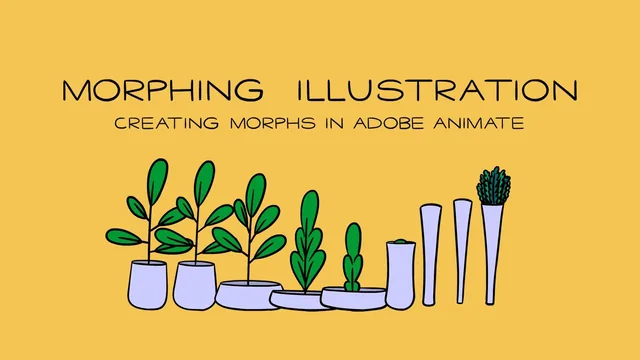
A tight 63-minute morph tutorial that trades animation theory for hands-on Adobe Animate technique, if you already know basic drawing.
Hannah Lau-Walker's course does one thing and does it with unusual specificity: it teaches morphing, the animation trick of dissolving one illustration into another, using Adobe Animate's traditional frame-by-frame tools. At 63 minutes across 13 short lessons, it moves fast, but the structure is sound: theory first, then software, then a full production pass from rough sketch to exported GIF.
What the course actually covers
The opening lessons categorize morph types before any software opens. Straight in-betweens, squash-and-stretch morphs, ease-heavy transitions, smears, and break-apart-and-rebuild effects each get named and shown side by side, with commentary on which illustration styles suit which technique. Graphic, bold-shaped designs pair with bouncier, snappier movement, while hand-rendered, detailed illustrations call for slower, more fluid treatment. This framing matters because it forces a design decision before the labor-intensive animation work begins, which the course explicitly frames as a way to avoid hours of wasted redrawing.
From there the class walks through animation principles as they apply specifically to morphs: spacing and easing, anticipation, squash and stretch, and follow-through. Each principle is demonstrated at three intensities, from flat and even to heavily exaggerated, so the viewer can see the same morph get progressively more alive. This is a smart teaching choice. Rather than defining anticipation abstractly, the course shows a pot and plant illustration with no anticipation, then a slight upward flick before the morph, then an exaggerated version, making the concept immediately legible.
The production workflow
The back half is a screen-recorded build, from setting up an HD Animate file with a light blue stage and guide layers, through rough animation on twos using onion skinning, to cleanup with keyed reference frames rather than straight-ahead tracing. The coloring lesson covers a specific and useful trick: setting line layer alpha to zero so a fill can be applied without visible line interference, useful for later compositing. Export gets equal attention, covering GIF, MP4 through Media Encoder, PNG sequences, and SWF files for lossless import into After Effects for looping.
Where the course falls short is depth per topic. Each animation principle gets roughly two minutes before moving on, and viewers with zero prior animation exposure will need to pause and rewatch the timing examples to internalize them. The course also assumes comfort with Adobe Animate's interface basics: keyboard shortcuts for keyframes, the transform tool, and layer management are used constantly with only brief explanation. Nothing here addresses rigging, symbols beyond basic use, or character animation outside the morph context, so its usefulness caps out quickly for anyone wanting a broader animation foundation.
As a focused unit, though, it delivers exactly what it promises. The pairing of design-driven theory with a real screen-recorded production pass, ending in an actual exported file, gives it more practical weight than its short runtime suggests. Illustrators who already draw and want a low-commitment way to animate their existing work will get the most out of it.
The standout
The screen-recorded roughing and cleanup workflow, where onion skinning, keyframing shortcuts, and layer management are demonstrated on a real morph rather than described abstractly.
What you will learn
- How to distinguish morph styles (straight in-betweens, squash-and-stretch, ease-heavy, smear, break-apart-and-rebuild) and match them to illustration style
- How to set up an Adobe Animate project with guide layers, style frames, and onion skinning for morph work
- How to rough out a morph frame by frame using the brush tool, F5/F6/F7 keyframing, and onion skin referencing
- How to apply anticipation, squash and stretch, and follow-through specifically to a morph transition
- How to clean up and tie down rough animation into finished line work using keyed cleanup rather than straight-ahead tracing
- How to color artwork with alpha-zero line fills and export to GIF, MP4, PNG sequence, or SWF for After Effects looping
Best for: Illustrators with some drawing ability and basic Adobe Animate familiarity who want a fast, concrete path into loose, expressive morph animation.
Skip it if: Complete beginners to both drawing and animation software, or anyone wanting rigging, character walk cycles, or animation outside the morph niche.