
Motion Graphics with Kurzgesagt – Part 3
Kurzgesagt - In a Nutshell · Motion Graphics Videos
A dense, jargon-heavy walkthrough of Rubberhose rigging and overlapping-action timing that rewards animators who already know After Effects cold.
What the class actually covers
This is the closing chapter of a three-part After Effects series, and it assumes the viewer has already sat through the first two installments. It opens with project setup: separating characters into individual Illustrator files and After Effects comps, parenting layers from the outside in, and positioning anchor points so that later scaling and rotation behave predictably. From there it moves into Rubberhose, the paid limb-rigging plugin from Battle Axe, walking through naming conventions, bend direction, width adjustment, and the auto-rotate checkbox that determines whether a foot or hand follows its parent's rotation. The middle stretch covers idle animation (breathing loops, blinking eyes built as a reusable template comp) and cross-composition linking, where a null object with slider controls drives trim path animation across multiple layers using expressions.
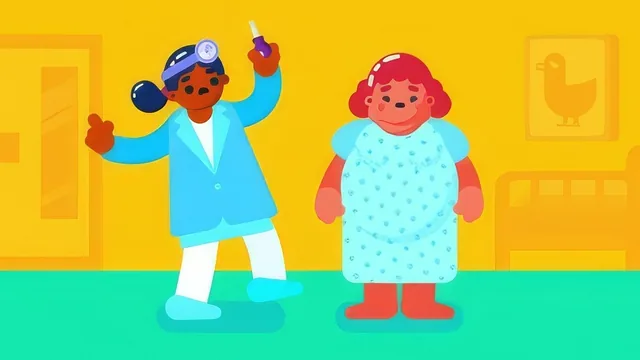
The back half is where the class earns its "character animation" label. It builds out a full poke-and-react sequence between two characters: anticipation, the poking action itself, a nodding reaction, a bloating exaggeration on the patient, and an overlapping-action response from the other character. Throughout, the instructor repeats a specific timing pattern, offsetting child-layer keyframes by three to five frames from their parent, curving motion paths with the bezier handles rather than leaving them linear, and alternating between easy-ease and fixed-velocity keyframes to vary the feel of a movement.
Strengths and limitations
The specificity is the course's real strength. Rather than talking about overlapping action in the abstract, it demonstrates it directly on a ponytail bouncing after a head rotation, or a sleeve lagging behind an arm's main movement, with exact frame offsets given each time. The bloating gag late in the lesson is a genuinely useful case study in negative scaling: building a character oversized in Illustrator and animating the scale down to 100 percent rather than up past it, which keeps continuously rasterized layers lighter to render.
The course is also narrow by design. It does not explain rigging fundamentals, Illustrator prep, or basic keyframing, since those live in the earlier parts. Anyone arriving without that foundation, or without the Rubberhose license itself, will find large stretches of the lesson opaque. Skillshare's own description labels this material for advanced learners, and the pacing backs that up: techniques are named once and applied immediately, with little pause to explain why a particular value or offset was chosen beyond "this looks good."
There is also no room in the runtime for viewers to try the technique on their own character mid-lesson. It plays more like a recorded production session than a structured curriculum, useful for animators who want to see exactly how a working animator times a shot, less useful for anyone hoping for a repeatable framework applicable outside the two characters shown. As a capstone to the series, it delivers on its narrow promise. As a standalone lesson, it would be difficult to follow.
The standout
The staggered three-to-five-frame offset rule between parent and child layers, applied consistently across arms, head, ponytail, and feet, is the single technique that turns mechanical keyframing into believable overlapping action.
What you will learn
- Rigging bendable limbs with the Rubberhose 2.0 plugin, including naming conventions and auto-rotate settings for ankles and wrists
- Cross-composition linking using slider controls and expressions to drive trim paths across multiple layers or comps
- Structuring idle animation with ping-pong loops, easy ease, and offset keyframes for breathing and blinking
- Sequencing key poses with staggered offsets (three to five frames) between parent and child layers to create overlapping action
- Faking 3D depth by moving foreground and background elements in opposite directions during head or body rotation
- Exaggerating a bloating reaction through scale keyframes on hands, neck, breasts, belly, and gown for a comedic beat
Best for: Intermediate to advanced After Effects animators who already own Rubberhose and have completed parts 1 and 2 of the series.
Skip it if: Beginners, anyone without the paid Rubberhose plugin, or animators looking for a standalone project they can follow without prior context.