
MOTION GRAPHICS MASTER CLASS By FLOWTUTS - AFTER EFFECTS CC
FLOWTUTS ⭐ · Motion Designer & illustrator
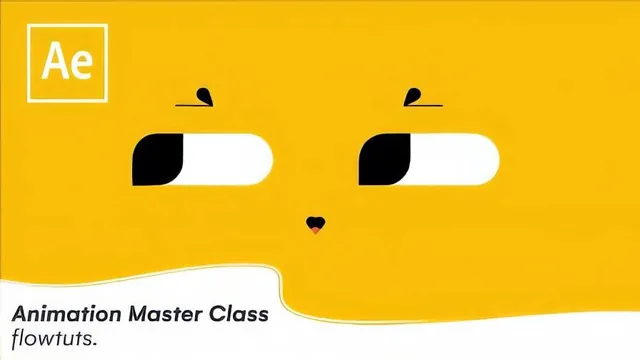
A 37-minute breakdown of five specific After Effects tricks for animators who already know the software but want a working designer's shortcuts.
Motion Graphics Master Class is less a class than a guided teardown of five finished animations, delivered in just under 40 minutes by a motion designer who is upfront about the format: he is not going to build anything from a blank canvas, only walk through decisions he already made. That framing matters. Anyone expecting a start-to-finish tutorial where a shape becomes a logo becomes a scene will be recalibrating within the first two minutes.
What actually gets covered
The course opens with a short talk on color, texture, and the tension between simplicity and complexity, positioned as the design thinking that should precede any animation work. It is brief and general, more a reminder to designers already familiar with these ideas than an introduction for newcomers.
The real content is the five breakdowns that follow. The Disney XD logo segment shows how a handful of animated shapes, scale and rotation key frames, and a repeater effect combine into something that reads as far more complex than it is, which is a genuinely useful reframe for anyone intimidated by finished logo stings. The fake 3D house segment is the strongest section: it explains, with specific key frame timing, how animating a front face, then a back face, then shadows and steps in sequence creates a rotating 3D illusion using only flat 2D shapes. That single technique, isolating each face and staggering its reveal, is worth more than the rest of the course combined.
The physics section covers parenting and anchor point placement to fake pendulum-like motion, plus a one-line expression trick (multiplying a value by -1 to reverse a parented rotation) that is a handy, transferable move. The effects section runs through Find Edges, Echo, and Set Matte in quick succession, useful as a checklist of what these tools do but too fast to function as a real tutorial on any one of them. The closing eye animation segment covers matte tricks and secondary motion on eyebrows and blink lines, again narrated at teardown speed.
Where it falls short
The course's core weakness is pacing mismatched to depth. Each of the five topics gets roughly five to seven minutes, which is enough to name the technique and point at the timeline but not enough to watch it built. Viewers are told what a key frame does and where it sits, rarely why a specific curve or timing choice was made over another. The narration itself is dense and occasionally hard to follow, and a couple of effects, including a paid third-party plugin used for line details, are mentioned without much elaboration on cheaper alternatives.
For its stated audience, intermediate animators who already know their way around key frames, shape layers, and expressions, this is a reasonable way to spend half an hour picking up a handful of specific moves: the fake 3D staggering technique, the repeater-based logo trick, and the expression reversal are all things a working animator could apply the same day. But it is not a course that teaches motion graphics from the ground up, and the Skillshare description's promise of learning "the fundamentals" oversells what a rapid five-part teardown can deliver.
The standout
The fake 3D house animation, which reveals how staggered position and scale key frames on flat shapes alone create a convincing rotating-object illusion without any 3D software.
What you will learn
- Building a logo animation from simple shape and path transforms, illustrated with the Disney XD ident
- Faking 3D rotation in 2D using sequenced key frames on front, back, and side elements of a house
- Rigging physics-like motion with parenting, anchor points, and a one-line expression multiplier
- Applying and combining core motion design effects: Find Edges, Echo, Set Matte, and screen blend modes for outlines and smoke
- Animating a blinking, tracking eye using mattes, secondary bounce, and path-based shape shifts
- Recognizing when graphic design fundamentals like color and texture should shape an animation's restraint
Best for: Animators who already know After Effects' key frame and shape layer basics and want to see how a working designer assembles specific effects into finished pieces.
Skip it if: Complete beginners to After Effects or animation, since the teacher explicitly breaks down finished work rather than building it from scratch.