
Mastering TikTok: Stop Scrolling & Post Your 1st TikTok
Taylor Loren · Head of Marketing @ Girlboss
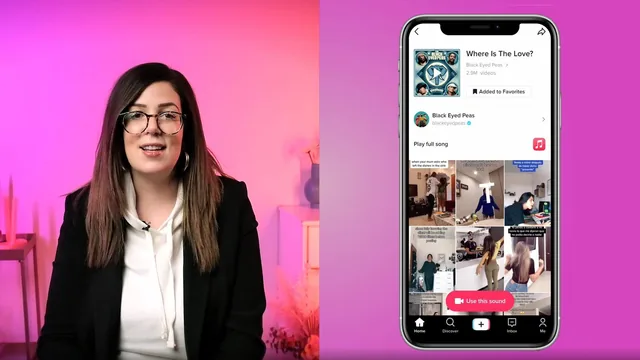
A working social media strategist walks through TikTok's algorithm, editing tricks, and viral mechanics in under 90 minutes, no dancing required.
A practical, unpretentious starting point
Taylor Loren's TikTok class does what its title promises: it gets a total beginner from "never opened the app with intent" to "posted something." That is a narrow goal, and the course knows it. Across thirteen short lessons it moves from platform theory (why TikTok's content graph differs from Instagram's social graph) into hands-on mechanics (shooting, editing, transitions) and closes with a genuine class project, publish one TikTok using what you learned. The arc is logical and doesn't waste time.
The strongest stretch is the middle third. The explanation of the For You page, how new videos get tested on a small audience before a wider release, and how watch-time and rewatches outweigh raw follower count, is clear and specific rather than vague algorithm mysticism. It's paired with a genuinely useful production tip: record all your individual shot markers first, then go back and reshoot each scene in TikTok's "Adjust clips" tool, so multi-outfit or multi-character videos don't require constant costume changes mid-take. That is a real workflow insight, not filler.
The editing lessons are where the course earns its keep for anyone unfamiliar with either TikTok's native tools or the wider toolkit around it. It covers voiceovers, text timing, captions, hashtag strategy (general tags over niche ones, capped at one to three per post), and cover image selection. It then pivots to InShot for anyone who wants more font and filter control, including a clever trick for matching your own footage to someone else's trending audio track by extracting it from a saved TikTok. The transitions lesson (jump cuts, the hand-wipe, hair flips) is short but demonstrates the core principle, keeping your body or object in a fixed spot across cuts, clearly enough to attempt on a first try.
Where it thins out
The course leans heavily on one teacher's own experience (a viral candle-burning tip, a Girlboss branded challenge) as its case studies, which keeps things grounded but also narrows the frame of reference. There's little discussion of what to do once the first few posts underperform, no real treatment of consistency or content calendars beyond a passing mention of a scheduling app, and no strategy for growing past novelty virality into a sustainable posting rhythm. Analytics gets one lesson that explains where to find the numbers but not how to act on them beyond posting on weekends.
For a beginner with zero TikTok experience, that's an acceptable trade-off, 76 minutes doesn't allow for everything, and Loren keeps the pacing tight. But anyone who has already posted a dozen TikToks and hit a plateau will find the ground already familiar. This is a course for the moment right before your first post, not the six months after it.
The standout
The InShot audio-sync trick, saving another creator's trending sound to your camera roll and dragging it into a separate editing app to match your own footage to it, is the one technique that goes beyond what the native app offers.
What you will learn
- How the For You page and content-graph algorithm actually rank and distribute videos
- How to shoot multi-scene TikToks natively using the app's clip-marking and reshoot method
- How to build shareable content using a relatable, first-person 'meme mentality' formula
- How to edit outside the app in InShot, including syncing audio from another TikTok onto your own footage
- How to execute transitions like the jump cut, hand-wipe, and hair flip using consistent framing marks
- How to read TikTok Pro analytics to find posting times and track which older videos are gaining traction
Best for: Total TikTok beginners, solo creators or small-business owners who want a fast, practical orientation to the app before posting their first video.
Skip it if: Anyone already posting regularly on TikTok, chasing advanced growth tactics, or hoping for a deep dive into paid promotion, brand partnerships, or long-term content strategy.