
Mastering Duotones in Adobe Photoshop
Evgeniya & Dominic Righini-Brand · Graphic Design & Photography
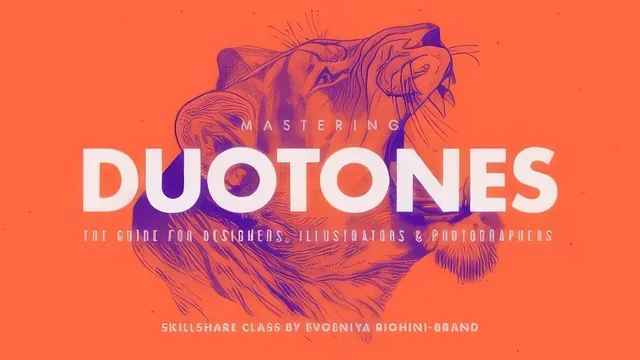
A tight, technique-dense duotone masterclass that rewards designers willing to slow down on color theory and Photoshop's curves tool.
Mastering Duotones in Adobe Photoshop is built around a simple but easy-to-miss point: a duotone lives or dies on preparation, not on the gradient itself. The class spends its first third proving this before a single color gets applied, and that sequencing is its strongest structural decision.
From Gray to Graphic
The opening lessons cover workspace setup, then move into black-and-white conversion using a non-destructive Black & White adjustment layer rather than the grayscale mode or a saturation slider, both of which the instructor explicitly warns against because they discard the color information needed to fine-tune contrast per channel. From there, Curves gets its own dedicated lesson, walking through how to read a histogram, set black and white points, and add multiple points along the curve to punch up local contrast in shadows and highlights independently. A section on the Select and Mask tool follows, covering how to cut a subject from its background so the two can be toned separately or together later. This is standard Photoshop technique, but the class earns its keep by showing, side by side, how flat and unconvincing a duotone looks when this prep work is skipped.
The color-sourcing block is where the course distinguishes itself from a typical filter tutorial. Rather than treating color choice as a matter of taste, it teaches a repeatable method: sampling colors from real-world references and existing images with the Eyedropper, loading them into the Swatches panel, then building formal color relationships in the Adobe Color Themes extension using harmony rules like monochromatic, complementary, and analogous. That panel is then put to direct use once the Gradient Map adjustment layer is introduced, with real attention paid to a detail most tutorials skip: how sliding the midpoint marker on a gradient's color stops shifts which tones dominate the final image, which is presented as the actual lever between a punchy modern duotone and a muddy or inverted one.
Range Over Repetition
The middle stretch of the course is where it earns the "mastering" in its title. It does not stop at one gradient-map technique; it works through toning cutouts against solid or gradient backgrounds, layering multiple toned images into collages with blend modes, imitating traditional darkroom effects like sepia and cyanotype toning with attention to which chemical process tones highlights versus shadows, and building custom Actions to batch-process a set of images through the same toning steps. The section on preparing files for professional print, including converting to Duotone color mode with Pantone spot colors and using the Duotone Curve Formula to correct how the second ink distributes across highlights, is a genuinely rare inclusion in a mostly web-focused corner of Skillshare's catalogue.
The course's honest limitation is pace and audience. It assumes fluency with adjustment layers, clipping masks, and layer groups from the outset, and moves through Photoshop's interface quickly enough that a true beginner will lose the thread within the first twenty minutes. It is also unmistakably a 2017-era class, so some panel locations and the specific Select and Mask workflow have shifted slightly in current Photoshop versions, though the underlying logic holds. For an intermediate Photoshop user who wants toning to become a controlled, repeatable skill rather than a lucky accident with a preset, the depth here is hard to match.
The standout
The breakdown of how midpoint position on a Gradient Map's color stops controls tonal balance between the two duotone colors, which is the actual mechanic behind good versus flat-looking duotones.
What you will learn
- Non-destructive black-and-white conversion using the Black & White adjustment layer's color sliders instead of desaturation or grayscale mode
- Building local and global contrast with Curves by adding multiple points and reading the histogram
- Isolating subjects with the Select and Mask tool for separate background toning
- Sourcing and organizing color palettes with the Eyedropper, Swatches panel, and Adobe Color Themes harmony rules
- Applying Gradient Map adjustment layers, including midpoint control and multi-stop tritones, plus alternative Gradient Fill toning
- Preparing final files for web (sRGB, PNG for flat color areas) and print (CMYK conversion, Pantone-based Duotone color mode)
Best for: Graphic designers, photographers, and illustrators with working Photoshop fluency who want a repeatable, professional toning workflow rather than a one-off filter effect.
Skip it if: Photoshop beginners who have not yet worked with adjustment layers, layer masks, or curves, since the class assumes that vocabulary and moves quickly past it.