
Mastering Cinematic Compositions in Video & Film
Jordy Vandeput · Filmmaker and Youtuber
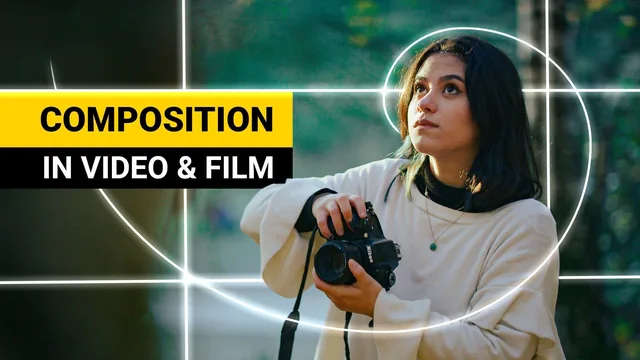
A 40-minute crash course that hands you the golden ratio, leading lines, and point-of-interest editing in a single sitting, no filler.
A dense, rule-driven tour of composition
Jordy Vandeput, the filmmaker behind the Cinecom YouTube channel, packs this class into thirteen short lessons that build on each other in a deliberate arc. It opens with the basics of what a composition even is (subject, flow, story), then moves through the rule of thirds and the golden ratio as the two foundational grids, before layering in depth of field, color and exposure, perspective and focal length, and finally motion. By the time the class reaches leading lines and point of interest, it is combining all the earlier tools rather than introducing them in isolation, which gives the back half a noticeably faster, more advanced feel than the front half.
The strongest material is technical and specific rather than inspirational. The golden ratio lesson explains the 1.6 ratio behind the Fibonacci spiral and shows how flipping the overlay lets a filmmaker align a subject's eyes to the spiral's focal point, a level of detail well beyond a generic "follow the rule of thirds" tip. Similarly, the color lesson goes past "use complementary colors" by mapping warm tones (skin, fire, sunlight) against cool tones (sky, foliage, shadow) on a color wheel and showing how contrast, not just hue difference, pulls the eye. Depth of field gets the same treatment: rather than just saying "blur the background," it distinguishes when an out-of-focus foreground should be pushed off the guidelines to avoid stealing attention versus when it should be made prominent, as in an over-the-shoulder shot where the blurred figure is still emotionally part of the frame.
Where the course earns its keep, and where it thins out
The point of interest and camera movement lessons are where the class moves from photography-adjacent theory into genuinely video-specific thinking. The idea that a cut should either preserve the point of interest in the same area (linking two shots, as with a couple both looking into the lens) or deliberately relocate it (creating a search-and-find beat) explains why fast-paced travel edits read as coherent instead of chaotic. That single concept, paired with the earlier grid-based rules, is arguably worth more than most of the class's runtime combined.
The tradeoff for this density is that nothing gets much room to breathe. Each lesson runs a few minutes, delivers its rule with two or three visual examples using the same two on-camera assistants, and moves on. There is no software walkthrough, no hands-on editing exercise, and no grading or feedback loop beyond an open invitation to upload a one-minute practice video. Viewers who want to see these principles applied to a real, longer edit or a specific genre (documentary, narrative, run-and-gun) will need to look elsewhere. The class is also unapologetically rule-first: it states outright that theory takes priority over "boring" b-roll practice, so anyone hoping for extensive footage-based demonstration rather than concise verbal explanation with brief cutaways should adjust expectations.
As a reference for the vocabulary of cinematic framing, delivered without padding, it does what it sets out to do. It will not teach someone to operate a camera or edit software, and it assumes a working knowledge of both walking in, but for viewers who already have footage and want to know why it feels flat, the composition and point of interest lessons offer concrete, immediately testable fixes.
The standout
The point of interest lesson, which reframes editing itself as a composition tool by showing how matching or deliberately shifting where the eye lands between cuts controls pacing and clarity.
What you will learn
- Aligning subjects to the rule of thirds and the Fibonacci spiral (golden ratio) depending on shot context
- Using depth of field and out-of-focus foreground/background elements to create a sense of three-dimensional space
- Applying color contrast and exposure (warm subject against cool background) to direct audience attention
- Choosing camera height (low, eye-level, high) and focal length to shape story and emotional tone
- Matching or shifting the point of interest across cuts to control pacing in an edit
- Using leading lines and camera movement to add flow and dynamism within a single shot
Best for: Videographers who already know their camera and basic shot-making but want a vocabulary and rule set for why some shots feel more cinematic than others.
Skip it if: Complete beginners who have never framed a shot before, or anyone hoping for hands-on editing software walkthroughs or color-grading tutorials.