
Make Animated YouTube Videos
Evan (PolyMatter)
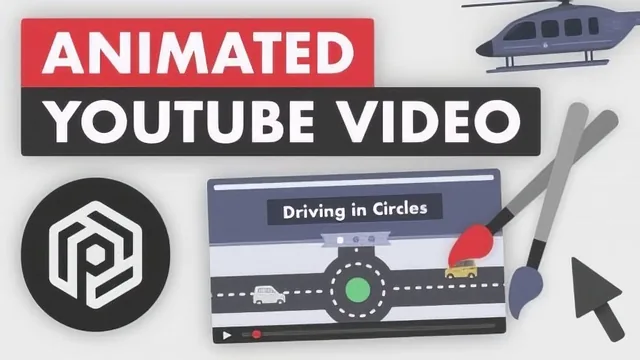
A working YouTuber walks through his own 10-step process for making an explainer video, from idea to upload, in under 30 minutes.
A full pipeline, compressed
Evan, who runs the YouTube channel PolyMatter, built this course around a single premise: he had no design or production background when he started, so he can show a beginner the shortest path through a process he learned slowly. The structure reflects that. Ten short lessons move in strict sequence from picking a topic through research, story structure, scriptwriting, graphic design, color, shape construction, and finally animation, ending with a condensed walkthrough that stitches every step into one small demo scene about Amazon's investments in pharmaceuticals and education.
The most useful early idea is treating topic selection as a pipeline problem rather than a moment of inspiration. Evan recommends keeping a running list of raw ideas on a phone, adding anything without judging it, then testing candidates later with an hour of research to see if they hold up. He pairs this with a genuinely practical filter: a topic should sit between "too obvious for a video" and "complicated enough to deserve a book," and if you cannot compress your argument into something like a single tweet, you don't understand it well enough yet to script it.
The research and story sections are where the course earns its keep. Rather than treating research as a single free-form pass, it prescribes a template document per video with sections for brainstorming, title ideas, sourced notes, and an upload checklist, which turns a fuzzy task into a repeatable habit. The story-crafting lesson draws a clear line between a "collection of facts" video, which a viewer can abandon at any point, and a narrative video, where each line connects to the next and a section cannot be moved without breaking continuity. The example of reframing a video about Microsoft's Bing into a broader argument about tech company control over users shows how a mundane topic becomes an angle worth watching.
Where the craft gets specific
The design portion is the strongest technical stretch. Evan builds shapes in Affinity Designer by adding and subtracting basic rectangles and triangles, for instance carving two triangles out of a rectangle to make a banner, and by converting shapes to curves to hand-edit points and create something more organic, like a helicopter body. This is a real, transferable skill that applies in any vector tool, not just the one demonstrated. The color lesson is thinner but sensible: build a small reusable palette, favor muted over saturated tones, and lean on sites like Coolors for starting points.
The animation lesson is the weakest link. It correctly explains the mechanics of keyframing, setting a property at one point in time and a different value later so the software interpolates between them, but it uses a lightweight screen-recording tool rather than a purpose-built animation program, and it acknowledges upfront that a tool like After Effects would do the job better. Beginners who finish the course still need to find their own tutorials for the software that actually does the heavy lifting.
Nothing here is presented as an expert master class, and the course is honest about that limitation. It works best as an on-ramp: a beginner following along could plausibly finish a rough first video, and the closing advice to set a firm deadline rather than chase perfection is sound. Anyone already making videos, or wanting a deep technical tutorial on any single stage, should look elsewhere.
The standout
The shape-building technique of combining, subtracting, and converting basic rectangles and circles into curves to construct custom illustrations like a helicopter or a banner.
What you will learn
- How to build a running ideas list and judge whether a topic is right-sized for a video
- How to research a topic into a single organized document with sources and quotes
- How to turn scattered notes into a themed outline using a mind-mapping approach
- How to tighten a script for spoken delivery and read-aloud pacing
- How to build a reusable color palette and construct custom shapes by combining or subtracting basic ones in a vector app
- How to animate exported graphics with keyframes in a video editor
Best for: A complete beginner who wants a realistic, honest map of the whole explainer-video pipeline before investing months in trial and error.
Skip it if: Anyone who already makes videos and needs an intermediate or advanced deep dive into a specific stage, such as advanced After Effects rigging or long-form scriptwriting craft.