
Logo Design: An Introduction
Daniela Madriz · Visual Identity Designer
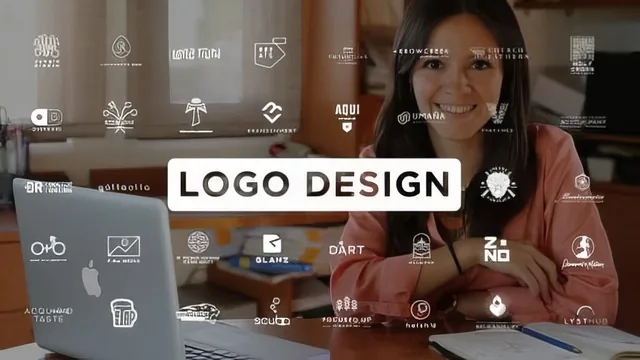
A working freelance logo process compressed into 50 minutes, but the software instruction is too thin to actually learn Illustrator here.
What the course actually covers
Daniela Madriz frames this class around a single real project: a logo for Valley of the Angels, a Guatemalan orphanage. Rather than teaching logo design as an abstract set of principles, the course walks through her own freelance pipeline in order, starting with a contract lesson that lists the clauses she actually uses (scope, payment terms, expense reimbursement, revision caps, cancellation terms). That lesson alone is worth attention for anyone freelancing, since it is concrete and specific rather than a vague appeal to "protect yourself legally."
From there the course moves into client discovery: an open-ended interview about the client's industry and competitors, followed by a values survey built in Google Forms that plots the brand across spectrums like masculine-feminine or traditional-modern. This is a genuinely useful, low-tech method for anchoring later design decisions in something the client already agreed to.
The moodboard and research lesson shows Madriz working through associative search terms tied to the client's name and context: Valley, angels, Franciscan iconography, the architecture of Assisi, Guatemalan textile patterns and volcano imagery. It is a good demonstration of how a designer expands a client brief into visual raw material, though it stays narrow to this one case rather than generalizing the technique.
Where it thins out
The sketching lesson is stronger than the Illustrator lesson. Madriz shows a real, useful progression from detailed traced references down to simplified strokes, and a clever grid technique for balancing lettering within a wordmark. That progression from detail to icon is the clearest teaching moment in the course.
The Illustrator lesson, by contrast, assumes the viewer already knows the software. Tools like Pathfinder, the align and distribute functions, and the Round Corners effect appear in passing, used to solve specific shape problems rather than explained as techniques on their own. Anyone without existing Illustrator fluency will follow the decisions but not the mechanics behind them.
The rounds-of-review and packaging lessons close the course out competently. The idea of presenting three rounds, black and white first, then introducing color and typography variation last, is a smart way to keep client feedback focused. The packaging lesson covers outlining strokes and text, grouping shapes, and exporting AI, PNG, and TIFF files with sensible naming conventions, which is practical if unglamorous knowledge many logo tutorials skip.
Overall assessment
At 50 minutes across nine short lessons, this plays more as a process overview than a skills course. It succeeds at showing what a professional logo engagement looks like end to end, from contract to delivery, and the contract and review-round structures are reusable regardless of the software a designer prefers. It falls short as an Illustrator or drawing tutorial, since technique is demonstrated rather than taught. Anyone hoping to learn logo design from the ground up, including the software fundamentals, will need a second, more technical resource alongside this one.
The standout
The round-by-round client review structure, which withholds color until the third round so design decisions get judged on form alone before palette enters the conversation.
What you will learn
- How to structure a client contract covering scope, payment terms, revision limits, and cancellation clauses
- How to run a client discovery interview and build a brand-positioning survey using Google Forms
- How to build research-driven moodboards and organize inspiration pulled from sources like Dribbble and Pinterest
- How to sketch iteratively, moving from detailed reference copies down to simplified iconic marks
- How to structure client-facing review rounds, progressing from black-and-white concepts to color and typography refinement
- How to package and export final logo files as outlined, layered deliverables in AI, PNG, and TIFF formats
Best for: Designers who already know Illustrator's tools and want to see how a working freelancer structures the business and process side of a real logo project from contract to delivery.
Skip it if: Complete beginners hoping to learn Illustrator mechanics or basic logo drawing technique, since the software portion moves fast and assumes existing fluency.