
Live Encore: Design and Prepare Digital Art for Print on Demand
Cat Coquillette · Artist + Entrepreneur + Educator
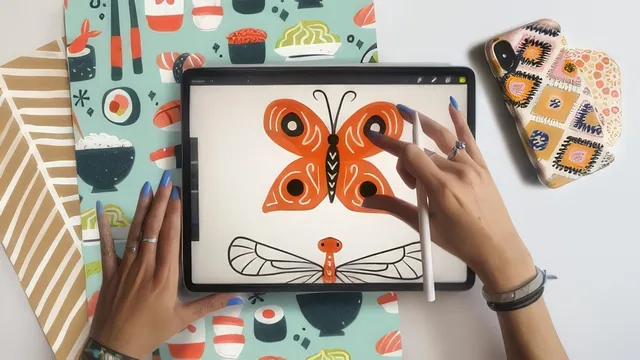
A one-hour live Zoom session teaches one symmetrical bug drawing and a print-on-demand export workflow, not a design curriculum.
Cat Coquillette's "Live Encore" is exactly what its title promises: a recorded live Zoom session repurposed as a class, not a scripted curriculum. That format shapes everything about it, for better and worse. The pacing is loose and conversational, punctuated by real audience questions, but the tradeoff is a thinner, less rehearsed teaching arc than her other Procreate classes.
What actually gets taught
The technical core is narrow and specific: set a 16x20 canvas, import a paper texture and a custom swatch file called Cute Critters, then turn on Procreate's Assisted Drawing with vertical symmetry so anything drawn on one side mirrors automatically. From there the class walks through drawing a butterfly, ladybug, and dragonfly as basic filled shapes on one layer, then a second detail layer for line work, eyes, and patterning. It is a genuinely useful entry point into Procreate's symmetry tool for anyone who has not used it, and the loose, gestural brush handling she demonstrates (varying pressure with the Pandani brush to keep texture instead of flat fills) is a nice, transferable habit.
The more valuable stretch comes after the drawing is done. Duplicating the artwork layer and running it through Hue/Saturation/Brightness versus Color Balance to generate distinct palette variations is a concrete, repeatable workflow, and the reasoning behind it, that different customers search by color and a single-palette illustration limits sales, is sound and specific rather than generic advice. The Multiply blend mode section, where the scanned paper texture is layered under the flat shapes so the piece reads as painted rather than vector-flat, is the strongest single technique in the class and the one most likely to change how a viewer's work looks afterward.
Where it thins out
The export lesson is brief but functional: PSD for a layered Photoshop backup, JPEG when the paper texture background should stay in the file, and transparent PNG when the design needs to sit on a product template without a background. That is the entire "prepare for print on demand" promise fulfilled in practical terms, and it is useful, but it is also the only export guidance offered. There is no discussion of DPI targets, canvas size requirements for specific product categories, or resolution troubleshooting beyond a Q&A answer telling students not to upscale past their original resolution.
The Q&A segment carries more real business substance than the demo itself: royalty rates around 10 percent, why non-exclusive licensing agreements matter, and the importance of retaining IP even in exclusive deals like the one with Target. That content is valuable but incidental, dependent on what students happened to ask rather than something the class deliberately teaches.
Verdict
This is a beginner-friendly, single-project class, not a design or business course. It assumes comfort with Procreate's basic interface (layers, blend modes, adjustments) already exists, since setup only gets a few minutes before drawing starts. Anyone hoping for pattern design, Photoshop finishing work, or a fuller print-on-demand strategy will find those explicitly deferred to Coquillette's other classes. Taken for what it is, a compact symmetry-drawing exercise with two genuinely reusable techniques (Assisted Drawing symmetry and Multiply-blended paper texture), it delivers a solid 56 minutes, just not much more than that.
The standout
The multiply-blend paper texture trick, layering a scanned watercolor paper under flat digital shapes so the illustration reads as hand-painted, is the one technique worth the price of admission.
What you will learn
- Setting up a Procreate canvas with a custom swatch palette and Assisted Drawing symmetry guide for repeatable, mirrored illustrations
- Drawing simple symmetrical creatures (a butterfly, ladybug, dragonfly) using layered base shapes plus a detail pass
- Blending a scanned paper texture into flat digital shapes using the Multiply blend mode for a hand-painted look
- Duplicating and recoloring layers with Hue/Saturation/Brightness and Color Balance to generate multiple palette variations of one piece
- Exporting the same artwork as PSD, JPEG, and transparent PNG depending on the print-on-demand product it's destined for
- Basic business context on royalties, non-exclusive licensing, and IP ownership when selling through sites like Society6
Best for: Someone who already owns Procreate basics and wants a quick, guided project to practice symmetry drawing while picking up print-on-demand export habits.
Skip it if: Complete Procreate beginners, anyone wanting deep pattern-making or Photoshop finishing instruction, or artists looking for a structured print-on-demand business course.