
Lifestyle Photography: Everyday Storytelling in Photo & Print
Dan Rubin · Designer + Travel & Lifestyle Photographer
A working photographer walks through one real afternoon shoot start to finish, but at 26 minutes it barely scratches any single skill.
Dan Rubin's course is less a photography tutorial than a filmed process diary. Over six short lessons he follows one real morning with a friend in Soho, New York, from packing a bag to publishing a photo essay, and narrates his decisions the whole way through. There is no studio set, no slide deck, no staged demonstration shot. The class either works for a viewer because that unfiltered honesty is exactly what they want, or it frustrates them because nothing is drilled or repeated.
The planning section is the strongest part of the course, and it earns that strength through restraint. Rubin's gear list for the entire shoot is one phone, one add-on lens, and one mirrorless body, and he is explicit about why: more equipment means a bag, means lens changes, means attention pulled away from the friend he is actually spending time with. That constraint becomes the organizing idea for the rest of the class. He introduces a four-part shot vocabulary, wide, atmospheric, detail, and portrait, and shows how thinking in those categories for five minutes before shooting tells you what to capture without needing a shot list. Applied to his own morning, that meant pastries and cafe textures for atmosphere, a friend's hands cutting food for detail, and a handful of candid portraits rather than posed ones.
The shoot and the edit
The Soho segment is where the course is most watchable and least teachable. Rubin narrates his choices in real time, a reflection shot through a bookshop window, a wide shot grabbed by crossing the street, a shoulder-angle shot that gives the viewer his friend's point of view, but these read as anecdotes about one specific outing rather than techniques a beginner can rehearse elsewhere. The lesson on selecting and editing photos is more procedural: a three-pass star rating system in Lightroom, paired with iOS Favorites for phone shots, takes his 63 captures down to a final set of 20 to 25. The one specific technique worth remembering here is his approach to mixed lighting. Rather than fighting warm tungsten bulbs against daylight through a window shot by shot, he picks a single image with his friend's face in it, corrects the white balance so the skin tone looks right, and then carries that same correction across every other image from that environment.
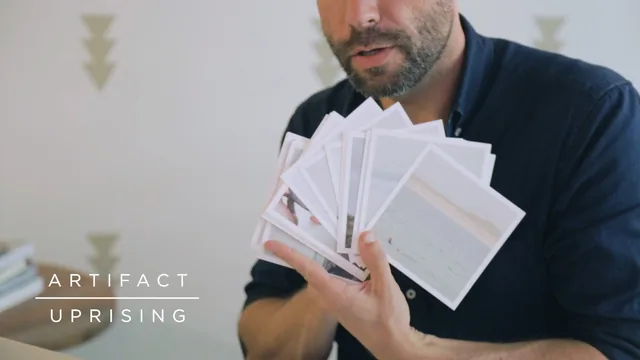
The final lesson on output is closer to a sponsor read than instruction, walking through VSCO Journal for a linear photo essay and Artifact Uprising for prints and books, though the mechanics of publishing a VSCO Journal are shown clearly enough to follow.
Where it falls short
At 26 minutes, the course cannot go deep anywhere. Editing gets a few minutes of narration over Lightroom's interface with an explicit disclaimer that this "isn't an editing class," and camera settings, composition rules, and app tutorials are waved toward other Skillshare classes rather than taught here. What remains is a mindset and a workflow shape, not a skill set. For a beginner who has never thought about photos as a narrative with a beginning, middle, and end, that shape has real value. For anyone who already understands storytelling in images and wants technical depth, this class will feel like a trailer for a longer course that doesn't exist.
The standout
Picking one image with skin tones in it to lock the white balance, then carrying that same correction across every other shot in the same environment.
What you will learn
- How to plan a minimal-gear, low-friction shoot around a real-life event instead of staging one
- A shot-type framework (wide, atmospheric, detail, portrait) for building a visual narrative
- How to shoot candidly around another person without interrupting the moment
- A three-pass star-rating culling workflow in Lightroom and iOS Favorites to cut 63 images down to a final set
- How to carry a consistent white balance and tone across mixed lighting using one reference image
- How to turn a final edit into a VSCO Journal photo essay or a printed book/print set
Best for: A beginner with a phone or basic mirrorless camera who wants a repeatable way to turn a day out into a coherent 10-25 image story.
Skip it if: Anyone wanting hands-on editing instruction, camera settings, or composition technique beyond the shot-type framework.