
Leverage Pinterest for Your Creative Business: Strategies for Attracting Clients
Ohn Mar Win · Illustrator Artist Educator
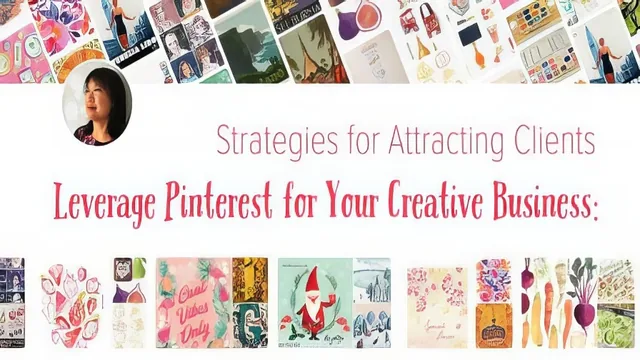
An eight-year Pinterest illustrator turns her own client-winning pin habits into a concrete five-step system for creatives who ignore search traffic.
A search engine, not a social feed
The course's central argument is stated early and repeated often: Pinterest behaves like a visual search engine, not a social network, and treating it that way is what makes the difference for a creative business. The teacher, an illustrator who has worked with clients including a cookbook publisher and a housewares brand, backs this up with her own numbers, saying that the majority of her commissions over the past several years arrived because an art director or editor found her on Pinterest first, then checked her website and Instagram second. That framing gives the class a genuine spine instead of a loose bag of tips, and it pays off in the search-engine-optimization sections that make up the back half of the course.
The five-step plan is the backbone: profile, boards, pins, consistency, and a business account. Each step gets a dedicated lesson, and the practical value climbs steadily. The profile lesson covers specific character limits (30 for the business name field, 160 for the description) and pushes keyword-loading over cleverness. The boards lesson explains why the top six to twelve boards matter most, since that is what a visitor sees without scrolling, and it walks through reordering and sectioning pins inside oversized boards. The pins lesson is the strongest stretch, laying out the 2:3 image ratio, file size limits, and a keyword-mining trick where typing a niche term into Pinterest's search bar surfaces the exact phrases people are already searching, phrases that then go straight into pin descriptions and hashtags.
Where the course thins out
The consistency lesson is honest but light: the routine amounts to pinning ten to fifteen images a day by hand, at least one of them original, and repinning older work every few months to keep it circulating. There's no scheduling-tool guidance, no discussion of Tailwind or similar automation, and the teacher says outright that manual pinning is a personal preference rather than a proven best practice, which is a fair disclosure but leaves anyone hoping for a scalable system without an answer. The business account and analytics lesson is useful for interpreting a dashboard, showing which pins drive website clicks and how referral traffic compares to other platforms, but it doesn't go deep on strategy beyond "check this regularly."
The closing bonus lesson, where the teacher critiques the Pinterest profiles of several other course instructors, works better as a worked example than as new material. It reinforces the profile and board lessons through real cases rather than teaching anything new, which is a reasonable way to close a short class but adds little for someone who absorbed the earlier lessons.
Verdict
At ninety minutes, this is a tight, single-sitting course that does what its title promises: it explains why Pinterest works for creative businesses and hands over a repeatable, if manual, method for using it. It has almost no fluff, but its ceiling is also modest since it never touches paid promotion, Pinterest Shopping, or automation tools that a growing business would eventually want. For an illustrator or designer starting from zero on Pinterest, it is a credible and efficient primer built on a track record rather than theory.
The standout
Typing a niche term into Pinterest's own search bar to harvest its autosuggested keywords, then feeding those words directly into board and pin descriptions.
What you will learn
- How to write a keyword-rich profile name and 160-character bio that surfaces in Pinterest search
- How to order and label boards so a visitor's first six boards act as a portfolio
- The correct pin ratio (2:3), file specs, and why tall giraffe pins now get cropped
- How to mine Pinterest's autosuggest field for the exact keywords buyers search
- A manual daily pinning routine (10 to 15 pins, at least one original) that keeps the algorithm favoring your account
- How to read a business account's analytics to see which pins drive website clicks
Best for: Illustrators, designers, and other visual freelancers with an existing body of work who want a low-effort, high-patience channel for inbound client leads.
Skip it if: Anyone wanting fast growth, paid ads, scheduling-tool workflows, or Pinterest Shopping features, since the teacher pins everything by hand and skips those entirely.