
Level Up Your Typography: Creating Animated Stickers in After Effects
Manon Louart · Motion Designer and Illustrator
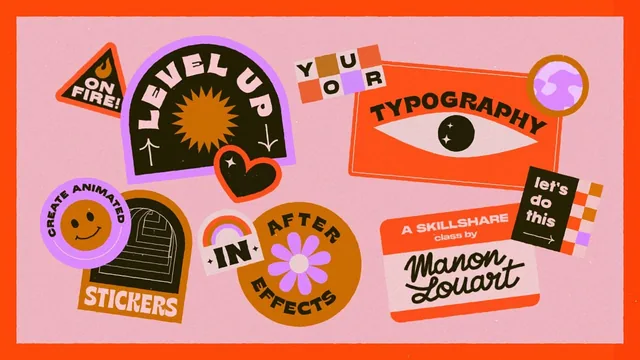
A hands-on effects toolkit for animating typography in After Effects, built around trim paths, echo, and text-on-path techniques rather than theory.
Manon Louart's class sets out to do one specific thing well: turn static typography into looping animated stickers, using a toolkit that leans almost entirely on shape-layer and path-based tricks rather than After Effects' built-in text animators, which the instructor openly says she avoids because they feel clunky. That preference shapes the whole course, and it turns out to be its most useful throughline.
Structure and pacing
The class splits cleanly into two chapters. The warm-up runs through eight effects and techniques, each introduced with a short definition and a standalone exercise, covering text-path animation, shape-layer letter distortion, Trim Paths, Echo, Polar Coordinates, CC Twister, Fractal Noise, and expressions. The second half applies all of it to a single four-second project: a set of colorful typographic stickers built from sketch to export. This structure works because it front-loads technique in digestible chunks before asking for sustained focus, and it lets viewers with more experience skip straight to the effect they need or jump to the project chapter entirely.
The opening refresher on After Effects fundamentals, solids, keyframes, easing, pre-composition, is clearly aimed at newcomers but moves quickly. A viewer who has genuinely never opened the software will likely need to pause often or supplement with outside material, despite the course's "intermediate" framing suggesting this refresher is a courtesy rather than a full onboarding.
The techniques themselves
The strongest material is the Trim Path sequence, where cursive text is manually traced with the pen tool and then revealed stroke by stroke, layered with duplicate copies at staggered offsets and different colors to build a hand-lettered, screen-printed look. That layering trick, several colored copies of the same stroke path nudged a few frames apart, reappears throughout the project chapter and becomes the course's signature move. The shape-layer letter distortion exercise is nearly as valuable, showing how converting text to shapes and manipulating individual anchor points with Rove Across Time keyframes produces stretch-and-snap animations that would be impossible with standard text animators.
Echo, Polar Coordinates, and CC Twister get comparatively thinner treatment. They're demonstrated competently but function more as garnish on secondary sticker elements, like the rotating flower or sun rays built from a repeater and Wave Warp, than as fully developed standalone skills.
Where it falls short
Expressions are covered only lightly, mostly as shortcuts for random seeds and loop-in/loop-out on Trim Path keyframes, so viewers hoping for a deeper scripting foundation will be disappointed. The final touches lesson on grain, Turbulent Displace, and Posterize Time is useful but rushed, with the instructor explicitly deferring detail to a previous class rather than explaining the settings in depth here.
What the course delivers reliably is a repeatable process: sketch, trace with the pen tool, animate one attribute at a time, then stack duplicate layers with slight offsets for texture. That process, more than any single effect, is what makes the class worth the two and a half hours for the right viewer.
The standout
The Trim Path writing animation, layered with offset strokes and staggered color copies, turns a single effect into a genuinely distinctive, reusable sticker style.
What you will learn
- Animate text along a custom path using Path Options and mask reversal
- Convert text to shape layers to distort and stretch individual letterforms
- Build writing/reveal animations with the Trim Path effect and offset stroke copies
- Create motion trails with the Echo effect and warp effects with Polar Coordinates and CC Twister
- Use Fractal Noise, grain presets, and Turbulent Displace to add hand-drawn texture
- Apply loop and wiggle-style expressions to speed up repetitive keyframing
Best for: Motion designers or illustrators who already know After Effects basics and want a stocked toolkit of typography-specific animation tricks to apply to their own work.
Skip it if: Total beginners to After Effects, since keyboard shortcuts, panel navigation, and core concepts fly by fast even in the warm-up refresher.