
Learn to Animate! Classical 2D Animation for Beginners
Siobhan Twomey · Artist, Illustrator, Instructor
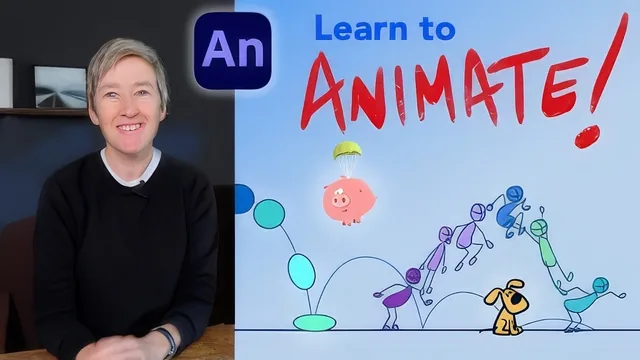
A tight, well-planned 101-minute walkthrough of the bouncing ball and character jump that actually teaches spacing and timing, not just Adobe Animate buttons.
What it actually teaches
This course narrows its scope early and sticks to it. Rather than trying to cover all twelve classical animation principles, it picks six: pose-to-pose construction, timing, spacing, easing, squash and stretch, and anticipation, and builds every lesson and project around them. That focus is the course's biggest strength. Instead of a broad survey that leaves a beginner with vocabulary but no muscle memory, it walks through the exact clicks and drawing decisions needed to produce two portfolio-ready pieces: a bouncing ball and a character jump.
The early lessons cover Adobe Animate's interface: the stage, the timeline, the pen and shape tools, and the distinction between a keyframe, a blank keyframe, and a regular frame. The instructor explicitly steers students away from Animate's tween function, arguing that letting the software auto-generate motion skips the actual craft of animating. That's a defensible pedagogical choice for a course about hand-drawn, frame-by-frame technique, though it does mean the course is narrower than "learn Adobe Animate" might suggest. It's a course about drawing motion by hand that happens to use Animate as the drawing surface.
The core technique, and where the course earns its keep
The most useful stretch of the course is the treatment of spacing and easing. The method taught, placing each new inbetween exactly halfway between the drawing before it and the drawing after it, gives a concrete, repeatable answer to a question beginners usually only learn by trial and error: where exactly do I put this next drawing. The same halfway logic gets reapplied to build a timing chart before either project begins, so students plan the rhythm of a bounce or a jump on paper before touching the timeline. That planning-first habit, plus the run-through of squash and stretch as a targeted second pass rather than something baked in from the start, gives the bouncing ball project real structure rather than being a vague "try to make it bounce" exercise.
The character jump project builds on that same scaffold and adds anticipation, overshoot, and settle, using a simple stick figure so the drawing itself doesn't become the bottleneck. It's a sensible progression: the ball teaches spacing and squash and stretch in isolation, the jump adds a character with anticipation and a more complex arc.
Where it falls short
At 101 minutes across 19 lessons, the course moves quickly, and some lessons compress a lot of manual, repetitive drawing work (nudging dozens of inbetweens frame by frame) into a short runtime, which will feel faster on screen than it will in practice for a student following along. The scope is also tightly bound to two projects; anyone hoping for broader character work, walk cycles, or dialogue animation is pointed toward a follow-up class rather than getting it here. And because the whole approach hinges on avoiding tweens and drawing everything by hand, students who already know the twelve principles from another source will find little new here beyond the specific halfway-spacing workflow.
As a first structured pass at frame-by-frame animation, though, it does what it promises: it takes someone from not knowing what a keyframe is to having two finished, planned, and exported animations.
The standout
The halfway-point method for building an ease (placing each inbetween exactly halfway between the prior drawing and the next) turns an abstract concept into a repeatable, almost mechanical drawing procedure.
What you will learn
- How to set keyframes, breakdowns, and inbetweens by hand instead of relying on tweens
- How to use spacing (drawings close together vs. far apart) to control speed and create ease-in/ease-out
- How to build a timing chart to plan a bounce or jump before animating a single inbetween
- How to apply squash and stretch to make an object read as flexible and weighted on impact
- How to sequence anticipation, overshoot, and settle so a jump feels alive rather than mechanical
- How to export a finished Adobe Animate file as a shareable video
Best for: Absolute beginners who have never touched a keyframe and want a structured, software-grounded path into hand-drawn animation fundamentals.
Skip it if: Anyone already comfortable with the 12 principles, or anyone who wants to animate outside Adobe Animate, since the software is treated as inseparable from the lessons.