
Learn Canva from an Expert Designer - Creating a Logo and Brand!
Lindsay Marsh · Over 500,000 Design Students & Counting!
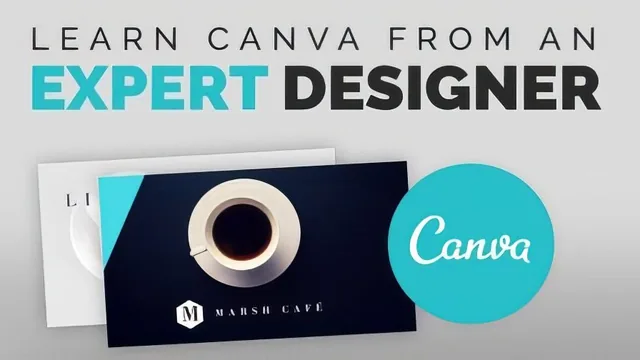
A working designer builds a full brand kit live in under an hour, mistakes and all, so you see real decisions, not polished theory.
Learn Canva from an Expert Designer sets out to do one thing: build a complete, usable brand identity in under an hour, in real time, with no pre-planned outcome. It largely succeeds, though the informality that makes it feel authentic also makes it uneven as instruction.
What actually gets built
The course opens with a fictional coffee shop, Marsh Cafe, and works forward through a logo, a second logo option, horizontal and vertical variants, black and white inversions, file exports, a social media graphic, a poster, and a two-sided business card. That is a genuinely complete small-business branding package, and the fact that every later asset reuses the same logo, font pairing, and blue-green accent color is the course's biggest strength. It is a rare example of branding taught as a system rather than as one-off exercises.
The logo-building lesson is the strongest section. The designer starts from a Canva template, strips it down to a shape and a text box, then works through font pairing (a serif paired with a sans-serif), letter spacing adjustments for a "more polished" feel, and ungrouping locked template elements to move pieces independently. These are small, concrete moves that a beginner can replicate immediately, and the reasoning behind each choice, like avoiding thin fonts that won't print legibly at small sizes, is the kind of practical judgment that separates this from a generic software tutorial.
Where the format costs it
The course is explicitly unscripted, and it shows. Decisions get made, reversed, and remade on screen, which is honest but slows the pacing and occasionally leaves a technique half-explained before the video moves on. The business card section in particular meanders through several rejected layout ideas before landing on a final design, and a viewer trying to follow along step by step will lose time re-finding where the useful move actually happened.
Coverage is also narrower than the pitch suggests. The file export lesson is useful and specific, covering JPEG versus transparent PNG versus print-ready PDF with crop marks and bleed, but branding fundamentals like choosing a color palette from scratch, typography theory beyond "pick a serif and a sans-serif," or naming and positioning strategy get skipped entirely in favor of jumping straight into software manipulation. Viewers hoping for design theory alongside the tool training will find only the tool training.
Verdict
This is a demonstration, not a curriculum. It works well as a single sitting where a beginner watches a professional make real branding decisions inside Canva and picks up transferable moves: template deconstruction, font pairing, multi-format logo variants, and consistent cross-asset branding. It works poorly as a reference to return to, since nothing is chaptered by technique and the pacing depends entirely on the designer's stream-of-consciousness process. For a beginner with zero Canva experience who wants to see what a full project looks like end to end, it delivers real value in a short amount of time. For anyone who already knows the basics of the tool, there is not enough new technique here to justify the runtime.
The standout
Watching the designer create both a horizontal and vertical version of the same logo, then explain why each shape suits a different placement, is the single most transferable branding lesson in the course.
What you will learn
- Building a logo from a Canva template by stripping, recoloring, and re-fonting existing elements
- Pairing a serif and sans-serif font and adjusting letter spacing for a more polished look
- Creating horizontal, vertical, black, and white versions of one logo for different uses
- Exporting logo files as JPEG, transparent PNG, and print-ready PDF with crop marks and bleed
- Building a branded social media graphic, poster, and two-sided business card from the same logo and color palette
- Using Canva's photo effects like blur, saturation, and transparency to create textured backgrounds
Best for: A total beginner who wants to see one realistic, unscripted branding project assembled from scratch in Canva and copy the workflow directly.
Skip it if: Anyone who already knows Canva's basics or wants a structured, mistake-free walkthrough with pre-planned design decisions.