
Learn Blender 3D: Become a 3D Illustrator by Mastering Blender
Arash Ahadzadeh · UI/UX Designer | University Lecturer
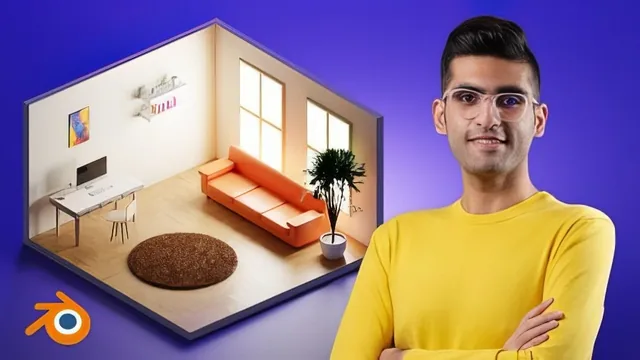
A patient, hands-on walkthrough of Blender's core toolset that turns two finished renders into real proof you can model, light, and render a scene.
A structured on-ramp, not a shortcut
This course sets out to take someone with zero 3D experience to a working knowledge of Blender, and it mostly delivers on that narrow promise. The arc is sensible: a "Blender Academy" section covers the interface, navigation, object versus edit mode, mesh anatomy, and the generate modifiers, before the second half puts all of it to use in two builds, a low-poly beach and a furnished modern room. Nothing here is theoretical. Every lesson ends with the instructor's hands on the keyboard, building something you can see change on screen.
The navigation lesson is a good example of the course's actual strength: it does not just say "orbit the view", it walks through the three-button-mouse method, the trackpad emulation settings for laptop users, and the numpad-emulation fix for keyboards without one. That attention to the unglamorous setup details, the kind that quietly stalls beginners, shows up again in the modifier lessons. The Boolean modifier is taught through a concrete example (subtracting a sphere from a cube, then reframing that as cutting a window into a wall), and the Mirror modifier is explained through the mechanics of origin points, which is the part most tutorials skip and most beginners get stuck on.
Where the course is honest about its own limits is scope. It states upfront that animation and rigging are out, and the timeline panel is dismissed in a single line. That is a fair trade for a course this length, but it means the "3D illustrator" framing in the title oversells what is actually a modeling, lighting, and static-render course. There is no sculpting, no procedural texturing beyond basic materials, and no discussion of topology or polygon flow beyond what is needed for the two demo scenes.
The two projects carry the course
The beach project is the simpler of the two, built from low-poly rocks, a palm tree, and a terrain mesh, and it teaches surface snapping (aligning objects to a mesh's faces) and linked duplication as the main scene-composition tools. The room project is more ambitious, introducing appending objects from external Blender files, working from a reference image to model a keyboard, and lighting a scene twice, once with EEVEE for speed and once with Cycles for the reflections an emission-shader monitor screen actually needs. The night version of the same room, achieved by darkening the window shader and turning a lamp object into its own light source, is a nice closing lesson because it shows how much a scene's mood depends on light color and strength rather than remodeling.
The room build also exposes a gap: the keyboard, one of the more detailed props in the scene, is explicitly left as a "challenge" for the learner to model alone, with only the finished asset supplied for download. That is a reasonable pedagogical choice, but it also means a chunk of the final project's polish did not actually come from watching it get built.
For a beginner willing to follow along at the pace it sets, the course earns its place. It will leave you able to open Blender without panic, understand what a modifier does and why, and finish with two scenes worth putting in a portfolio. It will not make you a character artist or animator, and anyone already past the fundamentals will find little new here.
The standout
The Boolean and Mirror modifier lessons, where cutting a window from a wall and mirroring half a shape into a full object are taught as reusable, non-destructive workflows rather than one-off tricks.
What you will learn
- How to navigate Blender's interface, viewport, and hotkey system for moving, rotating, and scaling objects
- How to use generate modifiers (Boolean, Mirror, Bevel, Array, Screw) to build complex shapes non-destructively
- How to build a stylized low-poly beach scene using snapping, duplication, and terrain composition
- How to build a more complex modern room interior with furniture, props, and appended external assets
- How to light a scene with emission shaders and area lights, including a night-time lighting variant
- How to set up a camera, crop the render border, and produce a final render in EEVEE and Cycles
Best for: A total beginner to 3D, or a 2D/UI designer, who wants a guided first path into Blender with two portfolio-ready scenes to show for it.
Skip it if: Anyone who already knows Blender's interface and modifiers and wants advanced sculpting, animation, or character work, none of which this course touches.