
iPhone Photography Essentials: Take Pro Photos With Your iPhone
Sean Dalton · Travel Photographer
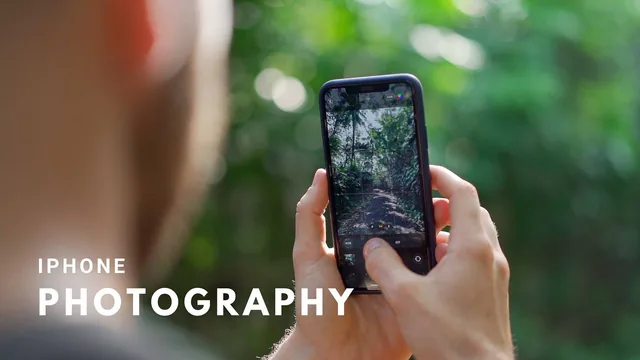
A tight, genuinely practical iPhone photography course that trades depth on any single topic for a full beginner-to-edit workflow in under two hours.
A course built for someone who has never thought about their camera settings
This course opens with a claim worth testing: that photography is 15 percent camera knowledge and 85 percent creative principle. It then structures itself around that ratio, spending its first third on the iPhone itself (which model, which lens, which settings) before shifting into lighting, composition, and storytelling, then finishing with location shooting and editing. That arc is sensible for a true beginner and it is followed without much detour.
The technical setup section is the most immediately useful part of the course. Rather than a generic "here is your camera app" tour, it gives three specific settings changes worth making before ever pressing the shutter: turning off Smart or Auto HDR so exposure can be controlled manually instead of left to the phone, turning on the grid for composition, and enabling the Live Photo preserve setting so the camera remembers a preference between sessions. The explanation of what HDR actually does, capturing three exposures and blending them, gives the setting change context instead of just an instruction to follow blindly.
The composition and storytelling lessons are where the course is least distinctive. The five-part composition breakdown covering things like depth and framing is competent and clearly explained, using a landscape shot to demonstrate foreground, midground, and background, but it treats ground that most beginner photography material covers in similar terms. It is presented well, not radically differently.
Where the practical value concentrates
The shooting-mode lessons earn their place. The Portrait mode lesson goes past "point it at a person" by explaining the 2 to 8 foot working distance requirement, the difference between the light modes like natural and studio, and the aperture slider's effect on background blur, illustrated with a genuinely awkward subject: two restless kittens rather than a cooperative human model. The long-exposure technique, converting a Live Photo into a motion-blur shot of moving water, is a specific, repeatable trick that a beginner would not stumble onto independently.
The editing section is the strongest stretch of the whole course. It presents two distinct workflows rather than one, a fast filter-based pass in VSCO for anyone who does not want to touch sliders, and a full Lightroom Mobile edit that covers presets, the light and color panels, clarity and grain for portrait texture, and selective adjustments using radial and graduated filters to brighten a pathway and darken its surroundings, a classic burn-and-dodge technique applied on a phone. Watching that portrait go from flat to contrasted through a specific, named sequence of adjustments is the clearest demonstration of value in the entire course.
The honest limits
At 94 minutes, nothing here gets deep treatment. The course functions as a well-organized checklist of things to know and try rather than a mastery path, and an experienced photographer moving to iPhone shooting will find most of it obvious. The presets and preferences shown, dramatic and noir filters, a 4x3 aspect ratio preference, are personal choices presented as recommendations rather than rules, which the course itself acknowledges. For a total beginner who wants one sitting to go from confused to competent with their phone camera, though, it delivers exactly what it promises.
The standout
The Lightroom Mobile lesson, which walks through burning and dodging with radial and graduated filters and selective masking on a real portrait, is the one segment that could stand alone as a mini-course.
What you will learn
- How to set up the iPhone camera correctly before shooting: disabling Smart/Auto HDR for manual control, enabling grid lines, and turning on the Live Photo preserve setting
- How to use focus-and-exposure tapping and AE/AF lock to get sharp, correctly lit shots without relying on auto mode
- Core composition principles including depth (foreground, midground, background) and how framing choices change a photo's emotional read
- How to shoot with Portrait mode, Pano mode, and the different lenses (0.5x, 1x, 2x) for different subjects and scenes
- How to turn a Live Photo into a long-exposure shot for motion blur effects like flowing water
- Two complete editing workflows, a quick pass in VSCO or the native Photos app, and a fuller edit in Lightroom Mobile using presets, selective adjustments, and masking
Best for: A beginner who already owns an iPhone and wants a single afternoon course covering camera settings, composition thinking, and a repeatable free editing workflow.
Skip it if: Anyone who already understands exposure and composition from other cameras, or who wants a deep technical dive into any one of these topics rather than a broad survey.