
iPhone Filmmaking: Create Cinematic Video With Your Phone
Caleb Babcock & Niles Grey · Filmmakers at Moment
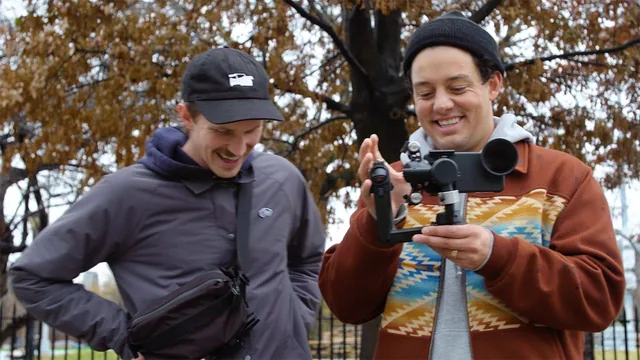
A tight 44-minute crash course that trades depth for momentum, teaching the one exposure trick (ND filters plus locked manual settings) that actually separates phone footage from cinematic footage.
A crash course, literally
At 44 minutes across eight lessons, this class does not pretend to be comprehensive, and it says so upfront. Caleb Babcock and Niles Grey, two filmmakers who work for the lens and accessory company Moment, frame the whole thing as a single production diary: they shoot one short skateboarding sequence in the rain, then edit it into a fifteen-second clip, and every technique gets introduced in service of that one small project rather than as an abstract lecture. That structure is the course's biggest strength. Instead of a disconnected list of tips, a viewer watches a shutter-speed setting get chosen, then watches the footage it produces, then watches that footage land on a timeline. The arc from lesson to lesson (limitations and advantages, gear and apps, shooting, transferring, editing, exporting) mirrors the actual order of a real shoot day, which makes the material easy to follow even for someone who has never touched a manual camera control.
The technical core of the course is genuinely useful and specific. The lesson on gear and apps walks through the Moment Pro Camera app's control layout (a scroll dial covering shutter speed, ISO, exposure compensation, focus, and white balance) and explains why locking those settings before recording matters: an unlocked phone camera constantly re-adjusts exposure and color mid-shot, which ruins continuity across a sequence. The most concrete and repeatable piece of advice is the shutter-speed rule: set it to roughly double your frame rate (1/48th for 24fps) to avoid choppy motion, and use a clip-on ND filter to darken the image enough to hit that shutter speed in daylight without cranking the ISO and adding noise. That single workflow, expressed clearly with a real example, is worth more than most of the surrounding material and is the reason the course earns its "cinematic" claim.
Where it thins out
Past that core lesson, the course becomes noticeably shallower. The editing lesson shows a real Premiere Pro session, complete with folder naming conventions and a walkthrough of J-cuts, but it moves fast and skips past anything resembling color theory or sound mixing beyond a passing mention of cross-fades. The transferring-footage lesson, while practical, is really just a comparison of AirDrop, Image Capture, and a paid app called iMazing, useful but thin. There is no meaningful discussion of composition rules, framing for different aspect ratios, or story structure beyond "get an establishing shot, some action, and a payoff." Viewers who already understand basic photography exposure will find a large share of the runtime redundant.
The tone throughout is casual and occasionally rambling, with the two hosts riffing and joking rather than tightly scripting each segment, which makes the pacing feel slower than the content density would suggest. For a true beginner who owns an iPhone and wants a fast, credible entry point into intentional filmmaking, the course delivers real value in under an hour. For anyone chasing a deeper education in cinematography, color, or story editing, it functions better as a starting point than a destination.
The standout
The explanation of pairing a locked 1/48th shutter speed with a clip-on ND filter, which is the single specific technique that visibly upgrades phone footage from amateur to cinematic.
What you will learn
- How to lock shutter speed, ISO, white balance, and focus manually in a third-party camera app instead of relying on auto-everything
- Why shutter speed should be double your frame rate (the 180-degree rule) and how an ND filter lets you hit that ratio in daylight without blowing out the image
- How to plan and shoot a short sequence (establishing shot, action, experimental angles, payoff shot) rather than just filming randomly
- Three practical methods for getting footage off an iPhone onto a computer, and the tradeoffs between them
- A basic Premiere Pro workflow: folder structure, importing, J-cuts, cutting to music, and adding a color-grading plugin
- How to export a finished cut with the right codec and bitrate settings for social platforms
Best for: A total beginner with an iPhone who wants a fast, practical orientation to manual camera controls and a basic edit before investing in any gear.
Skip it if: Anyone who already understands manual exposure or wants a deep, technical education in color grading, sound design, or narrative editing.