
Introduction to Project Management: Methods & Tactics for Success | Learn with TeamGantt
Brett Harned · Director of Education, TeamGantt
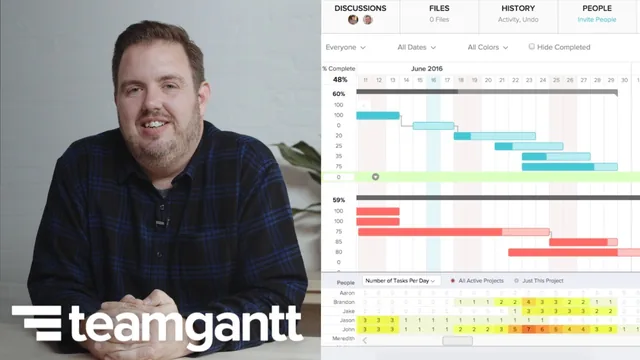
A digital project management consultant distills waterfall, agile, and hybrid methods into one demo-driven hour that beginners can put to work immediately.
Brett Harned, a digital project management consultant who now serves as TeamGantt's Director of Education, built this course around a simple premise: project management is a mindset before it is a tool. That framing shapes everything that follows, from the opening lesson on principles through to a live software demo and a closing set of communication case studies.
Structure and content
The course opens with what Harned calls the qualities of a good project manager: an eye for emerging issues, calm and honest communication, empathy for the people doing the work, and adaptability when a plan stops matching reality. From there it moves into the three methodologies at the center of the course. Waterfall gets described through its dependency chain, one task handing off to the next, suited to fixed-scope work with heavy sign-off requirements. Agile gets explained through sprints, product owners, scrum masters, and kanban boards. The hybrid approach, which Harned clearly favors, blends the two: waterfall-style approval gates for research, UX, and design phases, then agile sprints once development starts.
The demo is where the course earns its keep. Harned builds a website redesign project plan from scratch in TeamGantt, starting with stakeholder interviews and a sitemap, adding a wireframe approval milestone, then transitioning into six two-week sprints culminating in a beta and a final launch. He assigns team members to tasks, sets a start and end date, links a dependency between a kickoff meeting and a strategy brief, and converts key checkpoints into milestones so they stand out visually on the chart. It is a specific, followable example rather than an abstract description of what a Gantt chart can do.
Where it lands and where it thins out
The communication material in the back half is the course's other strength. Harned lays out what belongs in a weekly status report, calling out the risks section as the most important part, and walks through three real scenarios: a client pushing back on delivered scope, a disengaged team member dragging down morale, and a design review where feedback arrives contradictory and unactionable. His advice for the last one, collecting comments in a single written voice rather than a scattered mix of stakeholder opinions, is the kind of specific fix that separates this from generic management advice.
The course's boundaries are worth naming plainly. At 67 minutes it stays introductory by design, and the methodology coverage never goes deeper than a working definition of waterfall, agile, and hybrid. Anyone who already runs sprints or holds a PMP will find the first half familiar. The Gantt chart demo is also tool-specific: the mechanics of clicking, dragging, and assigning apply to TeamGantt's interface, so viewers on other software will need to translate the concepts rather than follow along directly. Harned addresses this by keeping the underlying advice tool-agnostic, wrapping up by noting that plans built on whiteboards or sticky notes follow the same principles, but the on-screen portion is still branded around one product.
For a beginner stepping into project coordination for the first time, whether formally titled or not, this course delivers a workable framework in a single sitting: three methodologies to choose between, one concrete way to build a plan, and several rehearsed scripts for the hard conversations that come with the job.
The standout
The live walkthrough of building a hybrid Gantt chart, stacking waterfall-style approval gates against two-week agile sprints inside a single timeline, gives a concrete template most beginners have never seen assembled this way.
What you will learn
- How to distinguish waterfall, agile, and hybrid methodologies and pick the right one for a given team and client situation
- How to build a live Gantt chart project plan in TeamGantt, including tasks, groups, resource assignment, dependencies, and milestones
- How to structure a weekly status report with progress, to-dos, budget, and a dedicated risks section
- How to run a RACI matrix to assign responsibility, accountability, consultation, and information roles on a project
- How to handle scope creep, an underperforming team member, and inconsistent client feedback through specific conversation tactics
- How to set expectations for design feedback and presentations so revisions stay controlled
Best for: Someone newly handed project management responsibility, formally or informally, who needs a fast, practical map of methods and communication habits before diving into a tool.
Skip it if: Anyone already PMP-certified or fluent in Agile/Scrum ceremonies, since the methodology content stays at survey level and the tool demo is tied specifically to TeamGantt.